
Boost Growth with automated testing for web applications

Automated testing is simply the practice of using software to check if your own software works. Instead of a human manually clicking through your application to find bugs, a script does it automatically. For a startup moving away from the world of no-code, this isn't just a "nice-to-have"—it's the foundation of your new, custom-built application. It's what ensures your app is stable, scalable, and ready to handle real growth.
Why Automated Testing Is a Non-Negotiable Investment

Making the jump from a no-code MVP to a full-fledged production app is a huge moment. You're officially moving beyond just validating an idea and are now building a serious, scalable asset. But without a solid testing strategy, you're building that asset on shaky ground, where one wrong move could bring it all down.
As a founder, you have to stop thinking of automated testing for web applications as a line-item expense for the engineering team. It's a core business decision. Think of it as the insurance policy on your entire development budget. Skipping it opens you up to real, tangible risks that can sink a growing company just as it’s starting to take off.
The True Cost of Neglecting Quality
Bugs in your live application aren't just technical annoyances; they're direct hits to your revenue and reputation. A checkout process that fails, a sign-up form that breaks, or a key feature that crashes when multiple users are on it—these are the things that cause immediate customer churn. In a crowded market, users simply won't tolerate an app that doesn't work.
Worse yet, a fragile codebase becomes a massive drag on your business. Without tests, every new feature or simple bug fix feels like a high-stakes gamble. You push an update live, only to find it broke something completely unrelated. This fear forces your team to spend more time manually checking old features than building new ones, grinding your progress to a halt. For any founder looking to raise capital, a codebase without tests is a glaring red flag that screams "technical debt" and "operational risk."
Adopting automated testing is about shifting from a reactive "fix-it-when-it-breaks" mindset to a proactive culture of quality. It ensures that your application is not just functional today, but resilient and adaptable for tomorrow's growth.
Building a Fortress Instead of a House of Cards
The table below breaks down the common points of failure in a no-code environment and how a proper testing strategy in your production app addresses them head-on.
No-Code Fragility vs. Production-Grade Reliability
| Challenge | Risk in a No-Code Environment | Solution with Automated Testing |
|---|---|---|
| Silent Failures | A third-party integration (like Stripe or an API) updates and breaks a key workflow without warning. | Integration tests run automatically, immediately catching failures between your app and external services. |
| Complex Logic | As user-facing logic gets more complex, it becomes impossible to manually check every possible scenario. | Unit tests verify individual functions (e.g., a pricing calculation), ensuring core business logic is always correct. |
| User Flow Breakage | Changing one part of the app (e.g., the sign-up form) unintentionally breaks another (e.g., the checkout process). | End-to-end (E2E) tests simulate real user journeys, confirming that critical paths work from start to finish. |
| Slow Development | The fear of breaking things leads to long, tedious manual regression testing before every small release. | CI/CD pipeline with automated tests gives developers instant feedback, allowing them to ship code faster and with confidence. |
By weaving an automated testing strategy into your migration from day one, you turn your new codebase from a potential liability into a fortress. The market data backs this up.
The global software testing market, valued at $48.17 billion in 2025, is on track to nearly double to $93.94 billion by 2030. The test automation segment is growing even faster, signaling a massive industry-wide commitment to building more reliable software. You can dig into more software testing statistics to see these trends for yourself.
By investing in automation, you’re not just buying peace of mind; you're hitting key business goals:
- Protect Your Investment: You ensure the code you paid good money to build actually works and stays that way.
- Increase Development Velocity: Your developers can focus on building new, valuable features instead of getting bogged down in manual QA.
- Boost User Confidence: A reliable app builds trust, which is the cornerstone of user retention and word-of-mouth growth.
- Improve Investor Readiness: You can confidently show potential investors a mature, scalable, and well-engineered product ready for due diligence.
Structuring Your Testing With The Test Pyramid

So, where do you even start with testing? Just diving in and writing tests randomly is a classic mistake. It leads to a messy, ineffective test suite that gives you a false sense of security without actually catching the important bugs.
A much smarter way to think about automated testing for web applications is to use a mental model called the Test Pyramid. It’s a simple, visual guide that helps you balance different kinds of tests to get the most confidence for the least amount of effort.
The pyramid is built from three layers, each with a specific job: Unit Tests at the bottom, Integration Tests in the middle, and End-to-End (E2E) Tests at the very top. A healthy strategy has a wide base of fast, cheap unit tests, a smaller middle layer, and just a few comprehensive E2E tests at the peak.
The Foundation: Unit Tests
Unit tests are the bedrock of your entire testing strategy. They form the wide, stable base of the pyramid.
Each unit test is small and hyper-focused, checking just one tiny piece of your application’s logic—a single function or a specific component—completely on its own. There are no external dependencies like a database or an API call involved.
Because they're so self-contained, unit tests are lightning fast. You can run thousands of them in a few seconds, which means developers get instant feedback. That speed is their superpower.
- What they catch: Logic errors, incorrect calculations, and flawed algorithms inside a specific function.
- A real-world example: Imagine you have a function called
isEmailValid()for a user signup form. A unit test would check if it correctly returnstruefor "test@example.com" andfalsefor "test@example". It couldn't care less about the UI or the database; it only cares if that one piece of logic is solid.
The Middle Layer: Integration Tests
As you move up the pyramid, you get to integration tests. This is where you start checking how different parts of your system actually work together. Can your application’s components talk to each other correctly? Can they communicate with a database or a third-party API?
These tests are naturally a bit slower and more complex than unit tests because they need a more realistic setup. You might need to spin up a dedicated test database or mock an API response to run them.
- What they catch: Issues with data flowing between services, bad database queries, and broken connections between different parts of your system.
- A real-world example: Sticking with the signup flow, an integration test would confirm that when your user service gets valid data, it successfully creates a new record in the database. It’s testing the "integration" between your application code and the database itself. To see how this fits into the bigger picture, check out our guide on software architecture best practices.
The Peak: End-to-End Tests
Right at the top of the pyramid sit End-to-End (E2E) tests. Think of these as the final boss—they are the most comprehensive tests you’ll write because they simulate an entire user journey through your live application, from start to finish.
An E2E test literally automates a real browser to click buttons, type into forms, and navigate pages just like a human would.
They give you the highest possible confidence that your critical user flows are working, but that confidence comes at a price. E2E tests are the slowest to run and can be notoriously brittle; a minor UI tweak can easily break them. That’s why the pyramid shape is so important—you should have very few of these, saving them only for your absolute must-work business workflows.
An effective testing strategy isn't about hitting 100% coverage with one type of test. It's about layering different tests to cover different risks, giving you maximum confidence without bogging down your development speed.
- What they catch: Broken user workflows, glaring UI bugs, and complex issues that only show up when the whole system is running together.
- A real-world example: For our signup flow, a full E2E test would fire up a browser, go to your signup page, fill in the email and password, click the "Sign Up" button, and then verify that the user lands on the dashboard and sees a "Welcome!" message. It confirms that the UI, frontend logic, backend service, and database are all playing nicely together.
Choosing Your Tools: A Pragmatic Startup Stack
Picking the right tools for automated testing can feel overwhelming. You're bombarded with frameworks, libraries, and platforms all shouting about why they're the best, and it's easy to get stuck in "analysis paralysis" before you've even written a single test.
Let's be real. As a startup moving from a no-code setup to a real production stack, your goal isn't perfection. It's about finding a pragmatic, battle-tested stack that works today.
I'm going to cut through the noise for you. If you're building with something like React or Next.js on the frontend and a Python or Node.js backend, you need tools that are quick to set up, have a ton of community support, and slot right into your CI/CD pipeline. These recommendations are designed to do just that, so you can build momentum fast.
Frontend Testing: React and Next.js
Your frontend is your storefront—it's what users see and touch. Testing it well isn't optional. For a modern JavaScript app, you'll need tools designed to test components in isolation and simulate how a real person clicks around in a browser.
For Unit & Integration Testing: Jest and React Testing Library I’m a huge fan of Jest. It’s a fantastic JavaScript testing framework that gives you almost everything you need right out of the box: a test runner, an assertion library, and great mocking capabilities. When you pair it with React Testing Library (RTL), it’s a game-changer. RTL nudges you to write tests that focus on what the user experiences, not on the nitty-gritty implementation details. This simple shift makes your tests way more resilient when you refactor your code down the line.
For End-to-End (E2E) Testing: Playwright or Cypress When it comes to full-blown E2E testing, two titans rule the space: Playwright and Cypress. Honestly, both are incredible. They offer mind-blowing features like "time-travel debugging," which lets you step back through a failed test to see exactly what went wrong.
Playwright, backed by Microsoft, has exploded in popularity because it's insanely fast and supports Chrome, Firefox, and Safari right out of the box. Cypress is a long-time developer favorite, known for its buttery-smooth API. You can't go wrong with either, but Playwright often gets the edge for startups. Why? Its built-in parallel testing capabilities help keep your CI/CD pipeline moving quickly, which is critical when you're trying to ship fast.
Backend Testing: Python or Node.js
The backend is the engine of your app. It's where the business logic lives, data gets crunched, and APIs do their thing. Its reliability is paramount, and your testing stack needs to reflect that. The best choice here really comes down to your language.
For Python: Pytest If your backend is Python (maybe with a framework like Django or Flask), then Pytest is the undisputed champion. Its clean, simple syntax makes writing tests feel less like a chore. Features like fixtures—which let you set up reusable test data and states—are absolute gold for keeping your test suite clean and maintainable. Plus, its massive plugin ecosystem means you can extend it to do just about anything.
For Node.js: Jest or Mocha & Chai For a Node.js backend, you have a couple of solid options. If you’re already using Jest on the frontend, sticking with it for the backend creates a nice, consistent experience for the whole team. The other classic, battle-tested setup is the combination of Mocha (the test runner) and Chai (the assertion library). It's less "all-in-one" than Jest but gives you more modularity if that's your team's style.
The best tool stack is one your team can pick up quickly without adding a bunch of unnecessary complexity. The goal is to start writing effective tests now, not spend weeks debating framework nuances.
This pragmatic stack gives you solid coverage for a typical web application. It’s a safety net that lets you move fast, catching bugs before they ever make it to your users.
To bring it all together, here’s a quick summary of how these tools map to the different layers of the testing pyramid.
Pragmatic Testing Tool Stack for Migrated Apps
The table below outlines a recommended, no-fuss toolset perfect for teams migrating to a modern web stack. It's all about getting maximum value with minimum setup time.
| Test Type | Recommended Tool | Why It's a Good Fit for Startups |
|---|---|---|
| Unit Test | Jest (Frontend/Backend) or Pytest (Python) | Blazing fast execution, simple syntax, and powerful mocking features allow for quick feedback during development. |
| Integration Test | Jest & RTL (Frontend) or Pytest (Python) | Excellent for testing interactions between components or services without the overhead of a full browser environment. |
| End-to-End Test | Playwright or Cypress | Modern, developer-friendly tools that simulate real user behavior accurately and provide superb debugging features. |
Ultimately, these tools are popular for a reason: they work well, have massive communities for support, and won't slow you down. That's the perfect recipe for a startup that needs to focus on building, not on endless tool configuration.
Automating Your Safety Net with a CI/CD Pipeline
So you've written some tests. That's a fantastic start, but they aren’t doing much good just sitting on your developer's laptop. The real magic happens when they run automatically, every single time someone pushes new code. This is where a Continuous Integration and Continuous Deployment (CI/CD) pipeline comes in—it’s the automated safety net that catches bugs before they ever reach your users.
For a small team, this isn't some enterprise luxury; it's a game-changer. It transforms deployments from a stressful, all-hands-on-deck event into a boring, predictable routine. And when deployments are boring, it means you can ship new features faster and with a whole lot more confidence.
Getting Started with GitHub Actions
If your code is on GitHub, the simplest way to get this running is with GitHub Actions. It's built right into the platform, so you don't need a separate service. You just add a special configuration file (written in a format called YAML) to your code repository.
Think of this file as a recipe for GitHub to follow. It tells the system exactly what to do when new code gets pushed: check out the code, install any necessary tools, and then run your test commands.
A Pragmatic CI/CD Workflow That Actually Works
Here’s a hard-won piece of advice: a smart workflow is a fast workflow. You don't want your team waiting 20 minutes for feedback only to find out they have a simple typo. The key is to structure your pipeline to give you the quickest, most essential feedback first.
Here’s a practical way to set up the jobs in your workflow:
- Run Unit Tests First: These are lightning-fast. They should run on every single push to give developers an immediate "pass" or "fail."
- Move on to Integration and E2E Tests: Only if the unit tests pass should you kick off the more comprehensive (and slower) integration and E2E tests. This tiered approach saves a ton of time and computing resources.
- Deploy Only on Green: If—and only if—every single test passes, should the pipeline proceed to deploy the code to a staging or production environment.
A well-designed CI/CD pipeline isn't just a single script; it's a strategic sequence of checks that balances speed with confidence. The goal is to fail fast, get quick feedback, and protect your users.
I’ve seen this strategy prevent so many "oops" moments. It’s a core principle of modern development. In fact, by 2026, the expectation is that every code commit will trigger a sophisticated hierarchy of automated tests, from quick unit tests to more involved end-to-end runs. If you're interested in version control, which is the foundation for all of this, check out our guide on how to use Git for version control.
Don't Forget These Pipeline Essentials
To really make your pipeline work for you, a few extra tweaks are crucial.
- Handle Your Secrets: Your tests will need secrets, like a connection string for a test database or an API key. Never, ever hard-code these. Use GitHub's encrypted secrets to store them safely and have your workflow inject them as environment variables.
- Cache Your Dependencies: Installing all your npm packages from scratch every single time is a huge waste of time. Actions can cache these files, so subsequent runs can often skip that step and get straight to the testing. This can cut your run times in half.
- Set Up Notifications: What good is a failed build if no one knows about it? Configure your workflow to send an automatic notification to a team Slack channel. This creates a tight feedback loop, ensuring broken builds get fixed immediately instead of languishing for hours.
The diagram below gives you a good visual of how this all fits together in a typical startup stack.
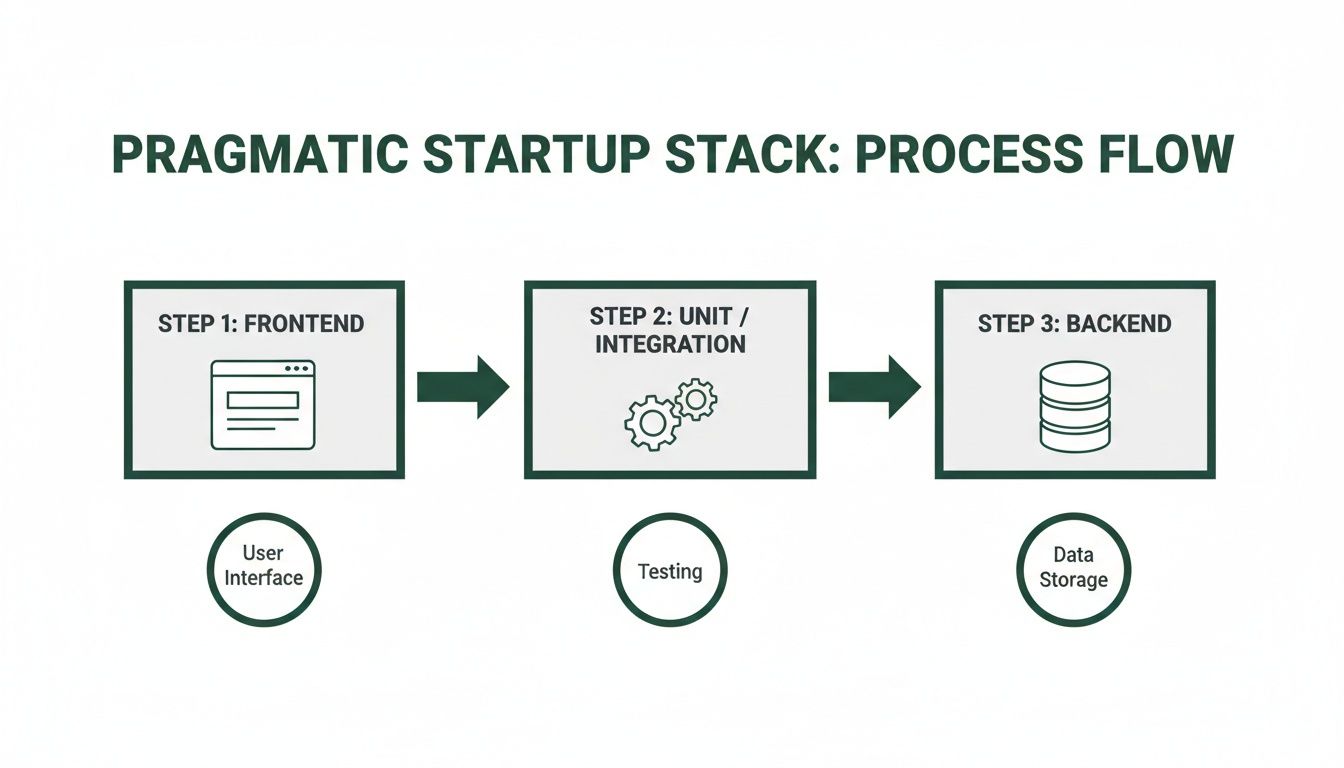
You can see how a code change flows from the frontend, through all the automated test gates, and finally to the backend. By integrating your test suite into a CI/CD pipeline, you’re not just running tests—you’re building an automated quality gate that stands between your code and your customers.
Keeping Your Test Suite From Becoming a Burden
You’ve written your first dozen tests. It feels like a massive win. But then you blink, and it’s six months later. Your app has grown, features have been tweaked, and now your tests are a sea of red.
This is a make-or-break moment. If your tests become a brittle, time-sucking chore, your team will lose faith in them, and all that initial effort goes down the drain. The real trick isn't just writing tests; it's keeping them alive and useful as your product evolves.
A huge source of this pain is test flakiness—those infuriating tests that fail one minute and pass the next for no clear reason. This almost always comes from tests that depend on each other. The golden rule here is to write independent tests. Every single test should set up its own world and clean up after itself, ensuring it can run anytime, in any order, without messing with its neighbors.
Smart Habits for a Healthy Test Suite
You have to treat your tests like you treat your product code. That means giving them regular attention: refactoring clunky scripts, deleting tests for features that no longer exist, and optimizing the slowpokes. A simple but effective habit is to schedule a "test health" check-in every couple of weeks to hunt down and fix the worst offenders.
For your end-to-end tests, adopting the page object model (POM) will save you a world of hurt. Instead of hardcoding UI selectors like CSS classes and IDs all over your test scripts, you gather them into a single file for each page or component. So when a designer changes a button's ID, you update it in one place, not twenty.
Your test data strategy is another critical piece. Hardcoding user data or product names directly into tests is a ticking time bomb. A much better approach is to use factories or seed scripts to generate fresh, predictable data for every single test run. Our guide on managing database changes goes deeper into how to keep your test environments pristine and reliable.
Your test suite is a living, breathing part of your codebase. It needs the same thoughtful architecture and regular care as your main application. If you let it go, it will quickly turn from an asset into a liability.
How AI is Changing Test Maintenance
The biggest game-changer in test maintenance right now is artificial intelligence. This isn't science fiction anymore; AI-powered tools are here today and are already making a huge difference, especially for small teams trying to do more with less. They handle the tedious busywork that used to burn up so much developer time.
One of the most powerful features is self-healing tests. Picture this: your UI team renames a button ID. A traditional test script would break immediately. An AI tool, on the other hand, can look at other attributes—like the button's text, its position on the page, or what’s next to it—and figure out what changed. Then, it automatically updates the test for you. That alone dramatically cuts down the maintenance drudgery.
This AI-driven approach is fundamentally changing how teams think about quality. According to a recent report, professionals who actively use AI in their testing are 17% less anxious about quality and are 4 times more likely to have 'Zero Concern' about their processes. The data also suggests AI can boost test reliability by 33% and slash defects by 29%. You can dive into all the findings in the full report on the state of testing.
Here’s a snapshot of how AI is leveling up automated testing for web applications:
- Intelligent Locators: Instead of relying on one fragile CSS selector, AI uses a combination of attributes to find an element. This makes tests incredibly resilient to small UI tweaks.
- Automatic Test Generation: Some tools can watch real user traffic on your live app and suggest new end-to-end tests to cover critical flows you might have overlooked.
- Smarter Visual Testing: AI can tell the difference between a real bug (like a button covering up text) and an intentional design update, which means far fewer false alarms from pixel-perfect comparisons.
For a startup, this is like having a secret weapon. These tools act as a force multiplier, letting a small team maintain fantastic test coverage without needing a dedicated engineer just to fix broken tests. It means your testing strategy can actually keep up with your growth, giving you a solid safety net as you build and ship faster.
Common Questions We Hear About Web App Testing
As a founder, you're used to making big decisions. Moving from no-code to a full-fledged application opens up a whole new world of technical questions, especially around testing. It's a field filled with jargon, but the core concepts are straightforward. Let's cut through the noise and tackle the questions I hear most often.
So, How Much Test Coverage Is "Good Enough"?
Chasing 100% test coverage is a fool's errand. Seriously. It’s a classic rookie mistake that sounds great on paper but leads to massive time sinks. You end up writing tests for code that’s so simple it's unlikely to ever break, all while neglecting the areas that actually matter.
A much smarter approach for a growing company is to aim for confidence, not just a number.
Focus your energy on the critical paths—the journeys your users take that make you money or are core to your product's value. A solid, realistic target looks something like this:
- 70-80% unit test coverage on the backend. Think of this as ensuring the engine of your application is mechanically sound.
- Total E2E coverage for your most vital user flows. We’re talking about user sign-ups, logins, the checkout process, or whatever feature is absolutely central to your business.
The goal isn't to test every single line of code. It's to build a safety net that catches you if a critical part of your app breaks. This approach protects your revenue and user trust, which is the whole point.
Can't We Just Add Tests Later On?
You can, but I promise you, you don't want to. It will be ten times harder, slower, and more expensive down the road.
Trying to bolt a testing strategy onto an existing, untested codebase is like trying to add a foundation to a house that's already built. You’ll find that the code simply wasn't written in a way that makes it easy to test. This inevitably leads to a painful refactoring process just to get your very first tests to pass.
By building testing in from day one of your migration, you're not just writing tests; you're baking quality into your team's culture and your application's architecture.
It’s a small investment in discipline now that pays off enormously in future development speed and stability. Treating testing as an afterthought is one of the most expensive forms of technical debt you can take on.
How Should We Handle Data for Our Tests?
Managing test data is one of those things that seems small but can bring your entire testing effort to a halt if you get it wrong. The golden rule is simple: never, ever run automated tests against your live production database. It’s slow, incredibly risky, and a surefire way to corrupt real user data.
The professional standard is to use a separate, dedicated test database that you control completely. Here's what that looks like in practice:
- Before a test (or group of tests) kicks off, a script "seeds" the test database with a perfectly predictable set of data. This might mean creating a specific user account with a known subscription status or adding a few products to an inventory.
- The test then runs against this pristine, predictable data. Because the starting point is always the same, the results are consistent and trustworthy.
- After the test is done, the database is wiped clean or reset, ready for the next run.
This cycle ensures your tests are independent and repeatable. You get a reliable, clean slate every single time, which is non-negotiable for tests you can actually trust.
How Do We Test All Our Third-Party Integrations?
Your no-code app was probably a patchwork of integrations with services like Stripe, SendGrid, or other APIs. When you're running automated tests, you absolutely do not want to be making real calls to these services. It's slow, it can cost you money, and it makes your tests fragile because they now depend on an external service being up and running.
The solution is to use what developers call "mocks" or "stubs."
Instead of talking to the real API, your test code talks to a fake, controlled version of it that you command. For instance, when testing a payment flow, you’d mock the Stripe API. Your test can then tell the mock to return a success message or a specific error, like "card declined." This lets you test how your application handles every possible scenario—good and bad—without ever sending a single bit of data to Stripe's actual servers. It keeps your tests fast, free, and completely self-contained.
Ready to move beyond the limits of no-code but worried about building a fragile application? First Radicle specializes in turning no-code projects into production-grade software with automated testing baked in from day one. We guarantee a scalable, secure, and reliable migration in just six weeks.