
A Founder's Guide to Database Version Control
Let's be honest—the no-code platform that got you to your first hundred users is starting to feel less like a rocket ship and more like a cage. Database version control is the critical bridge you need to cross, turning a fragile MVP into a scalable, production-grade application. Think of it as 'track changes' for your database schema, creating a safety net for every single modification.
Why Your No-Code MVP Is Hitting a Wall

The very tools that gave you incredible launch speed are now creating friction. Your MVP worked beautifully for that first wave of customers, but success brings complexity. And the warning signs are getting impossible to ignore.
Brittle automations are breaking weekly. Manual data fixes have become a daily chore. You live with that constant, low-level fear that one wrong click could corrupt everything. Every new feature request feels less like an opportunity and more like a high-stakes gamble. This is the classic no-code scaling problem: you've hit the ceiling.
The Strategic Shift from MVP to Asset
This isn't just a technical problem; it's a strategic one. As you grow, you need more than a collection of connected services—you need a reliable, defensible system. This is where database version control stops being a complex DevOps term and becomes a strategic imperative for any founder serious about scaling.
It's the ultimate safety net. It gives you:
- A Single Source of Truth: No more guessing which version of the database is the "real" one. Everyone on the team works from the same, verifiable blueprint.
- Controlled, Reversible Changes: Every tweak to your database structure is tracked, reviewed, and can be rolled back if something goes wrong. No more "whoops" moments.
- Team Collaboration Without Chaos: Multiple developers can work on the database simultaneously without overwriting each other's work or introducing silent, show-stopping bugs.
By treating your database schema like code, you transform it from a fragile liability into a core piece of your company’s intellectual property (IP). This is how a project becomes an investable company.
From Fragile Automations to Defensible IP
Moving away from the limitations of no-code is a necessary rite of passage for building a resilient business. The global version control systems market—a cornerstone of these practices—is exploding as startups everywhere face this exact challenge. Valued at USD 930.0 million in 2025, it's projected to skyrocket to USD 2,483.2 million by 2035, a clear signal of just how critical this discipline has become. You can find more on this trend over at Future Market Insights.
This transition is about more than just technology; it's about building a defensible asset. When investors perform technical due diligence, a clean, version-controlled history of your application and database proves your product is professionally managed and built to last. Our guides on no-code migration are designed to help you navigate this crucial journey. It’s the path from a great idea to a scalable, valuable business.
Understanding Database Version Control Without the Jargon

At its heart, database version control solves one terrifying problem that every growing startup eventually faces: schema drift. This is the slow, silent divergence of your database structure across different environments—development, staging, and production.
It starts innocently. A developer adds a single, undocumented column to fix a bug on their local machine. Another engineer tweaks a data type in staging to test a new feature. These tiny changes seem harmless in the moment.
Weeks later, a critical update gets pushed to production, and the entire application crashes. The reason? The code depends on a database structure that doesn't actually exist in the live environment. This is a nightmare scenario of downtime, frantic debugging, and lost trust.
Database version control prevents this by treating your database schema—the very blueprint for your data—with the same seriousness as your application code.
Treating Your Schema Like Code
Imagine building a high-rise. The architectural blueprints are the absolute source of truth. You wouldn't let one contractor add a wall while another removes a support beam without updating the master plan. That’s a recipe for structural failure.
Your database schema is no different. It’s the architectural blueprint for your entire application.
By placing your schema under version control, you create a complete, auditable history of every single change. This history, typically stored in Git, becomes the undisputed master plan for how your data is structured, visible to the whole team.
This simple shift brings order to the chaos. Instead of developers making untracked, direct changes to a database, they modify schema definition files and commit them to a repository. Suddenly, you have a clear, documented, and collaborative process for evolving your database safely.
A Single Source of Truth for Stability
Adopting this practice guarantees that every environment—from a new developer’s laptop to your production servers—is built from the exact same, reliable source. It kills the "it works on my machine" syndrome that grinds development teams to a halt.
This isn’t some new, radical idea; it’s just applying the same disciplined workflows that have been standard in software development for decades. To get a better feel for the core concepts, think about how modern teams already manage code changes, as outlined in A Developer's Guide To Mastering Branches In Git.
This system delivers three huge benefits:
- Consistency: Every database environment is guaranteed to have the same structure. No more environment-specific bugs.
- Traceability: You can see exactly who changed what, when they changed it, and why. This is invaluable for debugging and security audits.
- Collaboration: Multiple developers can work on database changes at the same time without overwriting each other's work or causing conflicts.
Ultimately, database version control isn't about adding complexity; it's about managing it. It gives your team the confidence to move faster and deploy more reliably, building a rock-solid foundation that can actually support your company's growth. It’s the professional standard for a reason.
Okay, you know why you need to version your database. Now let's get into the how. This isn't just a technical footnote; the strategy you pick will dictate your team's speed, how safely you can deploy changes, and whether your architecture will buckle or scale.
There are three main philosophies for managing schema changes. We'll break down each one to help you figure out what makes sense for your startup, especially if you're moving from a no-code MVP to a real, scalable application.
The Migrations-Based Approach
This is the most common, battle-tested strategy out there. Think of it like a set of explicit, step-by-step instructions for building a piece of furniture. Each instruction is a separate, versioned script that makes one specific change to the database.
For example, 001_create_users_table.sql creates your first table. A week later, 002_add_email_to_users.sql adds a new column. These scripts are numbered and run in a precise order, creating a perfect, auditable trail of every single modification ever made to your schema.
This method gives you incredibly granular control. You know exactly what each script does, making it far easier to debug thorny issues or handle complex data transformations. Tools like Flyway, Liquibase, and the migration systems baked into frameworks like Ruby on Rails and Django all follow this reliable pattern.
A migrations-based approach gives you an exact, repeatable history of your database's evolution. It’s like having a detailed construction log for your application's data foundation, ensuring nothing is left to chance during deployments.
This strategy really shines when you need to perform delicate surgery on your data—say, splitting a full_name column into first_name and last_name while preserving every user's data. You can write a custom script that handles that data movement perfectly, something a more automated approach might completely fumble. The only trade-off is that it requires a bit more discipline to write and manage these individual scripts.
The Declarative Approach
In sharp contrast, the declarative (or state-based) model is like handing a builder the final architectural blueprint and just saying, "Make the building look like this." Instead of writing out every step, you define the desired end-state of your database schema in a set of files.
A tool then compares your live database to this "blueprint" and automatically generates the SQL needed to close the gap. This approach is fantastic for getting a clean, holistic view of your entire schema at any moment. No need to sift through a hundred tiny migration files to figure out the current structure of your users table.
But this automation can be a double-edged sword. While it makes simple changes like adding a column a breeze, it can get tripped up by complex data motion. For instance, if you rename a column, the tool might see it as one column being dropped and a new one being added—a move that could instantly wipe out all the data in that column if you're not careful.
The Database Branching Strategy
Database branching is a more advanced technique that directly mirrors modern Git workflows. Just like a developer creates a feature branch in Git to work on new code in isolation, this approach creates a separate, temporary copy of the database for that specific branch.
This gives developers a perfect sandbox to experiment with schema changes without stepping on their colleagues' toes or messing up the shared development database. It's a powerful way to eliminate the classic "it works on my machine" problem, because every branch gets its own dedicated database environment.
The market for version control systems, valued at USD 1.08 billion in 2024 and projected to hit USD 2.79 billion by 2030, shows just how critical these workflows have become. As you can read in Mordor Intelligence's research, this growth is driven by the need for distributed systems that enable sophisticated workflows like branching—essential for migrating complex systems from platforms like Zapier to a scalable Next.js and PostgreSQL stack without downtime.
Schema Management Approaches Compared
Choosing the right database version control strategy is a foundational decision. To simplify your choice, here’s a breakdown of how each approach stacks up based on common startup needs.
| Approach | Best For | Pros | Cons |
|---|---|---|---|
| Migrations-Based | Teams needing precise control over changes and complex data migrations. | Explicit control, clear history, and safe for complex data transformations. | Can become verbose with many small files; requires more manual effort. |
| Declarative | Startups prioritizing speed and a clear, holistic view of their schema. | Simple to manage, provides a single source of truth for the entire schema. | Can be risky for data migrations; less control over the generated SQL. |
| Branching | Larger or fast-growing teams with parallel development streams. | Maximum isolation prevents conflicts and streamlines CI/CD workflows. | More complex infrastructure setup; can be overkill for small teams. |
For most startups migrating off a no-code platform, a migrations-based approach offers the best balance of control, safety, and clarity. It establishes a disciplined process that will scale with your team as you build out your new, powerful backend.
The Modern Startup's Database Toolkit
Okay, you're sold on the 'why'. Now for the 'how'. Getting your team on board with database version control isn't just a mental shift; it’s about giving them the right tools for the job. These tools are what turn the theory of safe schema changes into a reliable, repeatable reality.
Think of it this way: you wouldn't let a developer SSH into a production server and nervously run raw SQL commands. That's a recipe for disaster. Instead, you build an automated workflow where database changes are tested, reviewed, and deployed with the exact same rigor as your application code. This is what a modern engineering culture looks like.
Meet the Industry Standard Tools
While there are plenty of options out there, a few key players have become the go-to choices for managing database changes. They all follow the migration-based approach, creating a clean, auditable timeline of every single tweak made to your schema.
- Flyway: Famous for its simplicity. Flyway is incredibly easy to pick up. You just write plain SQL migration scripts, name them in sequence (like
V1__create_users_table.sql,V2__add_email_to_users.sql), and Flyway figures out which scripts need to be run against which database. - Liquibase: This is the more powerful, flexible option. Liquibase lets you define changes in multiple formats—SQL, XML, YAML, or JSON—so it can adapt to whatever your team prefers. It also has advanced features like contexts and preconditions for handling more complex deployment scenarios.
- Alembic: If you're running a Python shop and using SQLAlchemy, this is your tool. For backends built with frameworks like FastAPI or Flask, Alembic offers a tightly integrated way to manage your database schema right from your Python code.
Other solid tools include sqitch for a more rigorous, dependency-based approach, and the migration systems built directly into frameworks like Ruby on Rails (ActiveRecord::Migration) and Django (django.db.migrations). If you want to get your hands dirty, we have guides that dive deep into your first Postgres migration.
Automating Deployments with CI/CD and GitOps
The real magic kicks in when you plug these tools into your CI/CD pipeline. This is where you create a "GitOps" workflow, making your Git repository the single source of truth for both your application and your database.
Here’s what that fully automated process actually looks like in practice:
- Commit: A developer writes a new migration script, something like
V3__add_user_bio_column.sql, and commits it to their feature branch in Git. - Pull Request: They open a PR. Now, teammates can review the database change right alongside the application code that depends on it. No more surprises.
- Automated Testing: Your CI pipeline instantly spins up a temporary database, applies the new migration, and runs your test suite to make sure nothing broke.
- Merge & Deploy: Once the PR is approved and merged, the CD pipeline takes over, automatically running the migration against your staging and then production databases right before deploying the new app code.
This screenshot from Flyway's website shows how it keeps a clear, visual history of every migration, so you always know exactly what state your database is in.
The key insight is this: you've just transformed a high-risk, manual task into a completely safe, automated, and predictable process.
With a GitOps workflow for your database, deploying a schema change becomes as boring and safe as deploying any other code. That automation is what unlocks speed, improves reliability, and frees up your engineers to build features instead of fighting fires.
This isn't just a niche practice; it's where the industry is heading. The database automation tool market, which was a USD 950 million industry in 2025, is on track to hit USD 2,116 million by 2032. Cloud-based tools are driving this growth, making up 63% of new setups because they plug so seamlessly into DevOps workflows. You can see more details on this explosive growth at SkyQuest. By adopting these tools now, you’re not just cleaning up your workflow; you're building your startup on the bedrock of modern, scalable software development.
Getting a solid database version control system in place is a game-changer, but the real world is messy. Theory is clean, production is not. Migrations aren't just about adding a new table or column; they're about carefully handling live data, planning for the inevitable failures, and making sure your users never even notice something changed.
The difference between a fragile app and a production-grade one is how you handle these challenges. It's about building a database that can not only scale but also recover gracefully when things go sideways.
The Problem with Data Migrations
Schema migrations are pretty simple—they just change the structure of your database. Data migrations are a whole different beast. They change the actual information sitting inside your tables, and that's where things get delicate.
Let's say you decide to split a full_name column into separate first_name and last_name columns for your thousands of users. A naive schema change might just drop the old column and add two new ones. Poof. You've just deleted every single user's name.
A proper data migration is like surgery. It requires a custom script to carefully read each full name, split it, populate the new columns, and then safely remove the old one. This is where you quickly see why understanding essential data migration best practices is non-negotiable.
These are the scenarios where a migration-based tool really proves its worth, giving you the fine-grained control needed to perform this kind of operation without catastrophic data loss.
Creating Safe Rollback Strategies
No matter how much you test, deployments can and do fail. A bug in the new code, a server hiccup, or a query that suddenly grinds to a halt can bring your application down. When that happens, you need a big red button to undo the change immediately. This is your rollback strategy.
A good rollback plan has two critical parts:
- Reversible Migrations: Every migration script you write needs a corresponding "down" script that does the exact opposite. If
003_add_user_bio.sqladds abiocolumn, its counterpart should cleanly remove it. - Code and Schema Synchronization: Your application code and database schema are joined at the hip. A rollback isn't just a database task; you have to revert both the database changes and the application code to their last known good state. Otherwise, your app will crash from the mismatch.
A rollback isn't just a database command; it's a coordinated operational drill. Without a tested plan, a failed deployment spirals from a minor hiccup into a major outage that costs you users and revenue.
Achieving Zero-Downtime Deployments
For a growing startup, putting up a "down for maintenance" page is a death sentence. The goal is always zero-downtime deployments. Your users should be able to keep using the service, completely unaware that you're swapping out its foundation right under their feet.
This isn’t magic; it’s just careful sequencing. For instance, you can't just add a NOT NULL column to a live table because the existing code doesn't know about it yet and would fail. Instead, you do it in phases:
- Step 1: Add the new column, but make it nullable (
NULL-able). This is a safe, non-breaking change. - Step 2: Deploy new application code that writes to both the old and new columns.
- Step 3: Run a background script to backfill the data, populating the new column for all existing records.
- Step 4: Deploy new code that reads only from the new column. The old one is now ignored.
- Step 5: Run a final migration to add the
NOT NULLconstraint to the new column and safely drop the old one.
It looks complicated, but this multi-step dance is a standard pattern for building resilient systems. Our in-depth guide to database migration best practices breaks down these and other advanced strategies. Mastering these patterns is fundamental to building a backend that can actually scale.
Your Migration Roadmap to a Scalable Backend
Moving from a no-code MVP to a version-controlled PostgreSQL backend isn't just a technical upgrade—it’s a strategic play to build a real, investable asset. This roadmap pulls together everything we've covered into an actionable plan. It's about how you gain true ownership over your intellectual property and de-risk your tech for the next stage of growth.
This whole process boils down to navigating the tricky parts: keeping your data intact, having a solid rollback plan, and making sure your app stays online.
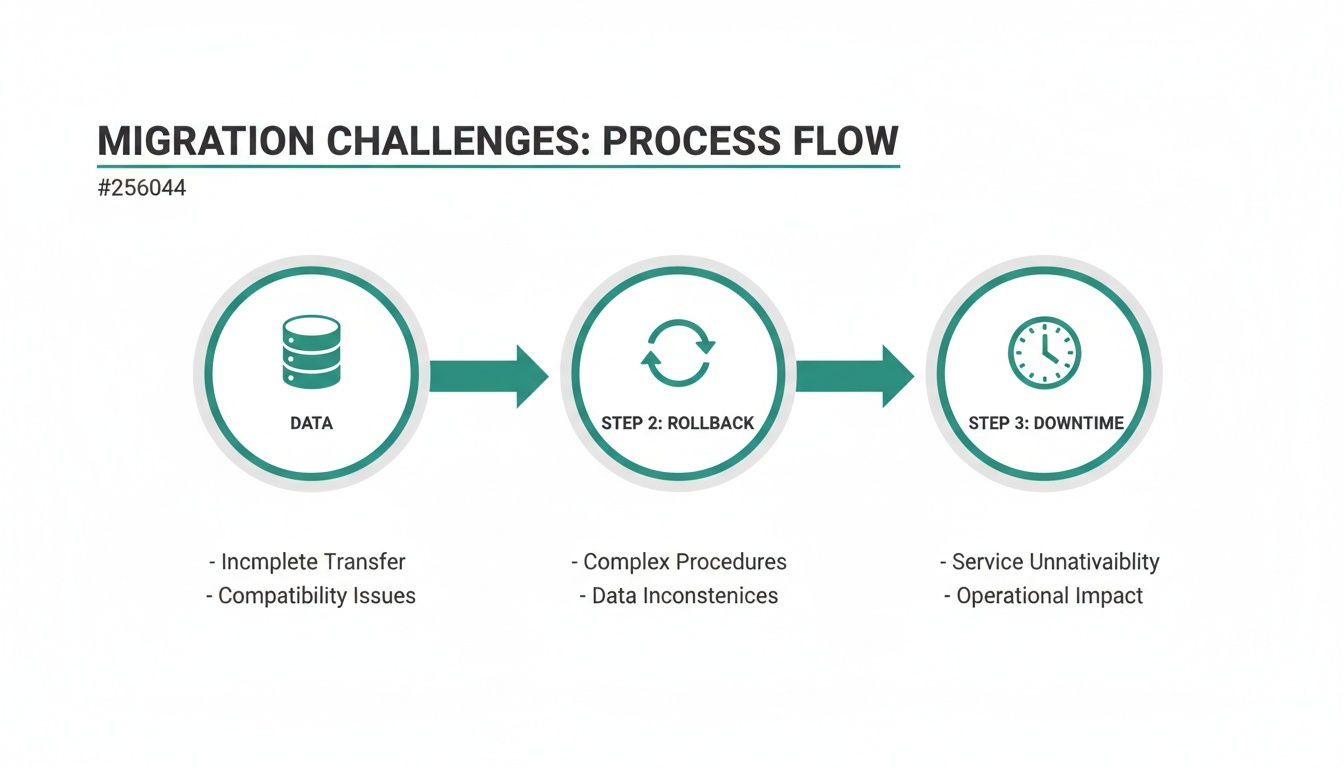
This diagram gets right to the point, showing the three core challenges—data, rollbacks, and downtime—that any successful migration plan has to solve.
Phase 1: Initial Schema Mapping and Tool Selection
First things first: you need a blueprint. This means meticulously mapping every single table, field, and relationship from your no-code platform (think Airtable or Bubble) to a fresh PostgreSQL schema. Don't rush this. It's a critical discovery phase where you'll nail down data types, constraints, and dependencies.
At the same time, you'll pick your tooling. For most startups, a migrations-based tool like Flyway or Liquibase hits the sweet spot between control and clarity. They force you into a disciplined, step-by-step process, which is exactly what you need to manage a complex move without losing data.
Phase 2: Sprint-Driven Development and Migration Scripting
With your schema map in hand, your dev team can start building the new backend in focused sprints. Each sprint should deliver a working piece of the application, along with its matching database migration scripts. This is where database version control becomes the central nervous system of your project.
Every schema change, whether it's creating a table or adding an index, gets captured in a numbered migration file and committed straight to Git. This iterative cycle ensures your app code and database structure evolve in perfect sync. It creates a verifiable, auditable history of exactly how your system was built.
The real deliverable here isn't just a working app; it's a private GitHub repository. That repo holds the complete, version-controlled history of your code and your database. This is the defensible IP that investors scrutinize during technical due diligence.
This approach transforms your tech from a patchwork of third-party tools into a valuable, self-contained asset that you truly own.
Phase 3: Data Migration and Production Hardening
Once the new backend is feature-complete and thoroughly tested, you're at the final, most delicate phase: moving the live data. This is a carefully choreographed event.
Here's how it usually goes down:
- Run a Dry Run: You absolutely must perform a full data migration to a staging environment first. This lets you find and fix any problems without touching your live users.
- Execute the Cutover: Schedule a maintenance window, export the data from your no-code platform, and import it into the new PostgreSQL database using custom scripts.
- Final Validation: Run a battery of tests to confirm data integrity. Once you're confident, you switch your DNS to point to the new, scalable application.
By following this structured roadmap, you're not just swapping out tech. You're building the solid foundation you need to handle viral growth, slash operational risk, and confidently go after your next round of funding. This whole process is about establishing the technical credibility that turns a promising MVP into a durable, scalable business.
Common Questions from Founders
As you get ready to ditch your no-code setup for something more powerful, a few practical questions always pop up. Here are the ones we hear most often from founders making this exact move.
Can I Use Database Version Control with My Bubble App?
The short answer is no. Platforms like Bubble or Airtable are walled gardens—you don't actually own or control the database underneath. It's a closed system.
Database version control is something you do when you own your tech stack, like a self-hosted PostgreSQL instance. The whole point of graduating from a no-code MVP is to gain this control. The first real step is mapping your Bubble schema to a new, version-controlled one before you even think about moving the data.
What's the Difference Between a Schema Migration and a Data Migration?
This is a really important distinction, and getting it wrong can be painful. Think of your app like a house.
- A schema migration changes the structure of your database. It's like adding a new window to a room. You might add a
last_login_atcolumn to youruserstable. You're altering the blueprint of the house. - A data migration changes the information inside that structure. This is like moving all the furniture from the living room into the den. For example, you might have a
full_namefield and decide to split it intofirst_nameandlast_namefor all existing users.
Your version control strategy has to handle both perfectly. If a schema migration fails, you can usually just roll it back. But if you screw up a data migration, you can permanently lose customer data.
A well-run migration process treats both schema and data changes with the same level of precision. It makes sure your application’s blueprint and its contents stay in sync, preventing the kind of catastrophic data bugs that can sink a startup.
How Does This Actually Help with Fundraising?
Let's be blunt: investors see no-code apps as temporary. They're great for finding product-market fit, but they're not a defensible, long-term asset. During technical due diligence, a Bubble app can be a red flag that signals you're not ready to scale.
Migrating to a real tech stack with proper database version control completely flips that narrative. It gives you a clean Git history for your database, which is concrete proof that your product is professionally managed and built to last. It shows you're not just hacking together an MVP; you're building a real, valuable asset.
This systematic approach de-risks the investment in the eyes of a VC. You’re showing them a solid foundation, not a house of cards.
At First Radicle, we turn fragile no-code projects into production-grade software in just six weeks. If you're ready to build a scalable backend and own your IP, learn how we can help.