
How to Build Database for Scalable Growth
Building a database isn't just a technical exercise. It's about designing a rock-solid schema, carefully migrating data from your prototype, and then setting up a production-grade system like PostgreSQL. This process involves everything from mapping your old fields to new, appropriate data types to cleaning up messy data before you even think about importing it.
Ultimately, this is the essential leap you take to move past the limitations of no-code and build a real, scalable asset for your business.
When Your No-Code App Hits a Scaling Wall
We’ve all been there. That gut-wrenching moment your Airtable base grinds to a halt or your Bubble app starts to crawl. It's a classic founder rite of passage—frustrating, for sure, but also an incredible sign that you've built something people actually want.
But let's be honest, it's also a blaring alarm. The no-code foundation that got you here is starting to crack under the weight of your own success. The very tools that helped you find product-market fit are now the bottleneck holding you back.
The Tell-Tale Signs of Outgrowing No-Code
The problems usually start small. You first notice your Zapier bill is creeping up, then suddenly it’s ballooning as you frantically stitch more and more services together. Every new integration feels incredibly fragile, like a house of cards that could tumble with a single, unexpected API change.
Performance doesn't just degrade gracefully. It falls off a cliff. You hit record limits or API rate-throttles you didn't even know existed, and your app's speed plummets.
This is more than a technical headache; it’s a serious business problem. You're burning valuable time firefighting operational issues instead of shipping new features. For founders who started with a no-code web app builder, these platforms are brilliant for validation, but they simply weren't built for scale. The path forward demands a fundamental shift in how you think about your tech.
The goal isn't just swapping one tool for another. It's about making a strategic business decision to build a resilient, production-grade asset that you truly own.
Beyond Technical Limits to Strategic Imperatives
The most critical limitation often reveals itself when you start preparing for your next funding round. VCs will put your tech stack under a microscope, and a heavy reliance on no-code platforms immediately raises red flags. They need to see that you own your intellectual property (IP) and have a defensible, scalable architecture. A brittle web of third-party services just doesn't inspire that kind of confidence.
This is exactly where building a proper database becomes the logical, necessary next step. Don't think of this migration as just overcoming a technical hurdle. View it as hitting a major milestone on the road to real growth.
You’re consciously trading the early convenience of an MVP for the raw power and reliability of a system built for the long haul. You're not just learning how to build a database; you're building the very foundation of your company's future.
Mapping Your Data to a Clean PostgreSQL Schema
Alright, this is where the rubber meets the road. Moving from the visual, forgiving world of Airtable or Bubble to a production-grade PostgreSQL database is less of a data migration and more of an architectural translation. You're not just copying and pasting; you’re taking the beautiful, sometimes chaotic, results of rapid prototyping and forging them into a clean, logical, and ruthlessly efficient schema.
Think of it like this: you've built a functional prototype with a big box of miscellaneous LEGOs. It works, it looks right, but now you need to re-engineer it from a precise blueprint to handle real-world stress. No-code platforms prioritize speed and convenience, which often leads to duplicated data or loosely defined structures. PostgreSQL demands precision from the get-go, a discipline that pays massive dividends in performance and stability later on.
Frankly, this is the most critical step in the entire process. If you get this wrong, you’ll just end up rebuilding your old performance headaches in a new, more expensive system.
Reverse-Engineering Your No-Code Model
First things first, you need to map out what you actually have. Pop open your Airtable base or Bubble data types and start identifying the core entities of your application. If you’re building a project management tool, these are your Projects, Tasks, Users, and Comments.
Now, zoom in on the relationships between them. That "Linked Record" field in Airtable is a dead giveaway for a one-to-many or many-to-many relationship. For example, if a Task can have multiple Users assigned to it, you're not looking at a simple field anymore. That’s a relationship that needs its own dedicated structure in Postgres.
Here’s how to start breaking it down:
- Find Your Primary Keys: Every table needs a unique identifier. This is usually the
idfield that no-code tools create automatically. In PostgreSQL, this becomes your primary key. The go-to choices are either an auto-incrementing integer (SERIAL) or a universally unique identifier (UUID). - Map Your Foreign Keys: A linked record in Airtable connecting a
Taskto aProjectbecomes a foreign key. You'll create aproject_idcolumn in yourtaskstable, which will hold theidfrom theprojectstable. This creates an explicit, enforceable link—the very foundation of a relational database.
This exercise forces you to think deeply about how your data actually connects, paving the way for a system that’s far more robust and scalable.
Choosing the Right Data Types
No-code tools are incredibly forgiving with data types. You can cram names, dates, and numbers into a "Single line text" field without a second thought. PostgreSQL is strict, and trust me, that strictness is a feature, not a bug. Picking the right data type is one of the easiest and most impactful ways to boost performance and ensure your data stays clean.
For instance, storing a date like "March 15, 2024" in a text field is a performance killer. Postgres has dedicated DATE and TIMESTAMP types optimized for lightning-fast date calculations and queries. The difference isn't trivial; it's orders of magnitude.
Don't just replicate your no-code field types. Translate them into their most efficient PostgreSQL equivalents. A classic founder mistake is storing a phone number as an
INTEGER—useVARCHARinstead to handle formatting like parentheses, spaces, and country codes.
When you're designing your new schema, this translation table is your best friend. It helps you map the flexible fields from your no-code tool to the precise, high-performance data types in PostgreSQL.
No-Code Field to PostgreSQL Data Type Mapping
| No-Code Field Type (Airtable/Bubble) | Recommended PostgreSQL Data Type | Why It Matters for Performance |
|---|---|---|
| Single line text | VARCHAR(n) or TEXT |
VARCHAR is great for text with a known max length (like a username). TEXT handles longer, variable content without pre-allocating as much space. |
| Number | INTEGER or BIGINT |
Use the smallest integer type that fits your data. This saves storage and makes indexing faster. Only use BIGINT for massive numbers (over 2 billion). |
| Date / Created Time | TIMESTAMP or TIMESTAMPTZ |
Always use TIMESTAMPTZ (timestamp with time zone) if your users are in different locations. It's a lifesaver for avoiding time zone bugs. |
| Checkbox | BOOLEAN |
This is the most efficient way to store true/false values. It takes up only a single byte of storage and is incredibly fast to query. |
Getting these data types right from the start prevents a world of hurt down the line. It's about building a solid foundation instead of patching up a leaky one.
Handling Complex No-Code Patterns
The real test comes when you encounter more complex patterns that no-code platforms make deceptively simple. The "Multi-select" field in Airtable is the perfect example. Let’s imagine you have a Posts table with a multi-select field for Tags.
In Airtable, this is just a neat little list of text labels. If you try to replicate this in PostgreSQL by storing a comma-separated list of tags in a single TEXT column, you're creating a massive anti-pattern. This makes it a nightmare to query, index, or analyze your data. You can't easily find all posts with a specific tag, for instance.
The professional approach is to use a join table. This is the core concept of database normalization.
- First, you create a
poststable with columns likeid,title, andcontent. - Next, you create a separate
tagstable withidandnamecolumns. - Finally, you create a
post_tagsjoin table. This simple table has just two columns:post_idandtag_id.
Now, if a post has three tags, you just add three rows to the post_tags table, linking that post's id to each of the three tag ids. This elegant solution eliminates redundant data and creates a clean, scalable structure that will support your application for years to come. It’s how you build for the future, not just for today.
The Mechanics of a Smooth Data Migration
Alright, you’ve designed your new schema. Now comes the hard part: actually moving all your data from its old home in Airtable or Bubble into your shiny new PostgreSQL database. This phase is less about abstract design and more about sweating the details. The end goal is a clean cutover with zero data loss and as little downtime as humanly possible.
Your journey will almost certainly begin with a humble CSV (Comma-Separated Values) file. Thankfully, most no-code platforms make it easy to export your tables into this universal format. This export becomes your raw material—a snapshot of your entire application's data.
But here's where so many people trip up. They take that raw CSV, try to jam it directly into PostgreSQL, and are greeted with a wall of angry error messages. That approach is doomed to fail because it skips the single most critical step of any migration: data cleaning and transformation.
The Crucial Pre-Import Cleanup
I can practically guarantee your raw data export is a mess. It's full of little inconsistencies and formatting quirks that your no-code tool handled gracefully but will absolutely choke a strictly-typed relational database like Postgres.
Before you even think about running an import command, you have to scrub that data clean. This isn't optional. It's a mandatory step that involves a few key chores:
- Trimming Whitespace: You'd be shocked how often you find leading or trailing spaces in fields (e.g.,
" John Doe "instead of"John Doe"). These invisible culprits can break lookups and create duplicate records. - Standardizing Date Formats: Your old "date" field is probably a chaotic mix of
03/15/2024,March 15, 2024, and2024-03-15. You need to wrestle all of these into theYYYY-MM-DD HH:MI:SSformat that PostgreSQL expects for aTIMESTAMPcolumn. - Validating Against Your Schema: Go row by row, field by field, and check it against your new schema's rules. Is that
user_idfield, which is nowNOT NULL, actually empty in some rows? Is theemailfield a valid email address? This is your last chance to find and fix the weird stuff.
This simple flow captures the essence of the process: model your data, map it to the new structure, and only then, build the database itself.
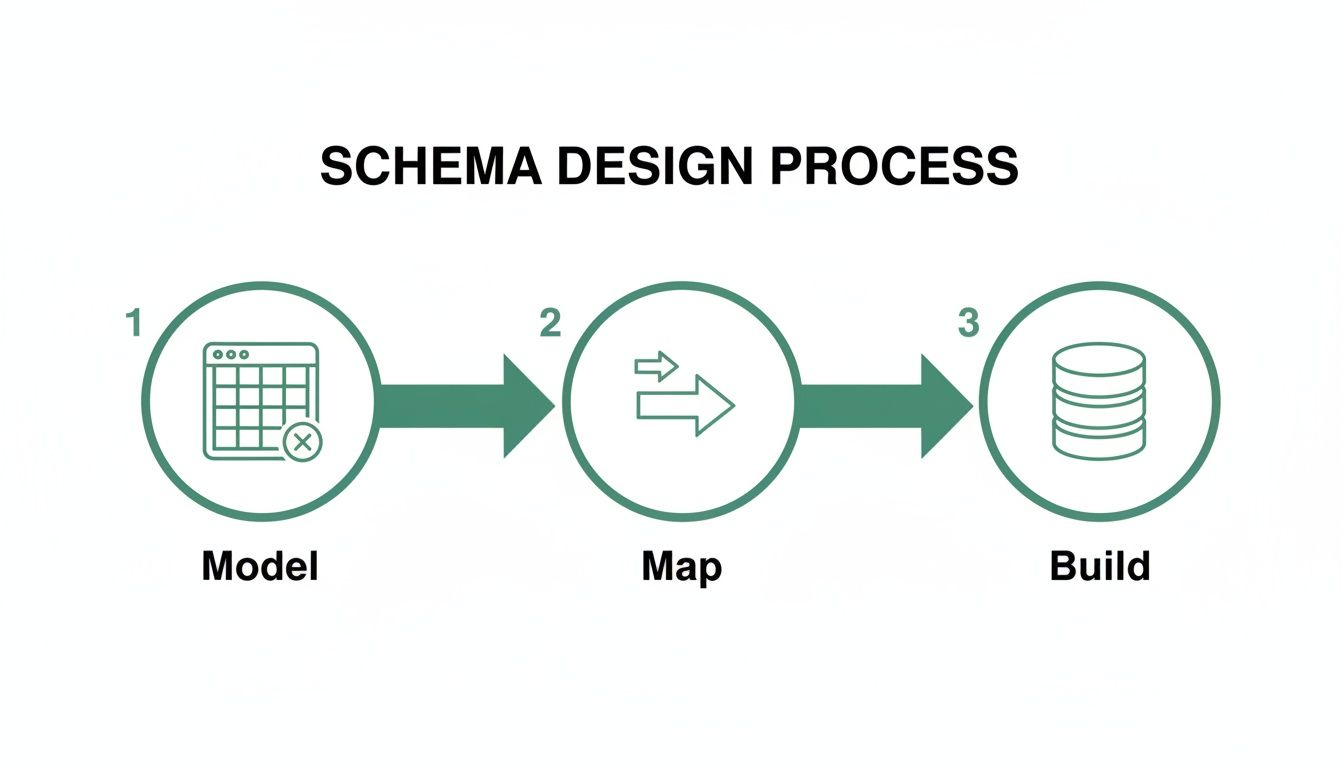
The "build" is just the final execution; the real work happens in the planning and mapping stages to make sure it all goes smoothly.
Automating the ETL Process
Now, you could manually clean thousands of rows in a spreadsheet, but that’s a recipe for mistakes and a huge waste of time. The professional approach is to write a simple script to automate the Extract, Transform, and Load (ETL) process. You don’t need to be a seasoned data engineer for this.
A great tool for this job is Python, specifically with the Pandas library. It lets you load your CSV into a "DataFrame," apply all your cleaning rules with code, and then spit out a perfectly sanitized CSV that’s ready for import. For instance, you can write a single line of code to trim whitespace from every text column or convert a messy date column into a standard format.
The real magic of scripting your migration is that it’s repeatable. When you inevitably find another data issue, you don’t go back to the spreadsheet. You just update your script and re-run it in seconds. This ensures every migration attempt is consistent and saves you from hours of tedious manual work.
Solving the Live Data "Delta" Problem
Here’s the million-dollar question every founder faces during a migration: what about all the new data your users are creating in the live app while you're busy moving everything over? This new data is the "delta," and if you don't have a plan for it, you’re going to lose it.
Ignoring the delta means any signups, purchases, or posts that happen during your migration window will simply vanish. Fortunately, you have a couple of solid strategies to handle this:
- The Quick Freeze: This is the simplest option. You announce a short maintenance window, put your app into a "read-only" mode, perform your final export and import, and then switch the DNS over to the new system. It’s a great choice if your app can stomach a little downtime.
- Running in Parallel: This is a more advanced, zero-downtime technique. For a set period, you configure your application to write new data to both the old no-code database and your new PostgreSQL database simultaneously. This keeps both systems in sync, allowing you to cut over to the new database at any time without interrupting your users.
Handling database changes is a complex topic, but these are two battle-tested starting points. For a deeper dive, check out our guide on managing database changes in a production environment. Your choice ultimately comes down to your product's specific needs and how much downtime your users will tolerate.
Building for Performance: Indexing, Auth, and Security

A production-grade database isn't just a place to dump data. It needs to serve that data up fast, reliably, and only to the right people. After getting your schema right and moving the data into PostgreSQL, your focus has to pivot immediately to these non-negotiables.
This is what separates a fragile MVP from a professional product that can handle real users and real scrutiny. Your clean schema was the foundation. Now, it's time to build the high-performance engine and fortify the walls around it.
What Is Database Indexing, Really?
Think of your database as a massive, multi-volume encyclopedia. Without an index, finding one user's profile is like flipping through every single page. This is called a full table scan, and it's brutally slow, especially as your user count climbs into the thousands.
A database index is the cheat sheet. It’s a special lookup table the database uses to find the exact location of the data you want without scanning the whole table. The performance gain isn't trivial—we're talking about queries that drop from seconds to a few milliseconds.
You don't index everything, though. That would be a waste. Be strategic.
- Primary keys (
idcolumns) are indexed automatically by PostgreSQL. That's a free win. - Foreign keys are your next best bet. You’ll constantly be joining tables on these keys (like finding all tasks for a specific project), and an index here is a game-changer.
- Frequently queried columns are the big one. If users are constantly searching by
emailorusername, those columns absolutely need an index.
Adding an index is usually a single line of code, but the impact is profound. For something as common as a user login, indexing the email column is a fundamental optimization that keeps the experience snappy.
Secure Authentication Is Not a DIY Project
Okay, your data is fast. Now, how do you make sure only the right people can get to it? This is where we talk about authentication (who you are) and authorization (what you're allowed to do).
Listen to this one piece of advice: do not build your own authentication system from scratch. Seriously. It’s one of the most common and dangerous mistakes a startup can make. The world of password hashing, session management, and credential security is a minefield of subtle but catastrophic vulnerabilities.
Rolling your own auth is like trying to invent your own cryptography. It's a solved problem, and the risk of getting it wrong is immense—from data breaches to a complete loss of user trust.
Instead, stand on the shoulders of giants. Use battle-tested, open-source solutions or managed services that live and breathe this stuff.
- Framework-Specific Libraries: Building with Next.js? NextAuth.js (now Auth.js) is the gold standard. It gives you a secure, extensible way to handle social logins, email/password flows, and more.
- Managed Auth Providers: Services like Clerk or Auth0 take it a step further. They handle all the infrastructure, give you pre-built UI, and manage user sessions so you can focus on your actual product.
Using an established solution frees you to focus on what makes your app unique, knowing your user security is handled by experts.
Essential Database Security Principles
Beyond just logging in, the database itself needs to be locked down. A security-first mindset is critical from day one.
The most infamous threat is SQL Injection. This is where an attacker slips their own SQL code into an input field (like a search bar) to steal or destroy your data. Thankfully, the defense is straightforward and has been standard practice for years: use parameterized queries, sometimes called prepared statements.
Instead of mashing user input directly into your SQL strings, you use placeholders. Your database driver then safely inserts the input, treating it only as data, never as executable code. Every modern database library and ORM supports this out of the box. There’s no excuse not to use it.
Finally, live by the Principle of Least Privilege. Your application's database user shouldn't have god-mode. It should only have the permissions it absolutely needs to do its job. Create a specific role with limited SELECT, INSERT, UPDATE, and DELETE permissions on only the tables it needs to touch. This simple step dramatically contains the blast radius if your application server ever gets compromised.
Your Production-Ready Database Checklist
Getting your new PostgreSQL database live is a fantastic milestone, but the real work starts now. A smooth migration is just the first step. You've got to shift from a builder's mindset to an operator's mindset, which means preparing for the things that inevitably go wrong: hardware failing, someone accidentally deleting data, or the app slowing to a crawl under unexpected load.
This isn't just a list of tasks; it’s a framework for building resilience. It’s about creating a safety net, making changes safely and predictably, and keeping a finger on the pulse of your system's health. You've learned how to build a database; now it’s time to learn how to run one.
Lock Down Your Backups and Recovery Plan
First things first: set up automated backups. No excuses. A database without a solid backup strategy is a ticking time bomb, and the question is never if you'll need them, but when. One clumsy mistake, a malicious actor, or a nasty bug could evaporate your data in a heartbeat.
The good news is that modern managed database providers have made this almost ridiculously easy. If you're using a service like AWS RDS, Heroku Postgres, or Google Cloud SQL, this is pretty much handled for you. They typically give you:
- Automated Daily Snapshots: Every 24 hours, a full copy of your database is taken and kept for a set period, usually 7 to 35 days.
- Point-in-Time Recovery (PITR): This is your ultimate undo button. By continuously archiving your database's transaction logs (the Write-Ahead Log or WAL), you can restore your database to any specific second within your retention window. It’s incredibly powerful.
If you’re self-hosting, this responsibility falls squarely on your shoulders. You’ll need to get comfortable with tools like pg_dump for your snapshots and configure WAL archiving yourself. But no matter what your setup is, you absolutely must test your recovery process.
A backup you haven't tested isn't a plan; it's a prayer. Your business data is your most valuable asset. Treating backups as a non-negotiable, day-one priority is the single most important operational decision you'll make. It’s the difference between a minor headache and an extinction-level event for your company.
Version Control Your Schema with Migrations
Your app is going to change, and so will your database schema. You’ll add tables, tack new columns onto existing ones, and tweak data types. The absolute worst way to do this is by SSH'ing into a server and manually running ALTER TABLE commands. It's a recipe for disaster—it's untraceable, prone to typos, and impossible to coordinate with a team.
The professional approach is to use a database migration tool. These tools let you treat your schema changes just like code. Every change gets its own file, a version number, and is checked into Git right alongside your application code.
A fantastic tool for this is Prisma Migrate. Let’s say you need to add a bio column to your users table. Instead of writing raw SQL, you just update your Prisma schema file. Then, you run a simple command like prisma migrate dev, and it generates the precise SQL migration file for you.
This new file, containing the exact ALTER TABLE statement, gets committed to your repository. When you deploy your app, your CI/CD pipeline automatically runs the migration tool. It intelligently checks which migrations the production database has already seen and only applies the new ones, in the right order. This keeps your database schema perfectly in sync with your code, every single time. To dig deeper into this, you can read our comprehensive guide on how to prepare a database for production.
Set Up Essential Monitoring and Alerting
Finally, you can't fix what you can't see. A "set it and forget it" approach to a production database is just asking for trouble. You need some basic monitoring to serve as an early warning system before small issues become user-facing catastrophes.
Most cloud providers give you a dashboard with key metrics, but staring at graphs all day isn't a strategy. You need to set up automated alerts that tell you when something is wrong. Get a notification—via Slack, email, or PagerDuty—the moment any of these key thresholds are breached:
- High CPU: If your CPU usage is consistently over 80%, it's often a sign of poorly written queries that need to be optimized.
- Low Storage: Running out of disk space will grind your entire database to a halt. An alert when you drop below 20% free space gives you more than enough time to scale up your storage.
- Slow Query Logs: This is a goldmine. Configure your database to log any query that takes longer than, say, 500ms. Making a habit of reviewing these logs is the single best way to proactively hunt down and eliminate performance bottlenecks.
This proactive approach to monitoring is what separates amateurs from pros. It lets you get ahead of problems and puts you in control of your infrastructure, which is the final piece of the puzzle for a truly resilient, production-grade system.
Common Questions About Database Migration
Jumping from the comfortable, visual world of no-code into a custom PostgreSQL database can feel like a massive leap. It’s completely normal to have a ton of questions about the process, the new tools you'll be using, and what could go wrong. Here, I'll tackle some of the most frequent concerns I hear from founders, giving you straight answers to help you navigate this critical stage of your company's growth.
Knowing how to build a database is one thing. Knowing when and why to make the move is another entirely. Getting this decision right is the foundation for a successful migration.
How Do I Know It’s Time to Move?
The signs that you're outgrowing Airtable or Bubble are rarely subtle. The most obvious one? Everything just gets slow. As your user base and data grow, your app starts to feel like it’s crawling through mud. You’ll also start bumping into hard platform ceilings, like Airtable’s record limits or API rate throttling, which can bring your operations to a screeching halt.
Another big red flag is your burn rate. Take a hard look at your monthly bill for Zapier or Make. When that number starts to skyrocket because you're desperately duct-taping systems together, you’re essentially paying a “complexity tax” on a brittle architecture.
The most powerful trigger, though, is often strategic. When you're gearing up to raise venture capital, investors will expect you to own your IP and have a scalable, defensible tech stack. A no-code platform simply doesn't give you that level of ownership and control, making the migration a prerequisite for getting funded.
Can I Still Manage My Data Easily?
Absolutely. While you’ll be leaving behind the native spreadsheet feel of Airtable, you’ll gain access to a whole ecosystem of powerful database GUI tools. Applications like pgAdmin, DBeaver, or Postico give you a user-friendly window into your database, letting you browse tables, run SQL queries, and manage data directly.
What many founders do is build simple internal admin panels with tools like Retool or Appsmith. These platforms connect directly to your PostgreSQL database, giving you the best of both worlds: a robust, scalable backend with a safe, intuitive UI for non-technical team members to manage application data without ever having to write a line of SQL.
What’s the Biggest Migration Mistake People Make?
The single most common—and costly—mistake is blowing off proper schema design. I’ve seen it happen time and again: a founder tries to just replicate their messy, denormalized Airtable structure directly in PostgreSQL. This “lift and shift” approach is a disaster waiting to happen.
It completely misses the point of using a relational database in the first place. You end up recreating the exact same performance bottlenecks and data integrity nightmares you were trying to escape. Taking the time upfront to normalize your data, define proper relationships with foreign keys, and choose the right data types is the single most important investment you can make. It’s what ensures your application will be healthy and scalable for the long haul.
Do I Need a Dedicated Database Administrator?
For most early-stage startups, the answer is a firm no. Modern Database-as-a-Service (DBaaS) providers like AWS RDS, Google Cloud SQL, or Heroku Postgres automate the vast majority of tasks that traditionally fell to a DBA.
These managed services handle all the grunt work for you:
- Server Provisioning and Patching: They manage the underlying hardware and keep the software updated with critical security patches.
- Automated Backups: Daily snapshots and point-in-time recovery are usually baked right in.
- High Availability and Failover: They ensure your database stays online even if the primary server goes down.
This frees up your engineering team to focus on what actually moves the needle for your product. Instead of managing servers, they can concentrate on high-level work like schema design, query optimization, and security modeling—skills that are well within the wheelhouse of any competent full-stack developer.
Ready to trade your fragile no-code setup for a production-grade asset you truly own? First Radicle specializes in migrating founders from no-code platforms to scalable PostgreSQL and React/Next.js stacks in just six weeks, guaranteed. Learn how we can help you scale.