
How to Create a Database That Scales Beyond No-Code
If you've ever felt that pit in your stomach as your Airtable or Bubble app starts to creak under the weight of its own success, you know what I'm talking about. That moment your no-code MVP outgrows its initial home is a huge turning point. You're shifting from a prototype into a durable, scalable business asset, and that means it's time to build a real database that can keep up.
When Your No-Code App Hits a Scaling Wall
No-code tools are fantastic for getting off the ground. For non-technical founders, they’re a godsend, letting you build and validate ideas at lightning speed without touching a line of code. But what happens when that idea takes off? When your user base explodes and your carefully constructed automations just can't handle the traffic? That’s the scaling wall. It’s a great problem to have, but only if you’re ready for it.
The warning signs are usually subtle at first. A sluggish UI. Timeouts during peak traffic. A Zapier bill that’s suddenly making you sweat. You might find yourself stringing together brittle, multi-step "zaps" that are a nightmare to troubleshoot. These are all symptoms that your app's foundation is feeling the strain. While starting with a powerful no-code web app builder is a smart move, knowing when to graduate is what sets successful products apart.
The Business Case for a Real Database
Moving to a production-grade database like PostgreSQL isn't just a technical exercise; it's a critical business decision. Trust me, investors will ask about the long-term viability of a tech stack built entirely on third-party services with unpredictable pricing and inherent limitations. Owning your infrastructure and data model is how you build something defensible.
The market trends back this up. The global cloud database market was valued at USD 23.18 billion in 2025 and is on track to hit USD 109.81 billion by 2035—a staggering CAGR of 16.83%. What's driving that growth? It's founders just like you, making this exact transition from a no-code tool to a scalable backend. You can dig into more data on the cloud database market to see the full picture.
This journey from a simple no-code app to a scalable solution is a well-trodden path.
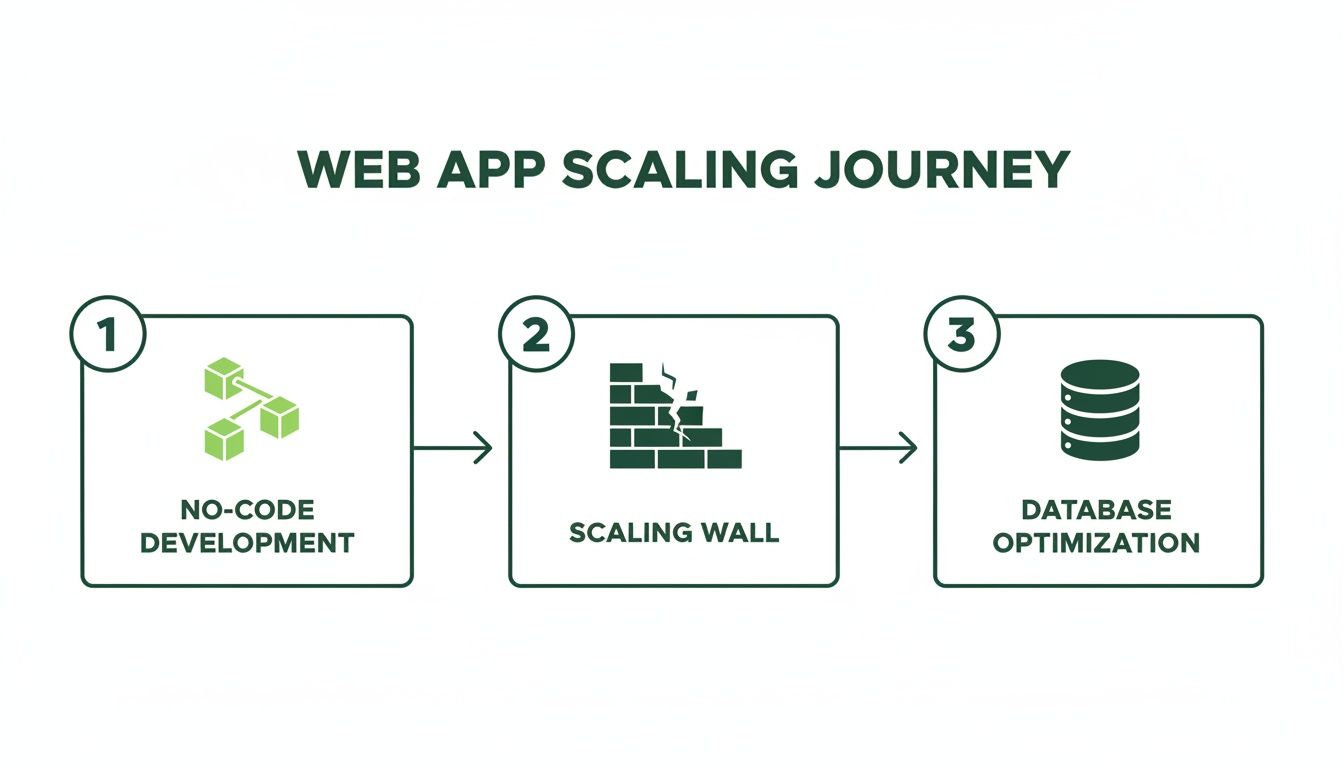
As you can see, hitting the "scaling wall" isn't a failure. It's a natural, predictable part of growing a successful app, making the move to a dedicated database the logical next step.
The real goal here is to make this switch before a viral moment breaks your entire system. By proactively building a robust backend, you turn your MVP from a potential liability into a platform that’s ready for whatever comes next. It gives you the freedom to focus on your product, not on patching up broken automations.
Designing a Future-Proof Database Schema
A solid database schema is the architectural blueprint for your entire application. Before you even think about writing SQL or spinning up a server, you have to meticulously plan how your data will be structured. I've seen it time and time again: rushing this step is a surefire recipe for costly refactoring and crippling technical debt down the road.
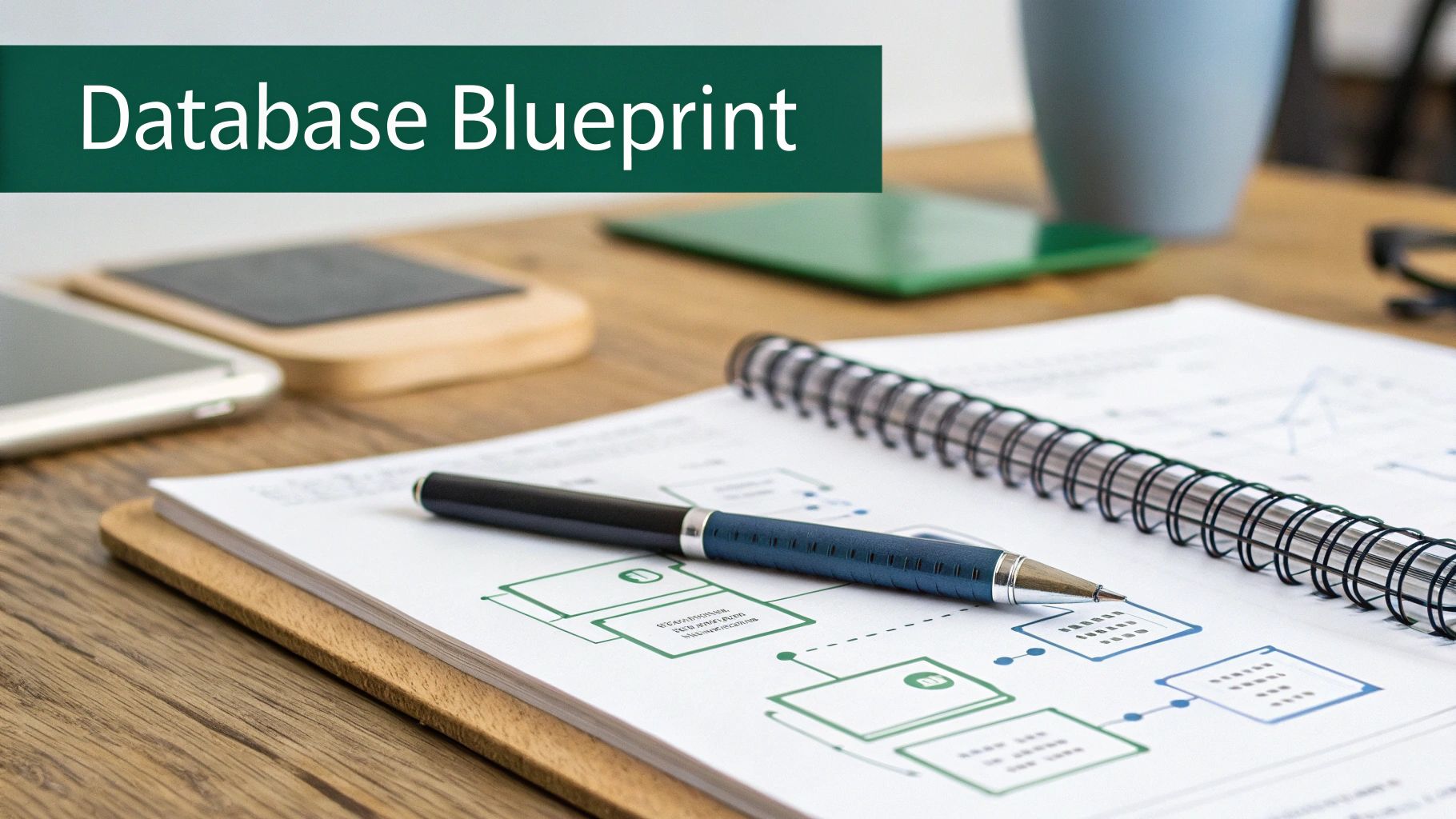
Think of it this way: your Airtable bases and Bubble data types were your initial sketches. They were perfect for validating your idea, but now it’s time to draft a professional, engineered plan. That means translating those flat, often disconnected structures into a robust relational model.
The jump from a no-code backend is a classic growing pain for founders. I've heard the stories—your Airtable hits the 50,000 record limit, your Zapier bill is in the thousands, and investors get skittish when they realize your "vibe-code" backend won't scale. There's a reason the broader database market is projected to hit USD 131.67 billion in 2025; moving to the cloud can slash infrastructure costs by 30-50% for startups escaping these exact limitations, as highlighted in market analysis from Data Insights Market.
From No-Code Fields to Relational Tables
First things first, you need to identify the core entities in your application. An entity is just a distinct object or concept—think a User, a Subscription, or a Product. In Airtable, these are your main tables. In Bubble, they're your custom "Things."
Let’s walk through a real-world example: a simple subscription management app. Your core entities would likely be:
- Users: The people who sign up for your service.
- Subscriptions: The plans those users have purchased.
- Products: The different subscription tiers you offer (e.g., Basic, Pro).
- Invoices: The billing records generated for each subscription period.
Each of these entities becomes a table in your new PostgreSQL database. The columns inside each table will represent the attributes of that entity, like a user's email, name, and the date they signed up.
Defining Relationships with Keys
The real power of a relational database is how it logically connects these tables. This is where primary keys and foreign keys come into play. A primary key is a unique identifier for each row in a table (like a user_id), while a foreign key is simply a primary key from one table stored in another to create a link.
Let's look at the relationship between Users and Subscriptions. A single user could have multiple subscriptions over their lifetime (they might upgrade, downgrade, or cancel and resubscribe), but each specific subscription belongs to only one user. This is a classic one-to-many relationship.
To model this, you’d add a user_id column to the Subscriptions table. This user_id is the foreign key that points back to the unique id in the Users table, creating a clear, enforceable link between the two. If you want to dive deeper, we've put together a full guide on how to build a database from scratch.
Pro Tip: Whatever you do, don't use email addresses as primary keys. They seem unique, but people change them. Always create a non-meaningful, auto-incrementing integer or a UUID (Universally Unique Identifier) as your primary key. This keeps your data relationships stable even when user info gets updated.
Choosing the Right Data Types
Picking the right data type for each column is crucial for data integrity and performance. Using a TEXT field for a date or a generic VARCHAR for a number is a beginner mistake that leads to messy data and slow queries.
Mapping your no-code fields to their proper PostgreSQL counterparts is a key part of the design process. Many founders struggle with this translation, so here's a handy table to guide you.
Translating No-Code Fields to PostgreSQL Data Types
| Airtable Field Type | PostgreSQL Data Type | Example Use Case | Pro Tip |
|---|---|---|---|
| Single Line Text | VARCHAR(255) |
User's full name | Set a reasonable character limit to prevent absurdly long entries. |
| Number / Currency | DECIMAL(10, 2) |
Subscription price | Avoid FLOAT for money. DECIMAL prevents rounding errors. |
| Date | DATE |
User's birthday | Use DATE for just the date, TIMESTAMPTZ if you need time too. |
| Created Time | TIMESTAMPTZ |
created_at timestamp |
The TZ stands for "time zone," which is essential for global apps. |
| Checkbox | BOOLEAN |
is_active flag |
Simple, efficient true or false values. |
| Single Select | VARCHAR or INT |
Subscription status | For a fixed list, consider an ENUM type or a foreign key to a statuses table. |
This kind of careful planning ensures your data is stored efficiently and consistently from day one. By the end of this design phase, you should have a clear diagram—what we call an Entity-Relationship Diagram (ERD)—that visually maps out your tables, columns, and how they all connect. This schema is the rock-solid foundation you need to build a truly scalable application.
Building Your Tables with Code and Migrations
Alright, you've got your schema blueprint. Now it's time to stop drawing and start building. This is the moment your design graduates from a diagram into actual, queryable tables in a database.
You could just open a SQL client and start typing CREATE TABLE commands directly. Plenty of people do, especially early on. But that approach is incredibly fragile and becomes a nightmare to manage as soon as you have a team or different environments like staging and production. Trust me, you don't want to be in that spot.
Instead, we're going to do this the right way from the start using a disciplined, code-based approach. We'll still write SQL, but we'll manage everything through database migrations. Think of migrations as Git for your database schema—it’s version control for your data structure.
The Dangers of "Cowboy Coding" Your Database
Let me be blunt: manually changing a live database is one of the riskiest things you can do in a growing application. One misplaced ALTER TABLE command can trigger data loss, cause downtime, and send you scrambling to restore from the latest backup. It's a rite of passage no founder wants to go through. This is a huge reason many no-code MVPs hit a scaling wall; their underlying structure has been patched and edited on the fly for so long that it becomes brittle and inconsistent.
There's a reason the database management systems (DBMS) market is exploding—it’s projected to jump from USD 91.99 billion in 2026 to a staggering USD 173.42 billion by 2032. As this database management market research shows, this growth is all about the need for robust, stable systems that can handle real-world workloads. That's the polar opposite of what manual, on-the-fly edits give you.
Migrations bring sanity to this process by making every schema change:
- Repeatable: You can run the exact same migration on your laptop, a teammate's machine, and your production server and get the identical result every time. No guesswork.
- Reversible: Good migration systems let you roll back a change if it causes an unexpected issue. It’s your "undo" button.
- Versioned: Every single change is captured in a file, creating a crystal-clear history of how your database has evolved over time.
Writing Your First Migration
So what is a migration? It's just a file. A simple file containing the SQL commands to apply a change (the "up" migration) and the commands to undo it (the "down" migration). We’ll use a common tool like Alembic (popular in the Python world) or Flyway (for Java), but the concept is the same no matter the tool.
Let's write our first migration to create the users and subscriptions tables we designed.
Example Migration File: 001_create_users_and_subscriptions.sql
-- Up Migration
CREATE TABLE users (
id UUID PRIMARY KEY DEFAULT gen_random_uuid(),
email VARCHAR(255) NOT NULL UNIQUE,
password_hash VARCHAR(255) NOT NULL,
created_at TIMESTAMPTZ NOT NULL DEFAULT NOW()
);
CREATE TABLE subscriptions (
id UUID PRIMARY KEY DEFAULT gen_random_uuid(),
user_id UUID NOT NULL REFERENCES users(id) ON DELETE CASCADE,
plan VARCHAR(50) NOT NULL,
status VARCHAR(50) NOT NULL,
current_period_end TIMESTAMPTZ NOT NULL,
created_at TIMESTAMPTZ NOT NULL DEFAULT NOW()
);
-- Down Migration
DROP TABLE subscriptions;
DROP TABLE users;
Let’s quickly break down what’s going on in that Up Migration block:
CREATE TABLE users: Simple enough—this kicks off the creation of ouruserstable.id UUID PRIMARY KEY: We're defining anidcolumn using theUUIDdata type. It’s our primary key, and it's much better than a simple auto-incrementing integer for modern, distributed systems.email VARCHAR(255) NOT NULL UNIQUE: Theemailcolumn is a string.NOT NULLis our way of saying every user must have an email, andUNIQUEis a database-level guarantee that no two users can sign up with the same address.user_id UUID NOT NULL REFERENCES users(id): This is the foreign key that connects everything. It links each row in thesubscriptionstable back to a specific user, ensuring you can't have a subscription floating around for a user who doesn't exist.ON DELETE CASCADE: This little line is incredibly powerful. It tells the database to automatically delete a user's subscriptions if that user is ever deleted. This is a lifesaver for preventing "orphaned" data.
When you run the migration, your tool executes the "Up" part. If you ever need to revert, it runs the "Down" part. This simple, file-based system is the secret to safely managing your database, especially as your app and your team get bigger.
Moving to a structured migration process is a massive leap forward from the wild-west of editing a database directly. If you really want to dive deep into this topic, check out our guide on managing database changes effectively.
Running Your Migrations
Once your migration file is ready, applying it is usually a single, simple command like alembic upgrade head or flyway migrate. Your tool connects to the database, checks a special table to see which migrations it has already run, and then executes any new ones in order.
And that's it. You now have a professional, production-ready workflow for building and changing your database. Every change is documented, version-controlled, and safe to deploy. This gives you the solid, scalable foundation your application needs to grow. It’s exactly the kind of discipline that technical co-founders and investors look for—it proves you’re building a real, defensible asset, not just a fragile prototype.
Bringing Your Database to Life: Data Migration and Core Features
An empty database is just a blueprint. It's clean and perfectly structured, but it's not useful yet. The moment it all starts to feel real is when you bring in your most valuable asset: your existing user data.
Let's get that data out of your no-code platform and into its new, more powerful home. Once it's in, we'll shift gears and build out the two pillars of almost any modern application: a secure way for users to log in and a way for you to get paid.
From Airtable Export to PostgreSQL Import
First things first, you need to get your data out of its current silo. Most no-code tools, like Airtable, make this pretty painless. You can almost always export a table (or "base") as a Comma-Separated Values (CSV) file. It's a simple, universal format that acts as the perfect bridge between your old system and your new one.
With that CSV file in hand, the next step is getting it into PostgreSQL. While you could use a heavy-duty ETL (Extract, Transform, Load) tool, for a one-time move like this, a simple script is usually faster and more direct. I personally lean on Python or Node.js for this kind of task, but the logic is the same no matter what language you choose:
- Read the CSV: Your script opens the file and loops through it, one row at a time.
- Connect to Postgres: It establishes a secure connection to your database.
- Map and Insert: For each row, the script maps the columns from the CSV to your new table columns and builds a SQL
INSERTcommand. - Run the Query: It executes the command, safely adding the record to your table.
This hands-on approach is great because it forces you to be deliberate. It’s the perfect opportunity to clean things up—maybe standardize a few date formats or trim whitespace from text fields—before the data ever touches your pristine new schema.
Building Secure User Authentication
Now that your users are in the database, you need to let them sign in securely. Let me be blunt about this: you never, ever, ever store user passwords in plaintext. It’s not just a rookie mistake; it’s a catastrophic security risk waiting to happen.
The right way to do this is to store a hashed version of the password. A hashing algorithm is a one-way street; it turns a password into a long, jumbled string of characters that can't be reversed. When a user logs in, you just hash what they typed and see if it matches the hash you have stored.
Our users table is already prepped for this with its password_hash column. Here’s how the flow works in practice:
- Sign-Up: A new user gives you their email and password. Your backend code takes that password, runs it through a strong hashing algorithm like bcrypt, and saves only the resulting hash in the
password_hashcolumn. - Log-In: When they come back to log in, you take the password they just submitted, hash it again with the same algorithm, and see if it matches the hash stored for their account.
This is non-negotiable. It means that even if someone managed to breach your database, all they’d get is a list of useless hashes, not your users' actual passwords. This is the bedrock of building trust with your users.
Integrating Payments with Stripe
With users securely logging in, the next logical step for most businesses is taking payments. The industry standard here is Stripe, and your database is what makes the integration work.
The golden rule is to let Stripe handle all the sensitive credit card data. Your job is simply to keep track of the IDs that connect your users to their information in Stripe. To make this happen, we just need to add a couple of columns:
stripe_customer_id: When a user pays for the first time, your code will create a "Customer" object in Stripe. Stripe responds with a unique ID for that customer (it looks likecus_xxxxxxxxxxxxxx), and you save that ID in this column on youruserstable.stripe_subscription_id: If they sign up for a subscription, Stripe creates a "Subscription" object. You'll store that ID (something likesub_xxxxxxxxxxxxxx) in yoursubscriptionstable, which is linked back to the user.
This setup is incredibly powerful. It allows you to manage a user's subscription—checking their status, handling cancellations—without ever holding their payment details. For example, to cancel a plan, your app just tells Stripe's API to cancel the subscription linked to that stripe_subscription_id. Stripe then sends a notification (a "webhook") back to your app, and you can update the status column in your subscriptions table to 'canceled'.
By getting your data migrated and then layering on these foundational features, you’ve officially turned your database from a static container into the living, breathing heart of your application. This is the engine for a real business.
Deploying Your Database to the Cloud
Alright, you've done the hard work on the ground. Your schema is solid, the tables are built, and the data is looking clean. Now comes the exciting part: moving your database off your local machine and into a production environment where your app can actually use it. This is the leap into the cloud, where your structured data becomes a living, breathing service.
The first big decision is picking a cloud provider. As a non-technical founder, I can't stress this enough: go with a managed database service. These platforms are lifesavers. They take care of all the gritty, essential backend tasks—server maintenance, security patching, backups—so you can stay focused on building your product.
You’ve got great, industry-standard options like AWS RDS, Google Cloud SQL, and DigitalOcean Managed Databases. Then you have more developer-focused platforms like Supabase or Neon, which build on PostgreSQL and often bundle in extras like auth and serverless functions.
Locking Down Your Defenses
The moment your new PostgreSQL instance is live on the cloud, your absolute first priority is security. Nothing is more critical. An unprotected database exposed to the public internet is a ticking time bomb and one of the most common—and devastating—vulnerabilities out there. The goal is simple: only your application servers should be able to talk to your database. Period.
You'll achieve this through network settings, usually called firewall rules or security groups. Think of it like a bouncer at an exclusive club with a very strict guest list. You configure these rules to only accept connections from the specific, static IP addresses of your application servers.
Start by denying all incoming traffic by default. Then, and only then, should you explicitly add your trusted server IPs to an "allow" list. This "deny-by-default" approach is a core security principle that closes the door on countless automated attacks.
This one step prevents a massive category of threats before they can even get started, as bots and bad actors won't even be able to reach your database port.
Creating a Safety Net with Automated Backups
Let's imagine the worst: a bad deployment corrupts your data, or a server simply fails. What's your plan? Without a solid backup strategy, you don't have one. That’s why automated backups aren't a "nice-to-have"—they are completely non-negotiable for any real business.
Thankfully, every major managed database provider makes this incredibly simple. You can usually set up daily automated snapshots with just a couple of clicks. I also strongly recommend enabling Point-in-Time Recovery (PITR) if it's offered.
PITR is like a time machine for your data. It continuously saves your database's transaction logs, letting you restore your database to a specific second within a retention window (like the last 7 or 30 days). This is a lifesaver when you need to undo a catastrophic data import or a bug that wreaked havoc, allowing you to rewind to the exact moment before things went wrong.
Handling Traffic Spikes Gracefully
As your app gains traction, you'll hit traffic spikes. It’s a good problem to have, but it can crush your database if you're not prepared. If every request from your app forces the database to open a brand-new connection, you’ll quickly run out of resources. Each connection eats up memory and CPU, and there's a hard limit on how many your database can handle at once.
The solution here is connection pooling. A connection pooler is a middleman that sits between your app and your database, managing a "pool" of pre-warmed, ready-to-use database connections.
- When your app needs to run a query, it quickly grabs an open connection from the pool.
- Once the query is finished, the connection is returned to the pool, ready for the next request.
- This is infinitely more efficient than constantly opening and closing new connections from scratch.
The industry-standard tool for this is PgBouncer, and many managed providers offer it as a built-in feature. Setting up connection pooling is one of the single most impactful things you can do to keep your database fast and reliable under pressure. This is what makes a database truly production-ready.
A Few Common Questions We Hear About Databases
Making the jump from a no-code tool to your own PostgreSQL database is a big deal. It’s a move that signals you’re serious about scaling, but it’s bound to bring up some questions. Let’s tackle the most common ones we hear from founders so you can move forward with confidence.
What’s a Production Database Really Going to Cost Me?
This is usually the first thing people ask, and the answer is almost always less than they expect. There's a myth that a "real" database is incredibly expensive, but that's usually only true for massive, enterprise-level setups.
For most startups just getting off the ground, you can get a managed PostgreSQL instance on a platform like DigitalOcean or AWS RDS for as little as $15 to $30 a month. That small fee typically covers your server, automated backups, and essential security features. As you grow, you simply scale up your resources. You'll probably find that a powerful, production-ready database costs a fraction of what you were paying for a bloated Zapier or Airtable plan.
Do I Need to Become a SQL Wizard?
Nope. You don't need to be a full-blown database administrator, but you do need to get comfortable with the basics. The good news is that most of what you'll do boils down to four core operations, easily remembered by the acronym CRUD:
- Create: Using
INSERTto add new data. - Read: Using
SELECTto fetch data. - Update: Using
UPDATEto change existing records. - Delete: Using
DELETEto get rid of data.
Honestly, mastering those four commands will handle 80% of your daily needs when building your app. You can worry about advanced topics like query optimization and indexing later on when you're focused on performance.
The most important thing is understanding the structure of your data—your schema. Get your schema right, and writing the SQL to interact with it becomes much more intuitive.
Can I Change Things After We Go Live?
Of course. And you absolutely will. A database isn't meant to be a static monument, frozen in time. A healthy product is constantly evolving, and that means its database schema has to evolve with it.
This is exactly why we use database migrations, which we walked through earlier. Migrations give you a safe, controlled way to add a new column, create a table, or tweak a relationship. It's a disciplined, version-controlled process. Sticking to this workflow means you can push changes to your live database without holding your breath, knowing you won't break the entire application. Just avoid making manual, "cowboy" changes directly on the production server.
How Secure Is My Data in the Cloud, Really?
Cloud providers like AWS and Google invest billions of dollars in security—way more than any single company could ever afford. When you use a managed service like AWS RDS, you're getting the benefit of world-class physical security, redundant network infrastructure, and a whole host of compliance certifications.
But that’s only half the story. It's what's known as the shared responsibility model. The cloud provider secures the infrastructure—the hardware, the data centers—but you are still responsible for configuring your part correctly. This means you have to:
- Set up strict firewall rules so only your application servers can talk to the database.
- Use strong, unique passwords and manage your credentials like they're gold.
- Encrypt data in transit with SSL/TLS connections.
When configured correctly, a cloud database is almost always more secure than an on-premise server managed by a small team. You're effectively standing on the shoulders of giants.
At First Radicle, we specialize in turning fragile no-code projects into the kind of production-grade software that scales with your ambition. We handle the entire migration—from schema design to cloud deployment—in just six weeks, guaranteed. Learn how we can build your defensible, scalable backend.