
How to Design a Web App Built for Growth and Scale
Your no-code app was a brilliant first step. It got you here, proving your idea has legs and there's a real market for what you've built. But let's be honest—it was never meant to be the final destination.
Moving from a tool like Bubble or Webflow to a true production-grade application isn't a sign of failure. It’s the ultimate sign of success.
Moving Beyond Your No-Code MVP
That no-code MVP did exactly what it was supposed to do: let you test, learn, and validate your business model without sinking a fortune into engineering. Now, you’re probably feeling the friction. Performance is getting sluggish, and simple new features require a dizzying maze of workarounds and expensive automations.
This isn't about tossing out what you've learned. It's about leveling up your foundation to build for the future. You need a web app that doesn’t just work, but can handle the growth you're fighting for, win over investors, and deliver a consistently great experience for your users.
Recognizing the Warning Signs
So, when is the right time to make the jump? The signals are usually written in your monthly invoices and operational headaches.
Are you staring at sky-high bills from services like Zapier? Those little integration costs add up fast. It's not uncommon for them to quietly eat up 20-30% of an entire operations budget. That’s a massive red flag signaling your current setup just isn't built to scale efficiently.
Another huge tell is the lack of true intellectual property (IP) ownership. Most no-code platforms lock you into their ecosystem. For serious investors, that’s often a deal-breaker—they want to back a defensible, proprietary asset, not rent one.
The moment your tools start limiting your growth, you've waited too long. A scalable web app isn't just a tech upgrade; it's a core business asset that unlocks future funding and market expansion.
Planning Your Migration to a Production-Grade Stack
To put it in perspective, the global web development market is on track to hit USD 134.17 billion by 2031. This explosive growth underscores the value of robust, custom-built software. For founders, the path forward is clear: migrate to proven technologies like React, Next.js, and PostgreSQL to build something truly competitive.
After all, a staggering 62.3% of developers rely on JavaScript, with React being the go-to for creating dynamic user interfaces. By shifting to a professional stack, you're not just getting better performance—you're gaining full ownership of your IP, usually handed over in a private GitHub repository.
For a deeper dive into what this journey entails, we've covered the nuances in our series on building scalable web applications. These market trends are a clear signal that making this strategic shift is a crucial step. (Discover more insights about these market trends on Mordor Intelligence).
The table below breaks down the fundamental differences between staying put and making the leap.
No-Code MVP vs Production-Grade App Comparison
| Attribute | No-Code MVP (Bubble, Webflow, Airtable) | Production-Grade App (React, Python, PostgreSQL) |
|---|---|---|
| Primary Goal | Idea validation and rapid prototyping | Scalability, reliability, and long-term growth |
| Performance | Can be slow; limited by platform infrastructure | Highly performant and optimized for specific use cases |
| Scalability | Limited; often struggles with high user loads or data | Designed to handle millions of users and large datasets |
| Customization | Constrained by pre-built components and templates | Virtually unlimited; built to exact specifications |
| IP Ownership | Rented; locked into the platform's ecosystem | Full ownership of the codebase and intellectual property |
| Integration | Relies on third-party connectors (e.g., Zapier) | Custom, direct API integrations for efficiency and control |
| Cost Structure | Low initial cost, but high recurring subscription fees | Higher upfront investment, but lower long-term TCO |
| Investor Appeal | Low; seen as a temporary prototype, not a defensible asset | High; represents a proprietary, scalable technology asset |
Ultimately, this move is about transforming a fragile prototype into a resilient, production-ready application that's ready for whatever comes next.
Developing Your Architectural Blueprint
So, you've decided to move beyond your no-code MVP. That's a huge step. Now comes the critical part: translating that validated idea into a technical roadmap that actually works. This isn't just about making a laundry list of features. It's about getting crystal clear on the exact problems you solve for your customers and mapping out precisely how they'll use your app to get there.
Trying to code without this blueprint is like building a house with no architectural drawings. You’ll end up with a product that’s confusing, a nightmare to use, and incredibly expensive to fix down the line. A solid plan from the get-go de-risks the whole venture and makes sure you're building for growth from day one.
The move from a no-code tool to a custom app is a well-trodden path, and it usually follows a clear progression toward building something sustainable.
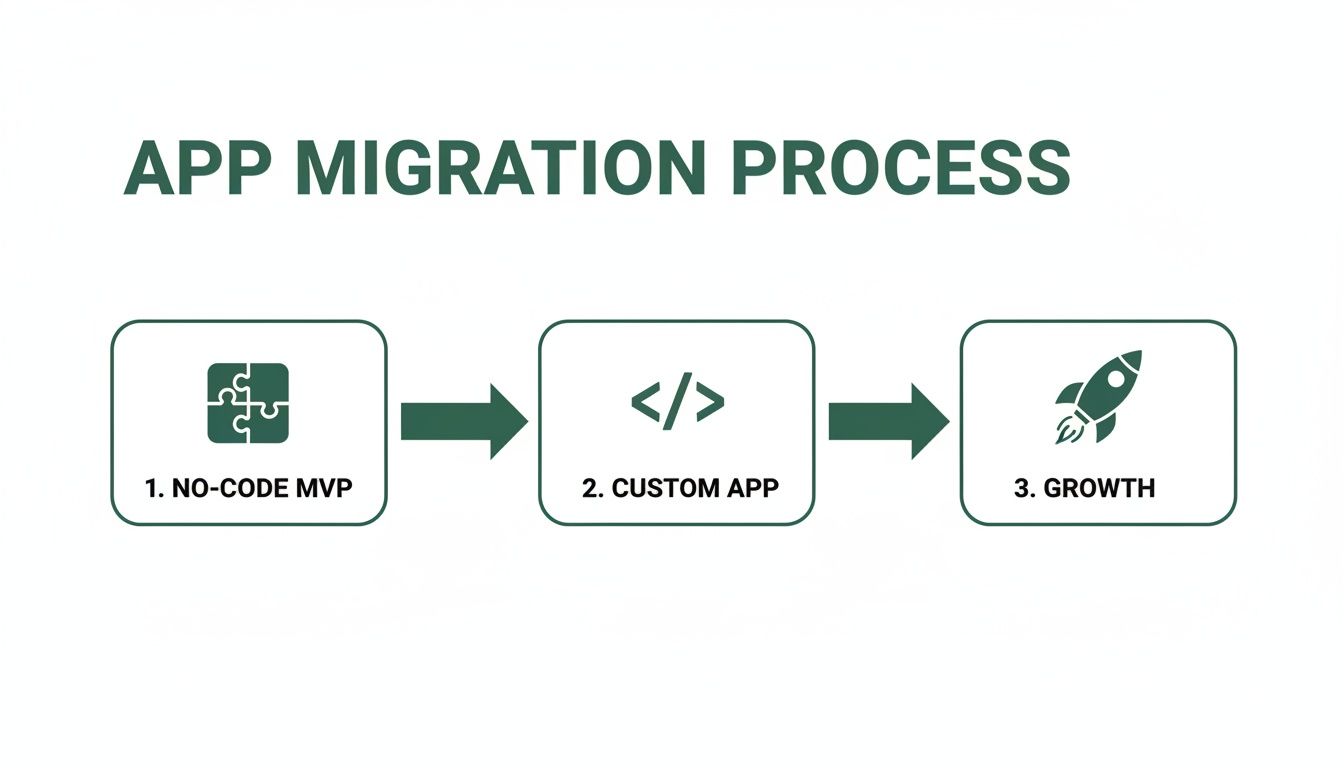
This journey is really an evolution—from a simple tool to validate your idea into a robust, scalable asset that's ready to compete.
From Feature Lists to User Stories
First things first: stop thinking in terms of app functions and start thinking about user outcomes. Instead of listing "user authentication," frame it as a user story: "As a new user, I want to sign up with my Google account so I can get to my dashboard in seconds." This simple shift in perspective anchors every decision you make in the value you're delivering.
- User Stories: These capture what a user needs to do. They almost always follow the classic format: "As a [type of user], I want to [perform some task], so that I can [achieve some goal]."
- Jobs-to-be-Done (JTBD): This framework goes a level deeper. It forces you to ask what "job" the user is "hiring" your app to do. They aren't just "creating a project"; they're "hiring" your app to bring order to their team's chaotic workflow.
This approach guarantees that every line of code is tied directly to solving a real customer problem. To go deeper on this, we've laid out a more structured approach in our guide on software architecture best practices.
Your blueprint should be a direct reflection of your customer's journey. If a feature doesn't solve a clear pain point or help them achieve a specific goal, it doesn't belong in your MVP.
Mapping the User Experience and Information Architecture
Once your user stories are in hand, it's time to organize them into a structure that makes sense. This is where Information Architecture (IA) and User Experience (UX) design enter the picture. Think of IA as the digital blueprint for your app—how you organize and label everything so users can find what they need without thinking.
A good IA makes the entire experience feel intuitive. From there, you can start mapping out the specific user flows. These are the literal paths a user takes to complete a key task, whether that’s buying a subscription or inviting a teammate to their project.
The visual design process should start with low-fidelity wireframes. These are basic, black-and-white sketches that focus entirely on structure and function, not on colors or fonts. It's all about function over flash at this stage. Nailing this early saves an incredible amount of time and money by solving usability issues before a single developer gets involved.
Why Design Is Your Most Critical Investment
For non-technical founders, it’s easy to see design as just the "pretty" part, but the data tells a different story. A staggering 94% of first impressions are design-related. Think about that. The look and feel of your app can make or break user retention from the second they land on it.
Even more telling, 75% of users admit to judging a company's credibility based purely on its website design. This is precisely why a professional, intuitive user experience isn’t a "nice-to-have"—it's an essential investment for building trust and a solid foundation for your business. (Source for web design stats).
Engineering Your Backend and API
If your web app were a restaurant, the frontend would be the beautifully designed dining room and the friendly staff. The backend, on the other hand, is the bustling, high-performance kitchen—it’s where all the real work happens. This is the engine room that processes every request, manages all the data, and ensures every user gets exactly what they need, quickly and reliably.
For non-technical founders, the backend can feel like a black box. But you don't need to be a coder to grasp its core components. Understanding the database, the API, and the tech that powers it all is crucial for making smart decisions as you design a web app for scale.
From Airtable Chaos to Database Order
Chances are, your MVP relies on something like Airtable or Google Sheets to manage data. These tools are fantastic for getting started. But as your app grows, they become the equivalent of a messy, disorganized stockroom where nothing is easy to find. Data gets duplicated, performance grinds to a halt, and the whole system becomes incredibly fragile.
This is where a proper database schema comes in. Think of it as the architectural blueprint for your data. It meticulously defines how every piece of information is structured, stored, and connected. Migrating from Airtable to a robust database like PostgreSQL isn't just an upgrade; it's a fundamental shift from a flexible spreadsheet to a purpose-built system designed for speed and consistency.
This structure is what allows your app to handle complex queries and huge volumes of data without breaking a sweat—a common failure point for no-code tools pushed beyond their limits.
The API: Your Critical Messenger
So, you have a well-structured database and a beautiful user-facing frontend. How do they actually talk to each other?
The answer is the API (Application Programming Interface). It acts as the waiter in our restaurant analogy, ferrying requests from the dining room (the frontend) to the kitchen (the backend) and then delivering the finished orders back to the table.
Most modern web apps use a RESTful API, which is really just a standardized set of rules for that communication. When a user clicks "Save Profile," the frontend sends a request to a specific API endpoint (like /users/profile), the backend gets to work, updates the database, and sends back a "success" message.
A well-designed API is the backbone of a flexible and scalable application. It decouples your frontend from your backend, allowing each to be updated independently without breaking the other.
This separation is a game-changer. It means you can build a new mobile app or a special integration for a partner, and they can all talk to the same backend "kitchen" without you having to rebuild your core business logic from scratch.
Choosing Your Technology Stack
The programming language and framework you choose for your backend will have consequences for years to come. It influences everything from raw performance to how easy it is to hire developers. Two of the most popular choices today are Python (with a framework like Django) and Node.js.
- Python/Django: Often praised for its clean, readable code and massive ecosystem of libraries. It's a fantastic choice for data-intensive applications and building things quickly.
- Node.js: Known for its blistering speed and efficiency in handling thousands of simultaneous connections. This makes it a great fit for real-time features like live chat or instant notifications.
The "right" choice depends entirely on what your product needs to do. This is a critical conversation to have with your development partner to make sure the tech aligns with your business goals. Our guide on custom backend development dives much deeper into making this decision.
Why Custom Integrations Beat No-Code Plugins
Your no-code app probably leans on third-party plugins for core functions like payments with Stripe or authentication through Auth0. While convenient at first, these plugins are often rigid, one-size-fits-all solutions that can be insecure or fall behind on crucial updates.
Building your own custom integrations via an API gives you complete control. Instead of being boxed in by a plugin's pre-set features, you can tailor the functionality precisely to your user's workflow.
Just consider the advantages:
- Enhanced Security: Direct integrations slash the risk of vulnerabilities introduced by poorly maintained third-party code. You control the entire data flow.
- Superior Flexibility: You can implement complex logic, like tiered subscription plans with unique trial periods, that a generic plugin could never handle.
- Future-Proofing: You’re no longer at the mercy of a plugin developer. Your core business functions won't break just because a third party decides to abandon their tool.
Engineering a solid backend is a serious investment in your app’s future. It's what turns a clever prototype into a powerful, secure, and scalable platform that's truly ready for growth.
Building for Security, Scalability, and Reliability
Alright, you've engineered the backend. The core logic is there. Now comes the hard part: making sure your app doesn't crumble under real-world pressure.
An app that crashes the moment you get a shout-out on social media or, worse, leaks user data isn't just an embarrassment—it can kill your business before it even gets off the ground. This next phase is about transforming your functional app into a fortress, ready for growth, threats, and the general chaos of the internet.

Let's focus on three pillars that turn a fragile MVP into a production-ready product: scalability, security, and reliability. These aren't just buzzwords your developers throw around; they are non-negotiable requirements for building a lasting business.
Designing for Scalability
What happens when your app suddenly gets popular? Scalability is the answer to that question. Imagine you get featured on a major news site and your traffic spikes 100x in an hour. An app that isn't built to scale will simply fall over, and you'll lose every single one of those hard-won potential customers.
This is exactly why modern cloud infrastructure is a game-changer. Platforms like Amazon Web Services (AWS) or Google Cloud Platform (GCP) give you the tools to build a system that grows alongside your user base, often automatically.
A core concept here is load balancing. Instead of pointing all traffic at one lonely server, a load balancer acts as a traffic director, intelligently spreading requests across a whole fleet of servers. If one server gets bogged down, the others seamlessly pick up the slack. Your users never even notice.
Building on a scalable cloud foundation from day one is non-negotiable. It's the difference between capturing viral momentum and having your moment of triumph turn into a server error page.
Fortifying Your Application Security
Security can't be something you bolt on at the end. In today's world, a data breach is a brand-destroying catastrophe that can instantly evaporate user trust.
A fantastic starting point for any founder is the OWASP Top 10. It's a living document that outlines the most critical security risks facing web applications. Think of it as a practical, real-world checklist to hand your development team.
But security goes deeper than a checklist. It has to be woven into the very fabric of your app with a multi-layered defense:
- Data Encryption: Any sensitive data—whether it's sitting in your database (at rest) or zipping between the user's browser and your server (in transit)—must be encrypted. This simple step makes the data useless to an attacker even if they manage to get their hands on it.
- Secure Authentication: Weak passwords and shoddy login forms are low-hanging fruit for attackers. You absolutely need to implement multi-factor authentication (MFA). I also strongly recommend using a dedicated, battle-tested service like Auth0 to handle credentials instead of trying to roll your own.
- Regular Security Audits: It's far better to find your own weaknesses before someone else does. This means running automated vulnerability scans and, when you can, hiring professionals for periodic penetration tests.
Adopting a "secure by design" mindset means security is a core requirement for every single feature, not just a final hurdle to clear before launch.
Ensuring Reliability Through Automation
Finally, how do you make sure your app actually works every time you push out a new feature? The answer is reliability, and it’s built on a foundation of automated testing and streamlined deployment.
Having your team manually test every nook and cranny of your app before each release is slow, prone to human error, and completely unsustainable as you grow.
This is where a Continuous Integration and Continuous Deployment (CI/CD) pipeline comes into play. Think of it as an automated quality control and delivery assembly line for your code.
- Automated Testing: Whenever a developer commits a change, a whole suite of automated tests runs to make sure the new code didn't inadvertently break something else. Bugs are caught instantly, not by angry users.
- Consistent Deployments: If all the tests pass, the pipeline automatically packages the code and deploys it, first to a staging environment for a final look, and then smoothly into production.
This process turns deployments from a stressful, all-hands-on-deck event into a boring, predictable, and safe routine. It’s a crucial investment that prevents bugs, builds user trust, and allows your team to ship value to customers with speed and confidence.
Getting Your App Live: Deployment, Migration, and Handover
This is it. The moment you've been working toward. You're ready to move your app from a developer's laptop to a live server where real customers can use it. But going live is a lot more than just flipping a switch. A smooth launch requires a solid plan for deployment, data migration, and a clean handover from your development team.
Nailing this last step is about more than just a functioning app—it’s about delivering a fantastic user experience right out of the gate. Think about mobile. It's not an afterthought anymore. Over 60% of businesses see a jump in sales after launching a mobile-responsive site. On the flip side, 73% of designers point to bad mobile design as a key reason apps fail. Moving to a custom-built app isn't just about speed; it’s about looking professional and building trust. If you want to dig deeper, DiviFlash has some great stats on the real-world impact of mobile design.
Setting Up Your Environments: Staging vs. Production
Before your app goes public, you need a safe place to kick the tires. That's why professional dev teams never work on the live site directly. They use at least two separate environments.
- Staging: This is your final dress rehearsal. It's an identical copy of the live server environment, with the same hardware and software. Here, you and your team can do your final user acceptance testing (UAT), hunt down any last-minute bugs, and run through the deployment process without any risk.
- Production: This is the real deal—the live server that your customers interact with. Code should only be pushed to production after it's been thoroughly tested and signed off on in staging.
This two-step process is your safety net. It keeps broken features and embarrassing bugs away from your users, protecting your reputation from day one.
The Delicate Art of Data Migration
If you're upgrading from a no-code tool or an older system, you've probably got user data you can't afford to lose. Getting that data from the old system to the new one is called data migration, and it's one of the most critical parts of the launch.
Your dev team will write custom scripts to pull data from your old source (like an Airtable base), reformat it to match the new database structure, and then carefully load it into the new production database. This usually happens during a scheduled maintenance window, often late at night, to cause as little disruption as possible. Trust me, you want them to do a full dry run on the staging server first to catch any surprises.
The best data migrations are the ones your users never notice. They just log into the new app and all their stuff is right there, exactly where they left it.
The Final Handover: Getting the Keys to Your Kingdom
Once your app is live, stable, and humming along, it's time for the official handover. This is where your development agency transfers full control and ownership to you. A proper handover is more than just getting a link to a GitHub repo; it's about being empowered to run your own show.
Here’s what a comprehensive handover package must include:
- Full Codebase Access: You get the keys to the private GitHub repository containing every line of code for your app. It's yours.
- Infrastructure Credentials: You need full admin access to the cloud hosting accounts, whether that’s on AWS, Google Cloud, or another provider.
- Clear Documentation: This is your owner's manual. It should explain the app's architecture, how to deploy updates, and details on all the third-party services it relies on.
- A Walkthrough Session: The team that built it should walk you through the entire setup. This is your chance to ask questions and make sure you understand how to manage and maintain the application.
This clean break gives you the autonomy to operate, maintain, and scale your new web app. You’ve officially graduated from a fragile prototype to a real, defensible business asset.
Typical Project Timeline and Cost Expectations
Moving from a no-code MVP to a custom application is a significant investment in your business's future. The timeline and costs can vary widely based on your project's complexity, but having a general idea of the process can help you plan. The table below breaks down the typical phases, what happens in each, and the factors that influence the final cost.
| Phase | Typical Duration | Key Activities | Cost Considerations |
|---|---|---|---|
| Discovery & Design | 2-4 weeks | Deep dive into requirements, user flows, UX/UI design, technical architecture, and creating a detailed project plan. | Cost is driven by the depth of research and the fidelity of the final designs (wireframes vs. high-fidelity mockups). |
| Development Sprints | 8-12 weeks | Building the core features, database, API, and frontend. This is an iterative process with regular check-ins and demos. | The number of complex features, third-party integrations, and the size of the development team are the main cost drivers here. |
| Testing & QA | 1-2 weeks | Rigorous testing on the staging environment, including user acceptance testing (UAT), bug fixing, and performance checks. | Complexity of the app determines the testing scope. A simple app requires less QA time than one with complex logic. |
| Deployment & Launch | 1 week | Final deployment to the production server, data migration from the old system, and post-launch monitoring. | Data migration complexity can add time and cost. Simple migrations are quick; complex ones require custom scripting. |
| Handover & Support | Ongoing | Project handover, documentation delivery, training session, and often an optional ongoing maintenance/support retainer. | Most agencies offer post-launch support packages, which are an additional, but highly recommended, monthly cost. |
Remember, these are just estimates. A project with a small, focused feature set might move faster, while a highly complex platform with multiple integrations will naturally take longer and require a larger budget. The key is clear communication with your development partner to set realistic expectations from the start.
Frequently Asked Questions About Building a Web App
Taking the leap from a no-code MVP to a custom-built application is a huge milestone. It’s also one that comes with a ton of questions. Getting straight answers is the only way to make smart decisions and avoid expensive mistakes. Let's tackle the most common concerns I hear from founders making this exact transition.
When’s the Right Time to Ditch My No-Code Tool?
Honestly, the time to migrate is the moment your no-code solution starts creating more problems than it solves. It’s not about hitting a certain date on the calendar. It's about hitting a functional ceiling where your own tools are holding back your growth.
Keep an eye out for these tell-tale signs:
- Performance is tanking: Your app is sluggish, timing out, or just feels unreliable as more users sign on. That's a classic symptom of outgrowing the platform's shared infrastructure.
- Workarounds are getting expensive: You find yourself stitching together multiple third-party tools or hitting pricey API limits just to make basic features work. The costs start adding up fast.
- You can't build what's next: You have a clear product roadmap, but the platform’s plugins and pre-built components simply can’t handle the custom functionality you need.
- You're gearing up to fundraise: You’re getting ready for a seed or Series A round. Investors will want to see a defensible, proprietary tech stack and full ownership of your intellectual property—something no-code tools just can't offer.
If any of these sound familiar, it's a strong signal that the pain of staying put now outweighs the investment in building your own thing.
What Are the Biggest Mistakes to Avoid in a First-Time Build?
Navigating your first custom app build can feel like a minefield, but you can sidestep the most common traps by learning from the founders who’ve gone before you. The single biggest error is almost always feature creep. It’s that temptation to build everything you've ever dreamed of, all at once.
This mistake blows up budgets, pushes deadlines into oblivion, and results in a product that does a lot of things poorly instead of one thing exceptionally well. My advice? Get obsessive about solving one core problem for your users better than anyone else.
The most common mistake is trying to build your ultimate vision in the first release. A successful web app is not built in one go; it's launched with a focused core and then iterated upon based on real user feedback.
Another huge pitfall is undervaluing the backend architecture. Founders naturally get fixated on the UI/UX, but a beautiful interface built on a weak, poorly planned foundation is doomed. This means not rushing the database design, taking security seriously from day one, and planning for scale before you need it.
Finally, don't pick a technology stack just because it's trendy. Make a pragmatic choice based on your project's actual needs, the available talent pool, and how easy it will be to maintain down the road.
How Much Should I Actually Budget for This?
The budget for a custom web app goes way beyond the initial check you write to a developer. To plan properly, you need to think in terms of Total Cost of Ownership (TCO). This includes both the upfront build and all the ongoing expenses to keep it running.
Here’s a realistic breakdown of what to account for:
- Initial Build Cost: This is the big one. It covers the entire process from discovery and design through development, testing, and getting the app live.
- Cloud Hosting: Expect monthly bills from your infrastructure provider, like AWS or Google Cloud. These costs grow as your user base and data storage increase.
- Third-Party Services: You'll need to budget for subscriptions to essential services. Think Stripe for payments, Auth0 for authentication, or a dedicated email provider.
- Ongoing Maintenance: A solid rule of thumb is to budget 15-20% of the initial project cost annually for maintenance. This isn't optional—it covers bug fixes, security patches, software updates, and minor improvements.
Instead of getting sticker shock from the upfront price, view this as an investment in a scalable, long-term asset that will drive value for years.
How Can I Contribute as a Non-Technical Founder?
Your role as a non-technical founder isn't just "important"—it's absolutely essential. You are the expert on the customer, the business, and the problem you’re solving. The technical team is counting on you to be the guardian of the what and the why, so they can focus on the how.
A good development partner will lean on your expertise heavily during the blueprinting phase. You’ll be the one defining user stories, mapping out the critical workflows, and giving feedback on wireframes to make sure the app feels right for your customers.
Once building starts, your participation in regular sprint demos is non-negotiable. This is your chance to see the app come to life and provide real-time feedback that keeps the project on track and true to your vision. Your job is to be the unwavering voice of the customer in every single meeting.
At First Radicle, we specialize in turning promising no-code projects into production-grade software that's ready for scale. If you're hitting the limits of your current tools, we can help you build the defensible, scalable asset your business deserves. Learn more about our six-week migration process.