
How to Prepare Database: how to prepare database for scale
When you're scaling up from a no-code tool, preparing a real database isn't just a technical upgrade—it's about trading a fragile, spreadsheet-like setup for a powerful, resilient system like PostgreSQL. This is how you build a foundation that can actually handle growth and whatever comes next.
When Your No-Code App Hits the Wall
There’s a moment every successful founder faces: your beloved no-code app starts to feel sluggish, brittle, and just plain slow. It's a great problem to have, signaling real traction, but it's also a serious warning sign.
Platforms like Bubble, Webflow, or Airtable are incredible for getting an MVP off the ground, but they weren't built for the demands of a scaling business. Suddenly, the tools that got you here start holding you back.
You'll know you've hit this point when you see:
- Painful Performance Lags: Pages crawl, queries time out, and the user experience suffers as your customer base grows.
- Worrying Data Integrity: Without proper database constraints, you start finding duplicate records and inconsistent data, which makes your analytics and reports untrustworthy.
- Brittle, Expensive Workarounds: Your system becomes a tangled web of Zapier zaps and third-party plugins that are not only expensive but break if you look at them wrong.
Making the leap to a professional-grade database is a rite of passage. It’s the inflection point where you graduate from a functional prototype to a scalable, venture-ready company. This is where a battle-tested, open-source database like PostgreSQL comes in, giving you the raw power, security, and flexibility to grow without limits.
If you're still in the early stages, our guide on choosing a no-code web app builder can help you understand what to expect.
Think of this guide as your practical playbook. We're going to walk you through the entire process, step-by-step—from mapping your messy no-code data into a clean, structured schema to pulling off a smooth migration and tuning your new database for rock-solid performance.
The Hidden Cost of Waiting Too Long
Putting this off is a huge mistake. As your app slows to a crawl, your users get frustrated, and churn starts to creep up.
Worse, a backend held together with no-code duct tape is a massive red flag for investors. They want to see scalable, defensible technology, not a house of cards. Learning how to properly set up a database is more than just a technical chore; it's a strategic move that future-proofs your entire business.
Mapping Your Data to a Relational Schema
The very first step—and honestly, the most important one—is to create a logical blueprint of your data. Think of yourself as a data detective. You're about to reverse-engineer the often messy, tangled structures from your no-code tool and translate them into a clean, logical PostgreSQL schema. This is far more than just a copy-paste job; it's about uncovering the real relationships hidden within your data.
Your journey starts with a full data audit. The first thing you need to do is export absolutely everything from your no-code platform. I’m talking every user, every transaction, every setting, all dumped into a CSV or similar format. This raw export is your treasure map, and your mission is to identify the core entities (like 'Users', 'Products', 'Orders') and figure out how they connect.
This is a classic founder journey. The very tools that got you off the ground eventually become the bottleneck.
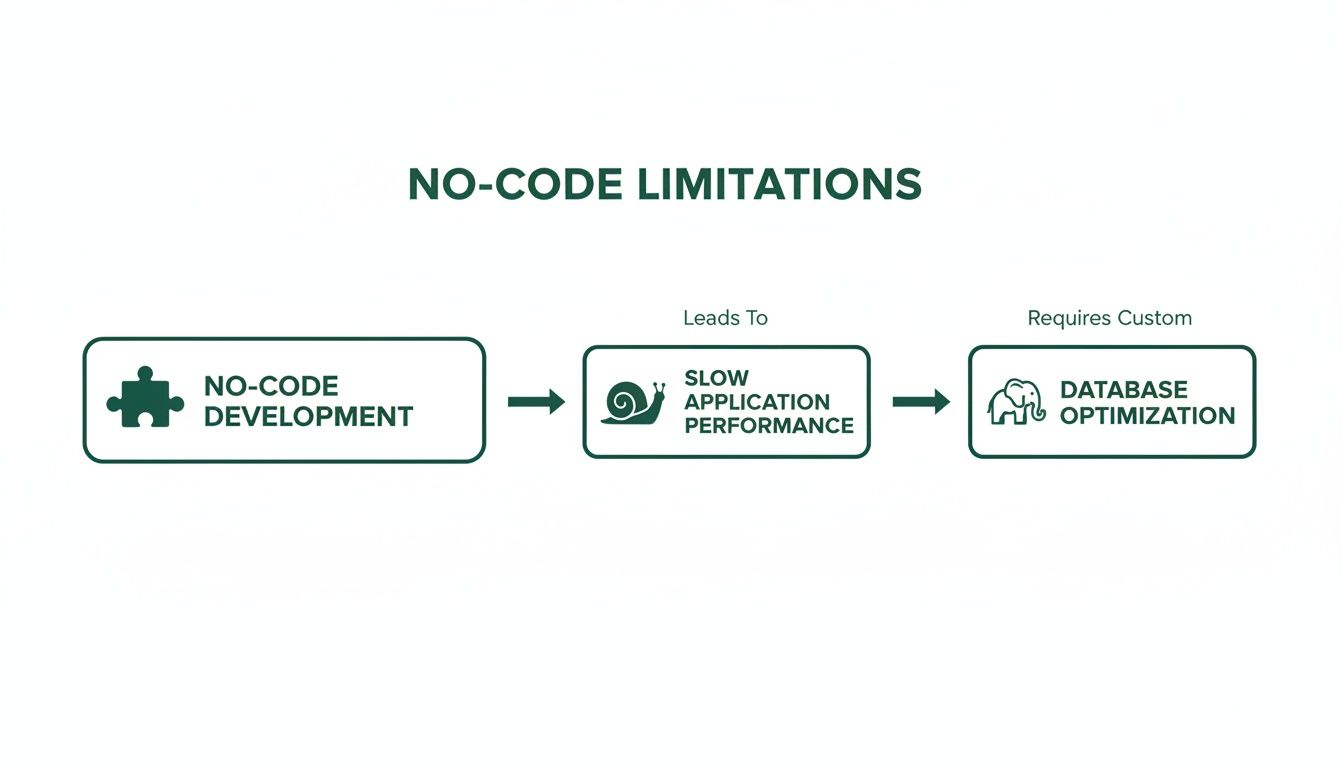
As you can see, moving from a flexible no-code MVP to a sluggish, problematic app is a well-trodden path. It almost always leads to adopting a robust solution like PostgreSQL to reclaim performance and control.
Visualizing Your New Database Schema
With your data neatly exported, you can start sketching out its new home. An Entity-Relationship Diagram (ERD) is your best friend here. It's essentially a flowchart that maps out your database tables, the columns inside them, and how they all relate to each other.
You don't need to be a SQL guru to do this. Tools like dbdiagram.io or Lucidchart are fantastic for this, letting you drag and drop your way to a professional schema design.
Here’s a real-world scenario I see all the time:
- In Bubble: You probably have a
User"thing" with a field for a "list of Projects" embedded right inside it. It's simple, but incredibly inefficient as you scale. - In PostgreSQL: This becomes two separate, clean tables. You’ll have a
userstable and aprojectstable. A foreign key—a special column calleduser_idin theprojectstable—creates a direct link back to the project's owner in theuserstable.
This separation is the heart and soul of a relational database. It stops you from duplicating data and keeps everything consistent. If you want to go deeper on these fundamentals, we have a complete guide to building a database from scratch.
Demystifying Database Normalization
This process of splitting your data into logical, interconnected tables has a name: normalization. The whole point is to eliminate redundant data and ensure everything stays accurate. It might sound a bit academic, but getting this right has massive, real-world consequences.
Imagine this: your Webflow site, stitched together with Zapier hooks, is a hit. But after a great launch, sign-ups spike 300%. Suddenly, your page loads are hitting 5+ seconds, and you're losing 25% of your visitors. This isn't a hypothetical; it's a story I hear constantly. It’s what's driving the database market, which is projected to grow at a 13.29% CAGR to reach $406.03 billion by 2034.
Migrating to a properly normalized PostgreSQL database helps you slash that 2-3x overspend on brittle, slow integrations and build a backend that can actually keep up with your growth.
The key concept to get your head around is the Third Normal Form (3NF). In plain English, it means every column in a table should depend only on that table's primary key—not on any other column.
Key Takeaway: Normalization is your best defense against "update anomalies." If a user's name is stored in 10 different places (like on every single order they've placed), changing it is a nightmare. In a normalized schema, you update it once in the
userstable, and that change is instantly reflected everywhere.
A Practical No-Code to SQL Translation
Let’s get concrete. Many no-code platforms encourage these flat, spreadsheet-style data structures that become a total mess as soon as you have any real volume. Here’s how you can start thinking about the translation from one world to the other.
Translating No-Code Fields to a PostgreSQL Schema
| No-Code Concept (e.g., Airtable) | Problem/Limitation | PostgreSQL Solution (Schema Design) |
|---|---|---|
| A single 'Projects' table with a 'Team Members' multi-select field. | Impossible to efficiently query which team members are on the most projects. The data is just trapped inside a single text field. | Create three tables: projects, users, and a "join table" called project_members with just a project_id and user_id to link them. |
Storing billing_street, billing_city, billing_state directly in the users table. |
What if a user has multiple addresses (shipping, billing)? This design can't handle it and mixes user profile info with location data. | Create a separate addresses table. Now, the users table can link to multiple addresses through a clean foreign key relationship. |
This structured approach might feel like a bit more work upfront, but I promise you, it pays off in a huge way. Your queries will be faster, your data will be more reliable, and your entire application will be far easier to maintain and extend as your business grows. This groundwork is the single most important part of building a database that’s truly ready for production.
Executing a Clean and Reliable Data Migration
Once you have the blueprint for your new database, it’s time for the main event: moving your data from its old home to its new one. This isn't just about copying and pasting. It's a delicate operation to extract, clean, and load every piece of information without losing or corrupting anything. For a founder, this is where you protect the integrity of the data that runs your entire business.
This process is often called ETL—Extract, Transform, and Load. You'll pull the raw data out of your no-code tool, whip it into shape, and then carefully feed it into your shiny new PostgreSQL database. Trust me, messy data is the Achilles' heel of any migration, and no-code platforms are notorious for producing inconsistencies.

Skipping the cleanup phase is a classic mistake. If you load flawed data into a perfectly designed schema, all you’ve done is build a prettier home for the same old problems. This leads to bugs, unreliable analytics, and a frustrating experience for your users. Garbage in, garbage out.
Data Cleansing: The Non-Negotiable First Step
Your exported data, most likely a CSV file, is going to be full of little surprises. I've seen it all: inconsistent date formats (MM/DD/YYYY in one row, YYYY-MM-DD in another), empty fields that should have data, and free-text entries that are all over the place. Tackling this mess is absolutely essential before you even think about loading anything.
Here's a typical hit list for data cleansing:
- Standardize Date Formats: Just pick one, like
YYYY-MM-DD HH:MM:SS, and convert everything to match. Your future self will thank you. - Handle Null Values: Figure out what to do with empty cells. Should they become a proper
NULLin the database, or does it make more sense to use a default value like0or"N/A"? - Trim Whitespace: Pesky leading or trailing spaces in user-entered data can cause lookups and joins to fail silently. Get rid of them.
- Validate Data Types: Double-check that a column you expect to be numeric doesn't have stray text characters and that email addresses actually look like email addresses.
You’re not going to do this by hand in a spreadsheet. That way lies madness. A simple Python script using the Pandas library is the right tool for the job. It can chew through your CSV, apply all these fixes programmatically, and spit out a clean file ready for migration.
Automating the Cleanup with Python and Pandas
Let's say your Airtable export has a signup_date column with a chaotic mix of formats. A few lines of Pandas code can sort that out in seconds.
import pandas as pd
Load your exported data
df = pd.read_csv('airtable_export.csv')
Standardize the 'signup_date' column, handling potential errors
df['signup_date'] = pd.to_datetime(df['signup_date'], errors='coerce')
Handle any dates that couldn't be parsed by filling them with a default
df['signup_date'].fillna('1970-01-01', inplace=True)
Save the cleaned data to a new CSV
df.to_csv('cleaned_for_migration.csv', index=False)
This is how the pros do it. The script is repeatable, lightning-fast, and infinitely less error-prone than manually fixing thousands of rows.
Pro Tip: Never, ever work on your original export file. Always make a copy before you start running scripts. This is your safety net if something goes wrong or you need to double-check the raw data.
Choosing Your Migration Strategy
With clean data in hand, you're ready to load it into PostgreSQL. How you do this depends on how much data you have and whether you can afford any downtime.
- For Smaller Datasets (Under 100,000 rows): A straightforward "dump and load" usually works fine. You can schedule a brief maintenance window, take your no-code app offline, run a script to load everything in one go, and then point your application to the new database.
- For Larger Applications: A batched migration is a much safer approach. This means moving the data in smaller chunks, which puts less strain on the database and prevents a single error from derailing the entire process. It's more complex to script, but it’s the key to a zero-downtime migration.
The push to migrate often happens when you slam into hard limits. Your MVP on Airtable, which caps free plans at 1,200 records, might suddenly find traction. Even their paid tiers start to groan under the weight of 50,000 rows. This reality is a big reason the global database market surged 13.4% to $119.7 billion in 2024.
Moving to PostgreSQL isn't just about getting more room; it’s a strategic financial move. You can slash integration costs by 70-80% compared to paying for high-tier Zapier plans that buckle under heavy load.
The All-Important Dry Run
Before you go anywhere near your production environment, you must do a dry run. This means setting up a staging server—a perfect clone of your production database—and running your entire migration script against it.
Think of this as a dress rehearsal. It’s your last chance to catch problems like data type mismatches, constraint violations (like two users with the same unique email), or bugs in your script. Skipping the dry run is like launching a rocket without a pre-flight check. You’re just asking for trouble.
This test ensures that when the time comes for the real thing, every single record will land exactly where it’s supposed to. For a deeper dive on this, check out our guide on managing database changes effectively.
Tuning Your Database for Performance and Security
Alright, your data is migrated. That's a huge step, but the real fun is just beginning. Think of what you have now as a rough-cut engine. It runs, but it's not ready for the racetrack. This is where we tune it for performance, lock it down, and make it truly production-ready.
After coming from the Wild West of no-code data structures, where anything goes, this is your chance to finally build a system with rules. The optimizations you put in place now will pay dividends for years in speed, data integrity, and the trust your users have in you.
Supercharge Your Queries with Indexing
One of the biggest performance levers you can pull is indexing. Seriously, this is a game-changer. An index works just like the index at the back of a book; instead of flipping through every single page (a "full table scan" in database terms), you can jump straight to the information you need.
Let's take a real-world example. Your users table is going to grow. When a user logs in, your app looks them up by their email. Without an index on that email column, PostgreSQL literally has to sift through every single row until it finds a match.
That might be okay with 1,000 users, but it's a disaster with 100,000. The login process will grind to a halt. By adding a simple index, you can slash that query time from seconds down to milliseconds.
CREATE INDEX idx_users_email ON users (email);
That one line of code tells PostgreSQL to build a special, lightning-fast lookup table just for emails. Figuring out which columns to index is a core skill. Here are the usual suspects:
- Foreign keys: Columns you use to join tables, like
user_idin apoststable. This is a must. - Frequently filtered columns: Anything that consistently shows up in a
WHEREclause, such asstatus,category, oris_published. - Columns you sort by: Fields you use in
ORDER BYclauses to sort results.
A quick word of caution: don't go crazy and index everything. While indexes make reading data incredibly fast, they add a tiny bit of overhead every time you write data (with an
INSERTorUPDATE). Be strategic and focus on the columns that give you the biggest bang for your buck.
Enforce Rock-Solid Data Integrity with Constraints
No-code tools are often a little too forgiving, letting messy, inconsistent, or duplicate data slip through the cracks. A well-prepared PostgreSQL database, on the other hand, is a strict gatekeeper. It enforces the rules at the database level using constraints.
This is a massive upgrade for your data quality. Constraints are simply rules you place on your tables to stop bad data dead in its tracks.
Here are the essential ones you'll want to set up:
- UNIQUE Constraint: Guarantees no duplicate values can exist in a column. Slap this on your
userstable'semailcolumn, and you'll never have to worry about two users signing up with the same address. - NOT NULL Constraint: This is simple but crucial. It just means a column can't be left empty. You’d use this on essential fields like a user's
usernameor an order'stotal_amount. - Foreign Key Constraint: This is what enforces the relationships between your tables. If you have a
poststable with auser_idcolumn, a foreign key makes sure every singleuser_idactually points to a real user in youruserstable. This is how you prevent "orphaned" records.
Putting these constraints in place moves the responsibility for data integrity from your application code into the database itself. It makes your entire system far more robust and predictable.
Locking Down Your Database Security
Finally, let's talk security. A production database holds your users' data, and protecting it is non-negotiable. This isn't something you bolt on at the end; you bake it in from the start.
First, create specific user roles with minimal permissions. Your application should almost never connect to the database with a superuser account. Instead, create a dedicated role that has only the permissions it needs—for example, the ability to SELECT, INSERT, and UPDATE on specific tables, and nothing more. This is called the principle of least privilege, and it drastically limits the damage if your app's credentials ever get compromised.
If you're building a multi-tenant app where different clients share the same database, you need to know about PostgreSQL's Row-Level Security (RLS). It's an incredibly powerful feature that lets you write rules to control which rows a user can see. With RLS, a user from "Company A" can query the invoices table and will only ever see Company A's invoices, even though all the data lives in the same table. It's like building invisible walls between your customers' data.
And last but not least, always, always enforce SSL/TLS encryption for all database connections. This scrambles the data as it travels between your application and your database, making it unreadable to anyone trying to eavesdrop on your network. These security layers are the final, essential steps to preparing your database for the real world.
Your Go-Live Production Checklist
Alright, you’ve migrated, optimized, and secured the database. The finish line is so close you can almost taste it. But this final stretch—the actual cutover—is where all your careful preparation gets put to the test. This isn't about flipping a single switch; it's a meticulously planned operation designed to protect your users, your data, and your own sanity.
A solid checklist is what turns a potentially chaotic launch into a calm, controlled rollout. We're talking about de-risking the entire process by simulating real-world conditions, validating every moving part, and having a plan B (and C) ready to go. This is how you make sure your new, professional database performs perfectly from day one.

Pre-Launch Validation and Stress Testing
Before you even dream of going live, you have to put your new system through its paces. We're moving way beyond simple unit tests here. It's time for full-scale validation that truly mimics how your application will behave in the wild.
I always break this down into three crucial steps:
- End-to-End Integration Testing: Get your application's frontend hooked up to the new database in a proper staging environment. Now, walk through every single user flow you have. Sign-ups, password resets, purchases, profile updates—everything. This is where you’ll find those sneaky bugs that isolated tests always seem to miss.
- Query Performance Analysis: With the app running, it’s time to see what’s really happening under the hood. A tool like PostgreSQL's
pg_stat_statementsextension is fantastic for this. It will show you exactly which queries are running most often and, more importantly, which ones are the slowest. This is your last chance to add a missing index or refactor a clunky query before it hurts real user experience. - Load Testing: This is completely non-negotiable. Fire up a tool like k6 or JMeter and simulate a tidal wave of traffic hitting your staging server. Can the database handle 100 concurrent users? What about 1,000? Load testing is how you find the bottlenecks and breaking points before your users do.
A well-executed load test is the ultimate confidence builder. It’s far better to discover a query grinds to a halt under pressure in a controlled test than it is to find out on launch day when your product is trending on Twitter.
The Phased Rollout and Monitoring
A "big bang" launch—where you switch everyone over at once—is just asking for trouble. A much smarter, safer, and more professional approach is a phased rollout. This could mean migrating a small cohort of users first, maybe 5% or 10%, or starting with less critical features before moving your core application logic.
This strategy gives you the invaluable ability to monitor the new system under a limited, real-world production load. As you slowly open the floodgates, real-time monitoring becomes your best friend. Get dashboards set up in a tool like Grafana or Datadog to watch these key database metrics like a hawk:
- CPU and Memory Utilization: Big spikes can point to inefficient queries or signal that your server is under-resourced.
- Active Connections: A sudden, runaway increase could mean a connection leak in your application code.
- Query Latency: Keep an eye on the average execution time for your most important queries.
Don't just watch the charts—set up alerts. You need to know immediately if CPU usage slams into 90% or if a key query suddenly takes twice as long to run. This lets you react before a small hiccup snowballs into a full-blown outage.
The Human Element: Communication and Rollback
At the end of the day, technology is only half the battle. A truly successful launch hinges on clear communication and a bulletproof plan for when things go wrong.
First, over-communicate the plan to every stakeholder involved. Your team, your investors, and—if there will be any downtime—your users. Everyone should know when the migration is happening and what to expect.
Second, and this is the most critical piece of advice I can give you: have a rollback plan. What is your exact, step-by-step procedure for reverting back to your old no-code system if something goes catastrophically wrong? This plan needs to be documented and tested just as rigorously as the migration itself. It’s your emergency escape hatch.
This level of preparation is what separates the pros from the amateurs, especially as the database market—a key barometer for digital infrastructure—is projected to grow from $100.79 billion in 2023 to $241.27 billion by 2030. You can read more about this explosive growth in a report from Grand View Research.
Got Questions About Prepping Your Database?
Moving away from a familiar no-code platform to a real production database can feel like a huge leap. It's totally normal to wonder about the timeline, what pitfalls to watch out for, and what this whole process actually entails. We've compiled some of the most common questions we get from founders to help clear things up.
So, How Long Does This No-Code to PostgreSQL Migration Actually Take?
Every project has its own quirks, but for a small or medium-sized app, you can realistically get this done in four to eight weeks. That's a pretty solid estimate that covers everything from designing the schema and scrubbing your data to writing migration scripts, doing a ton of testing, and finally going live.
The single biggest factor that dictates the timeline? How much work you put in upfront. Seriously. The more time you spend carefully mapping out your new database structure and cleaning up the data you have, the smoother everything else will go. Cutting corners on planning is the classic mistake that leads to headaches and delays later on.
What are the Most Common Migration Mistakes People Make?
I’ve seen founders trip over the same hurdles again and again when they tackle a database migration for the first time. The absolute biggest one is sloppy schema planning—just building tables that solve today's problems without a single thought for where the app is heading.
Besides that, here are a few other critical mistakes to avoid:
- Forgetting to Clean the Data: Just dumping messy, inconsistent data from your no-code tool straight into a structured database is a guaranteed disaster. It breaks features, messes up your analytics, and creates a nightmare for your users.
- Skipping a Test Run: Not doing a full migration rehearsal on a staging server is like trying to launch a rocket without a systems check. This is your one shot to find all the weird data type mismatches, constraint errors, and script bugs before they hit your live users.
- Ignoring Indexes: A database without indexes on columns you search frequently is destined to become painfully slow. Skipping this step can completely wipe out the performance gains you were hoping to get from the migration in the first place.
If you take one thing away from this, let it be this: a poorly designed schema is the mistake that will cost you the most. It will haunt your app for years, making every new feature a struggle and every bug fix more expensive.
Can I Keep My Old System Running While I Migrate?
Yes, you absolutely can—and you probably should. This is the best way to pull off a switch with basically zero downtime for your users. The strategy is often called a "dual-write" or a parallel run.
You set up a process where any data created or updated in your old no-code app also gets written to your new PostgreSQL database simultaneously. This lets you test the new setup with real, live data without affecting anyone. You can run reports, check performance, and make sure everything is perfect. Once you’re 100% confident, you can schedule a quick, final cutover.
What’s This Going to Cost Me? A Look at Hosting a Production Database
Most founders are shocked at how affordable it is to host a serious PostgreSQL database. For a startup just getting going, you're likely looking at something in the ballpark of $15 to $30 a month using a managed service like AWS RDS, Google Cloud SQL, or DigitalOcean.
These aren't weak, starter-tier plans, either. They can handle a lot of traffic and data right out of the box. As you grow, your costs will scale in a very predictable way based on CPU, memory, and storage. The key takeaway is that even as you scale up, this is almost always more cost-effective than the ballooning subscription fees you'd face on a high-traffic no-code platform.
If you're ready to move beyond the limits of no-code and build a scalable, defensible tech asset, First Radicle can help. We turn fragile projects into production-grade software in six weeks, guaranteed. Learn more about how we help founders.