
Publish a Web Page A Founder's Guide to Going Live

So, you've built a web page on your computer. Now what? Knowing how to publish a web page is that final, crucial leap that takes your project from a local file to a real, living asset for your business. It's all about getting your code onto a hosting platform where anyone with an internet connection can find it. For a founder, this isn't just a technical chore—it's a core strategic move.
From Local Project to Live on the Web
Getting your project off your machine and onto the internet is the first true milestone in building an online business. This is the moment your idea stops being a folder of private files and becomes a public storefront for your customers. But it's more than just a simple upload. The choices you make here about technology and strategy will directly affect your speed, your costs, and your ability to grow.
This guide will walk you through the entire process. We'll look at the modern ways to publish everything from a simple static site to a full-blown web application. Whether you're a hands-on technical founder or coming from a no-code background, getting these initial decisions right is absolutely essential.
Why Your Publishing Method Matters
How you decide to publish your site sets the stage for everything that follows. Make the right calls early on, and you'll accelerate your growth. Get it wrong, and you'll be stuck wrestling with technical debt that slows you down later.
- Speed and Performance: The right platform makes your site load lightning-fast for users anywhere in the world, which is a huge deal for user engagement and SEO.
- Cost Efficiency: Many modern hosting solutions have generous free tiers, but costs can creep up as your traffic grows. A little planning now can save you from surprise bills down the road.
- Scalability and Reliability: Your setup needs to handle sudden traffic spikes without crumbling. Your business needs to stay online, period.
- Developer Experience: A streamlined deployment process means your team can push out updates and new features quickly, with fewer headaches and errors.
For founders, publishing a web page isn't just about "going live." It's about building a solid, scalable foundation that can actually support your business goals—from validating an MVP all the way to serving millions of users.
The Modern Publishing Workflow
At its heart, the process is straightforward: you code something, you deploy it, and then it's live. This infographic breaks down the fundamental steps.
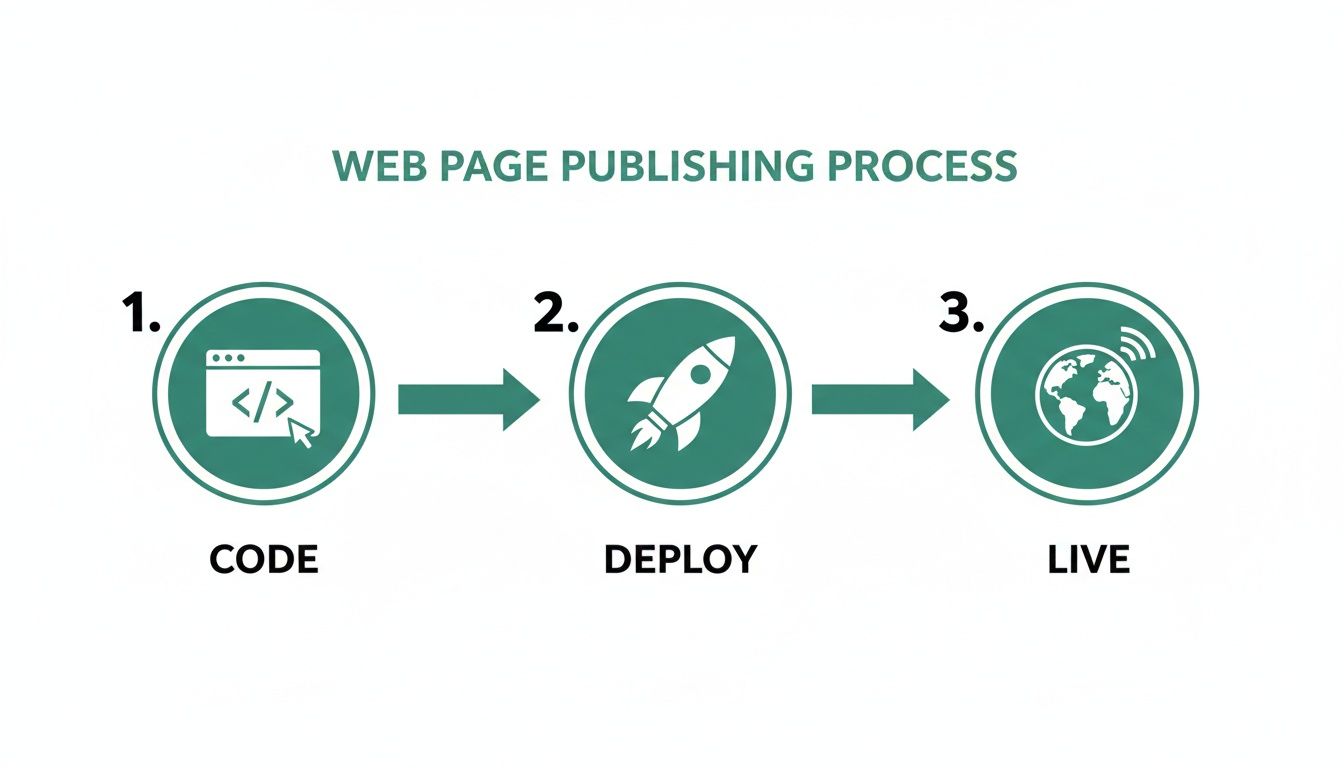
What this simple visual doesn't show is how much has changed. In less than 30 years, publishing a website has gone from a highly specialized skill to something almost anyone can do. With global internet penetration now around 73.2%, the stakes are incredibly high. A landing page is often the only interface between a new startup and its potential market, making your publishing strategy a critical business decision.
You can dig into more global digital trends to see just how big the opportunity is. We’ll also look at common starting points for non-technical founders, using tools like Webflow or Bubble, and talk about when—and how—to graduate to a more powerful, custom-coded solution.
Picking the Right Place to Publish Your Page
So, you've built your web page. Now, where does it live? The hosting platform you choose is more than just a server; it's the foundation for your site's speed, reliability, and how easy it is to make updates down the road. This decision can be the difference between a smooth launch and a series of technical headaches.
Let's break down the main options you'll encounter. We'll look at the simple and fast static hosts, the powerful modern platforms built for today's web apps, and the old-school traditional hosting that still has its place. Each has its pros and cons, and knowing which one fits your project is crucial.
Static Hosting: For Speed and Simplicity
If you're launching something straightforward—a portfolio, a marketing landing page, or product documentation—you probably don't need a complex backend. For these kinds of projects, static hosting is your best friend. It’s all about delivering your HTML, CSS, and JavaScript files to users as fast as humanly possible.
Two fantastic, and often free, options stand out:
- GitHub Pages: Already using GitHub for your code? This is a no-brainer. You can literally publish a website directly from your repository in a few clicks. It's the path of least resistance for getting a simple project online, and it's perfect for personal sites or open-source project pages.
- Cloudflare Pages: Known for its incredible global network, Cloudflare Pages offers blazing-fast static hosting with a top-notch developer experience. Your site is automatically distributed across the globe, meaning it loads almost instantly for visitors no matter where they are. That’s a huge win for any project aiming for a wide audience.
Modern Platforms: For Serious Web Applications
When you step up to building with modern frameworks like React, Next.js, or Vue, your hosting needs change. You're not just serving static files anymore; you're running a full-fledged application. This is where platforms like Vercel and Netlify shine.
These services are built from the ground up for the modern development workflow. You connect your GitHub or GitLab repository, and every time you git push, they automatically build, test, and deploy your site. It’s a seamless process that professional teams rely on because it’s fast, automated, and includes game-changing features like preview deployments for every single code change.
The real magic here is what you don't have to do. Vercel and Netlify handle all the messy infrastructure—SSL certificates, global content delivery networks (CDNs), and even serverless functions for your backend code. This lets you focus on building your actual product instead of becoming a part-time server administrator.
Traditional Hosting: The Old-School FTP Route
Not long ago, the only way to get a site online was to fire up an FTP client (think FileZilla) and manually drag your files onto a server. This method, often paired with shared hosting from providers like GoDaddy or Bluehost, is still around, but it feels increasingly dated.
This approach is most common for simple WordPress sites. While it’s cheap and comes with a control panel like cPanel, it’s a world away from the streamlined workflows of modern platforms. Performance can be a rollercoaster, security is a constant chore, and the manual upload process is slow and ripe for human error. For anyone building a scalable tech product, this path often leads to more problems than it solves.
To help you decide, here’s a quick breakdown of how these options stack up against each other.
Hosting Options At a Glance
| Platform | Best For | Ease of Use | Scalability | Typical Cost |
|---|---|---|---|---|
| GitHub Pages | Project sites, portfolios, docs | Very Easy | Low | Free |
| Cloudflare Pages | Performance-critical static sites | Easy | Medium | Free to Pro |
| Vercel / Netlify | Modern web apps (Next.js, React) | Very Easy | High | Free to Scale |
| Shared Hosting | Simple WordPress sites, blogs | Moderate | Low | $5 - $25/mo |
Ultimately, choosing your hosting platform is about matching the tool to the job. Pick one that not only solves your immediate need to get a page online but also gives you a clear path to grow without forcing you to start over from scratch later.
Connecting Your Domain and Securing Your Site
Your site is deployed, but without a custom domain, it feels a bit like a store with no sign out front. To really go live and earn trust, you need two things: a great domain name and that little padlock icon in the browser bar. These aren't just nice-to-haves; they’re your site's handshake with the world, signaling credibility and security.
It all starts with buying a domain from a registrar like Namecheap, Google Domains, or GoDaddy. Think of it as claiming the street address for your business online. Once you own the name, you have to tell the internet's traffic cops where to send visitors. That’s where your Domain Name System (DNS) records come in.
Thankfully, the days of wrestling with arcane DNS settings are mostly over. Modern hosting platforms like Vercel and Netlify have made this part shockingly easy. Often, all you have to do is update your nameservers at your registrar to point to them. It’s a one-time change that lets your host handle all the complex routing for you, making sure your domain points right to your live site.
Why HTTPS Is Non-Negotiable
Let’s be blunt: if your site doesn't load over HTTPS (Hypertext Transfer Protocol Secure), it’s broken. That little padlock means the connection between your website and your visitor's browser is encrypted, protecting any data they share. Without it, browsers will literally warn people your site is "Not Secure." It’s the fastest way to kill trust and lose a visitor.
It’s not just about appearances, either. Google uses HTTPS as a ranking signal, so an unsecured site is at a major disadvantage in search results. A few years ago, getting the required SSL (Secure Sockets Layer) certificate was a real pain—often expensive and technically frustrating.
Today, it's a solved problem.
- Free and Automatic Certificates: Services like Vercel, Netlify, and Cloudflare Pages issue and renew free SSL certificates automatically, usually through the non-profit Let's Encrypt.
- Zero Configuration: Seriously, you don't have to do anything. Once your domain is connected, the SSL setup happens completely behind the scenes. No generating keys, no manual validation, no installing files. It just works.
- Enhanced Security: This automation also prevents common mistakes that could leave your site vulnerable. If you want to go even deeper, you can explore other security best practices for web applications to really lock things down.
Here’s the takeaway: Modern hosting has completely removed the old barriers to securing your website. What used to be a technical chore is now a standard, default feature. Your site can be professional and secure from the second it goes live.
This level of automation is a massive win, especially for founders and developers who need to move fast. By making domain setup and security a seamless part of the process, these tools let you stay focused on building your product, confident that your online presence is both trustworthy and professional.
Sooner or later, every successful project built on a no-code platform hits a wall. Tools like Bubble, Webflow, and Airtable are brilliant for getting an idea off the ground fast. But that launchpad can start to feel like a cage when your user base grows and your needs get more complex.
When you start bumping up against those limitations, it's time to plot your escape to a production-grade tech stack. This isn't just a simple technical swap; it's a fundamental business move. You're shifting from a tangled web of visual editors and fragile Zapier automations to a solid backend with a real database like PostgreSQL. It’s the step that turns a clever MVP into a genuine, defensible tech asset.
Audit Your No-Code World First
Before you even think about writing a line of code, you have to map out exactly what you've built. Think of it like creating a detailed blueprint of your current house before you start construction on a new one. What can you actually bring with you, and what has to be rebuilt from the ground up?
Figure Out Your Data: How much of your data can you realistically export? Airtable will give you some nice, clean CSVs, but prying user data out of Bubble, for instance, can be a real headache. You need to document every single table, field, and relationship.
Map Your Business Logic: All those "workflows" in Bubble or your intricate Zaps are your current business logic. It's your job to trace them out, almost like a detective. Map every user action, every trigger, and every automated email or update. This map becomes the core spec for your new backend.
Salvage Your Design Assets: You can't just export the "code" from a visual builder like Webflow. But what you can do is salvage the design system you’ve created. For a much deeper look into this part of the process, check out our guide on the web design-to-code process, which walks through turning static designs into real, working components.
Don't rush this mapping phase. Seriously. A thorough, well-documented audit is the single best way to prevent scope creep later. It ensures the new application not only works but actually improves on the features your users already know and rely on.
Why Owning Your Stack Is a Game-Changer
Is this migration a lot of work? Absolutely. But the payoff is huge, and it goes way beyond just having a faster site. Moving to a custom stack is about taking back control and building something with real, long-term value.
When you publish a web page built on your own production-grade stack, you unlock advantages that are especially critical when you're looking to raise money.
Real Scalability: A custom backend running on a PostgreSQL database won’t buckle under pressure. It can handle a sudden spike in traffic from a viral moment without a hiccup, giving you reliability when you need it most.
You Own Your IP: Your code is your intellectual property. VCs fund defensible technology, not a company’s subscription to a no-code service. Owning your codebase is a must-have for serious fundraising.
Lower Costs at Scale: There’s an upfront cost, for sure. But you’ll quickly eliminate the death-by-a-thousand-cuts from soaring Zapier task fees and per-user platform costs that actively penalize your growth.
Zero Limitations: You're finally free. No more being stuck with a platform's limited feature set. If you can dream up a feature, a custom integration, or a unique piece of business logic, your team can now build it.
At the end of the day, this is about graduating. You're moving from a rented foundation to one you own outright, setting your business up for serious, sustainable growth.
Automating Deployments with a CI/CD Workflow
Let's be honest: manually uploading files every time you need to update your website is a huge pain. It's slow, it’s easy to make a mistake, and it just doesn’t work once you start growing. This is the moment you move beyond the basics and start operating like a modern tech company by setting up a CI/CD workflow.
CI/CD stands for Continuous Integration and Continuous Deployment. All that really means is you're creating an automated pipeline that grabs your code, builds your site, and pushes it live without you having to do it all by hand. This isn't just a fancy trick for developers; it’s a core business practice that helps you release new features faster and with way fewer bugs.
How It Works in Practice
The whole setup is surprisingly simple. You just connect your code repository (which is probably on GitHub) to a modern hosting platform like Vercel or Netlify.
Once they're linked, any time you push new code to your main branch, it automatically kicks off a new deployment. The platform builds the site, runs any tests you've set up, and—if everything looks good—your changes are live. Simple as that.
This workflow is a direct fix for the fragility you often see in no-code tools, where one tiny change can accidentally bring down your whole site. With a proper CI/CD pipeline, every change can be tested and easily reversed. It’s a safety net that lets you iterate quickly and confidently. If you need a refresher on the basics, our guide on how to update a GitHub repository can help.
A CI/CD pipeline transforms publishing from a stressful manual chore into a reliable, automated process. It’s the single biggest step you can take toward building a stable, professional engineering culture.
The Business Impact of Automation
Adopting this kind of automation is about more than just saving a few minutes. Publishing a web page is now part of a massive digital economy that moves at an incredible speed. The digital publishing market is on track to hit USD 447 billion by 2030, and customers expect interactive, secure experiences that are constantly improving—not just a static HTML page. You can read more about these emerging publishing industry trends to see where things are headed.
This workflow gives you a real competitive advantage.
- You can fix bugs in minutes, not days.
- You can test a new landing page by deploying a temporary version for your team to review.
Ultimately, it helps your business move at the speed of the market. That's something manual processes just can't keep up with.
Troubleshooting Common Publishing Errors
It happens to the best of us. You push your code, the deployment starts, and then... failure. Even with the slickest automated pipelines, things can break. It’s frustrating, but nearly every publishing error is solvable.
Your first port of call, always, should be the deployment or build logs from your hosting provider. Don't be intimidated by them. Platforms like Vercel and Netlify provide fantastic real-time logs that are your single best source of truth. You’re not trying to understand every single line; you're hunting for a specific error message. Often, it's something surprisingly simple, like a missing environment variable or a typo in a file path.
A Quick Diagnostic Checklist
Before you start pulling your hair out, run through this quick mental checklist. More often than not, one of these is the culprit behind publishing headaches.
- Getting a "404 Not Found" error? This classic usually means your build output settings are off or something is wrong with your site's internal routing. Double-check where your hosting provider expects to find the
index.htmlfile. - Seeing broken images or missing styles? This is almost always a file path problem. Make sure your paths are correct (e.g., relative paths like
/images/hero.jpgvs. absolute URLs) and that your build process is actually copying your assets to the final output directory. - Just set up your domain and nothing's happening? DNS changes aren't instant. It can sometimes take a few hours for the new settings to propagate across the internet. Grab a coffee and check back in a bit; patience is often the only tool you need.
The most important thing is to stay calm and be methodical. The logs are your best friend. Read them carefully, and they'll almost always point you straight to the root cause, giving you the power to fix it or hand your technical team the exact info they need.
Getting your web page live is just the first step. The real goal is creating a reliable presence in a digital ecosystem where uptime matters. With digital ad income projected to grow by 14.9% in 2024 to reach a staggering USD 258.6 billion, relying on fragile deployment processes can directly limit your ability to capture that value. To really grasp what's at stake, it's worth exploring some of the modern media revenue playbooks that top publishers are using.
Got Questions? We’ve Got Answers.
When you're ready to get your website live, a few common questions always seem to pop up, especially for founders moving away from no-code builders for the first time. Let's tackle them head-on.
How Long Does This Actually Take?
Honestly, the deployment part can be incredibly fast. With a platform like Vercel and your project ready to go, you could be live in less than an hour. The actual "publish" button is often the quickest step.
The real waiting game comes from the domain name system (DNS). After you connect your custom domain, it can take anywhere from a few minutes to 48 hours for those changes to spread across the internet. The biggest time sink, though? That’s almost always the work you do before you deploy—getting the content, design, and code just right.
Can I Genuinely Do This for Free?
Yes, you absolutely can. It’s one of the best things about the modern web. Services like GitHub Pages, Vercel, and Netlify all have fantastic free tiers that are more than enough for personal sites, portfolios, or even the landing page for your new business.
You're not just getting basic hosting, either. These free plans are packed with features that used to cost a fortune:
- Automated Builds: Push a change to your Git repository, and your site updates automatically.
- Free SSL: Your site gets that secure
httpspadlock without any extra cost or complicated setup. - Global CDN: Your site is distributed around the world, so it loads quickly for visitors no matter where they are.
When Is It Time to Ditch My No-Code Tool?
You'll know it's time to switch to a coded solution when your no-code platform starts feeling less like a shortcut and more like a roadblock. The decision to migrate usually comes down to hitting a hard limit.
If your platform's limitations are costing you customers, it's time to move. Key indicators include poor performance under traffic, an inability to build crucial custom features, or skyrocketing costs from third-party tools like Zapier.
Another big reason is when you need to show investors you own your technology. A custom-built platform demonstrates a level of control and scalability that off-the-shelf tools just can't match.
Are you hitting the limits of your no-code tools? First Radicle specializes in migrating fragile projects to production-grade software in just six weeks, guaranteed. Learn how we can help you scale.