
7 React framework examples You Should Know

Navigating the transition from a no-code MVP to a scalable, production-grade application is a critical step for any growing startup. When platforms like Bubble, Webflow, or Airtable start showing their limits, and the costs of integration tools like Zapier become unsustainable, it's time to consider a custom-built solution. This guide is designed for founders and product leaders facing exactly this challenge. We provide a curated collection of react framework examples and starter templates to help you build a robust, ownable tech stack with modern tools like Next.js and a powerful backend like Python/Postgres.
For non-technical founders preparing for VC fundraising, owning your intellectual property is non-negotiable. For product leaders, implementing secure authentication, reliable payment gateways, and high-performance user interfaces is paramount. The resources listed here are your blueprint for achieving these goals. We skip the generic theory and dive straight into actionable, real-world examples that demonstrate how to build complex, data-driven applications.
This listicle cuts through the noise to deliver a practical directory of the best starting points for your project. Each entry includes a strategic breakdown, direct links, and insights into its ideal use case, from official React documentation to comprehensive Vercel and MUI templates. You will find specific, replicable strategies to accelerate your development, secure your data, and build a platform that can scale with your business ambitions. Let's explore the top resources to find the perfect foundation for your new React application.
1. React official documentation and examples
The absolute best place to start understanding React isn't a complex framework, but the source itself: the official React documentation. This resource is more than just an API reference; it's a meticulously crafted learning platform designed to instill the core mental models of React. For teams migrating from no-code platforms like Bubble or Webflow, this is the foundational first step before choosing a specific framework.
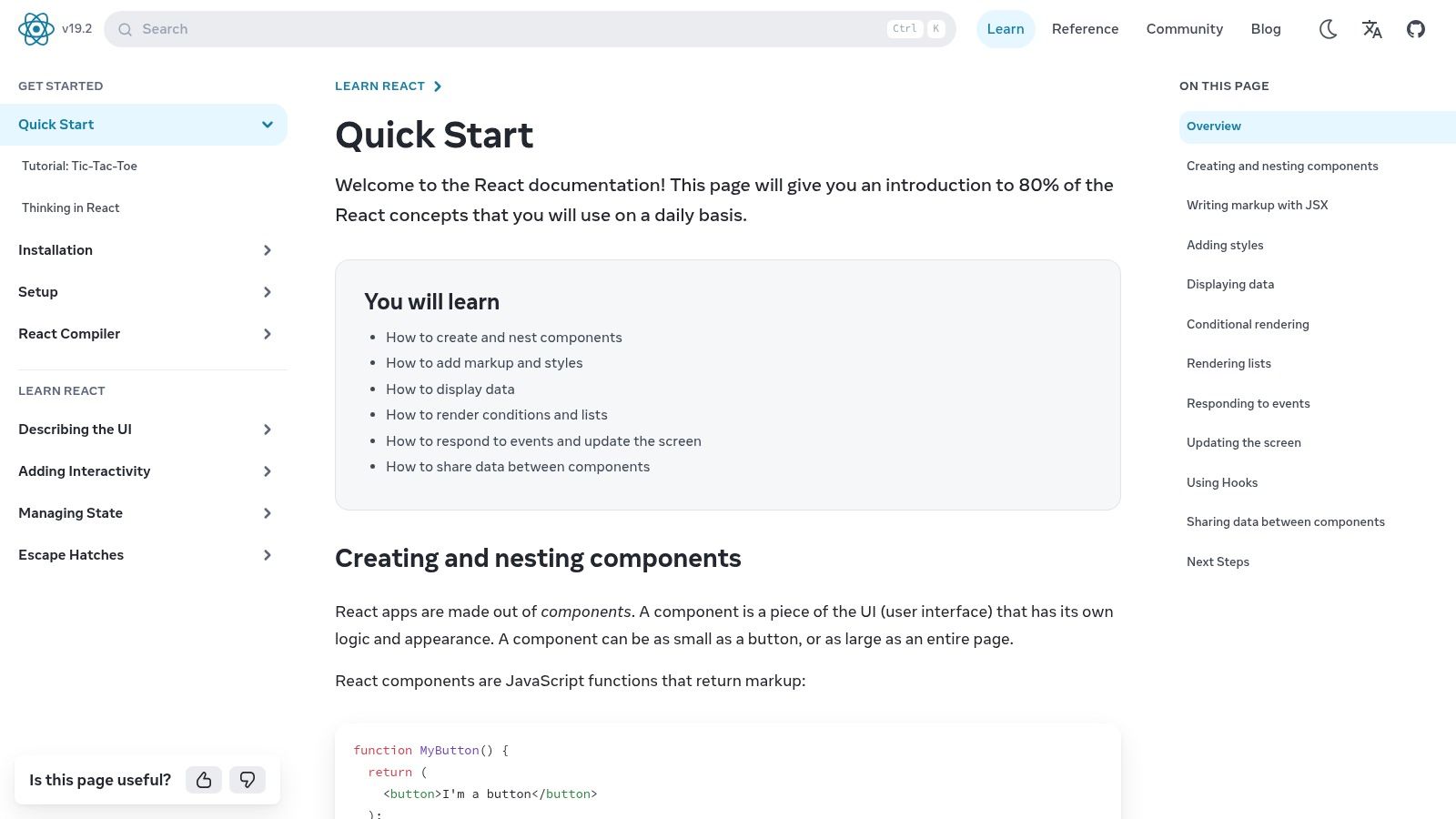
The documentation provides task-oriented, copy-pasteable snippets that demonstrate the latest APIs, including hooks like useState and useEffect. Its interactive sandboxes and short code challenges are invaluable for hands-on learning, helping developers grasp concepts like component state, event handling, and conditional rendering without the overhead of a full project setup. This approach makes it one of the most effective react framework examples for learning, as it isolates patterns in a controlled environment.
Strategic Analysis & Actionable Insights
The primary strategy behind using react.dev is to build a solid, framework-agnostic foundation. Teams often jump directly into a framework like Next.js or Remix without fully understanding the underlying React principles, leading to inefficient code and difficult debugging.
Key Takeaway: Before committing to a full framework, your development team should complete the "Learn React" and "Thinking in React" sections of the official docs. This ensures everyone shares a common vocabulary and understands how to break down UI into reusable components, a critical skill when moving from the visual, monolithic structures of Webflow or Bubble.
For product leaders, this resource is a free, authoritative, and always up-to-date tool for onboarding new developers. It de-risks the transition to a code-based stack by ensuring the team understands the fundamentals before tackling more complex topics like application scaling. For more in-depth strategies, explore these guides on scaling applications with modern backends.
Pros and Cons
| Pros | Cons |
|---|---|
| Always Up-to-Date: Canonically reflects the latest React core releases (v19+). | Not a Template Marketplace: Lacks full application or page templates. |
| Authoritative & Free: The definitive source for React patterns, at no cost. | No Design Systems: You won't find pre-built UI kits or component libraries. |
| Excellent for Onboarding: Perfect for grounding teams in the React mental model. | Component-Focused: Examples are atomic and don't cover app-level concerns. |
Website: https://react.dev/learn
2. Vercel Templates (React + Next.js starters)
After grasping the core principles of React, the next logical step is to see how those principles are applied in production-ready applications. The Vercel Templates marketplace is an exceptional resource for this, offering a curated catalog of deployable React and Next.js starter projects. For teams moving from the integrated ecosystems of Webflow or Bubble, these templates provide a practical bridge from component theory to full-stack application architecture.
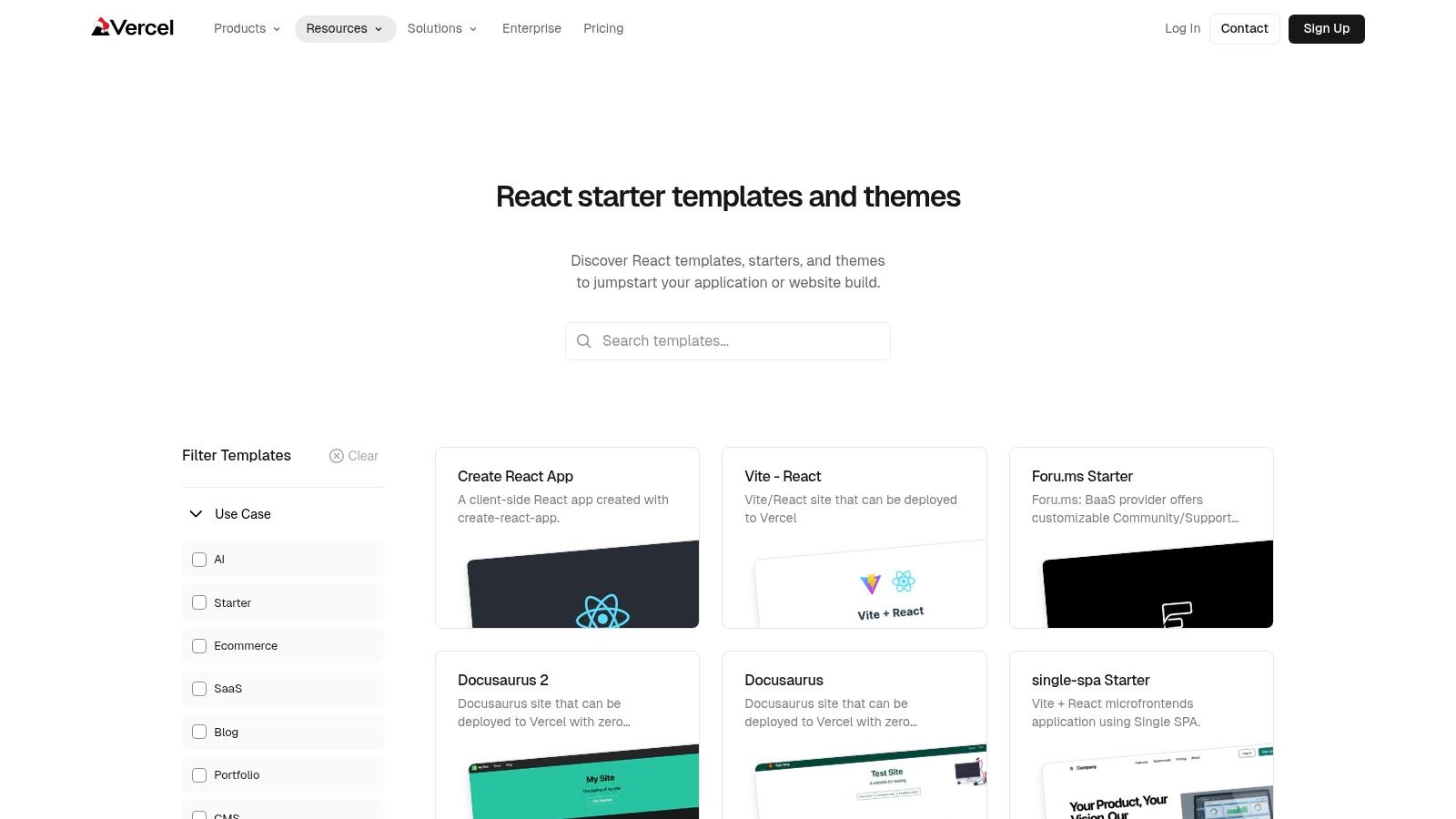
The platform's key feature is its "one-click deploy" functionality, which clones a template repository to your GitHub account and deploys it to a live URL on Vercel almost instantly. This frictionless process allows developers to experiment with various react framework examples-from simple Vite + React blogs to complex enterprise-grade Next.js boilerplates with integrated authentication and database connections. You can filter by framework, use case, and integrations, making it easy to find a starting point that mirrors your project's technical requirements.
Strategic Analysis & Actionable Insights
The strategic value of Vercel Templates is speed and validation. It allows product leaders to bypass days of setup and configuration, enabling teams to instantly have a working, shareable staging environment. This is perfect for prototyping, testing specific features like OpenAI integrations, or evaluating the developer experience of a particular stack.
Key Takeaway: Use Vercel Templates to de-risk your technology choices. Instead of debating frameworks theoretically, deploy one or two relevant templates (e.g., a Next.js App Router starter vs. a Vite-based one). This gives your team a tangible codebase to evaluate, helping you make an informed decision based on a real-world prototype rather than documentation alone.
For teams migrating from a no-code backend like Airtable to a robust solution like Postgres, these templates can serve as an invaluable launchpad. Many starters include database setup scripts and ORM configurations, providing a clear path forward. This approach significantly simplifies the initial stages of a project and aligns with established database migration best practices.
Pros and Cons
| Pros | Cons |
|---|---|
| Fastest Path to a Live URL: One-click deployment gets your example app running in minutes. | Variable Quality: As many are community-submitted, you must vet the code quality of each repo. |
| Broad Range of Use Cases: Covers everything from simple blogs to full-stack SaaS starters. | Next.js Skewed: The ecosystem heavily favors Next.js, which may not suit all project needs. |
| Production-Minded Starters: Many templates include Turborepo, auth, and ORM setups. | Vendor Lock-in Risk: Templates are optimized for the Vercel platform and workflow. |
Website: https://vercel.com/templates/react
3. ThemeForest (React template marketplace)
For teams needing to quickly stand up a visually complete application or proof-of-concept, marketplaces like ThemeForest offer a significant head start. It’s a vast commercial hub featuring thousands of pre-built React themes, from complex admin dashboards and e-commerce storefronts to polished SaaS landing pages. This approach is ideal for teams migrating from visual builders like Webflow who need a production-ready UI without starting from scratch.
Each template on ThemeForest provides live previews, sales data, user reviews, and detailed change logs, allowing you to gauge quality and community support before purchasing. You can find templates built on various React frameworks, including Next.js, Gatsby, and Vite. This massive repository serves as a powerful collection of react framework examples, demonstrating how different UI patterns and features can be implemented for specific business use cases, often for a one-time fee in the low-to-mid US dollar range.
Strategic Analysis & Actionable Insights
The core strategy when using ThemeForest is UI acceleration. Instead of spending weeks designing and coding foundational components like tables, forms, and navigation, a well-chosen template provides a fully-functional starting point. This frees up development resources to focus on the unique business logic and backend integration, which is the primary value driver when moving off platforms like Bubble or Airtable.
Key Takeaway: Treat templates as a "UI kit on steroids," not a final, unchangeable product. The goal is to acquire a robust set of components and layouts that you can customize and connect to your own backend (e.g., Python/Postgres). Before purchasing, carefully review the template's dependencies, last update date, and the quality of its documentation to avoid technical debt.
For non-technical founders, this is the fastest way to present a high-fidelity, interactive prototype to stakeholders or early investors. It bridges the gap between a no-code MVP and a scalable, code-based application by solving the front-end challenge first. This allows the conversation to shift from "what will it look like?" to "how will it work with our data?".
Pros and Cons
| Pros | Cons |
|---|---|
| Huge Selection & Competitive Pricing: Thousands of options at affordable prices. | Variable Code Quality: Architecture must be audited before production use. |
| Excellent for Rapid Prototyping: Get a demo-ready UI in days, not weeks. | Outdated Dependencies: Some templates may lag behind the latest React/Next versions. |
| Marketplace Signals: Live demos, sales data, and reviews help evaluation. | Limited to UI/Front-End: You are responsible for all backend and business logic. |
Website: https://themeforest.net/search/react
4. MUI Store (React templates curated by the MUI team)
For teams committed to the Material Design language, the MUI Store offers a curated alternative to sprawling template marketplaces. It provides high-quality, pre-built React and Next.js templates specifically designed to work seamlessly with the Material UI (MUI) component library. This is the ideal starting point for projects that require a robust, well-documented design system from day one, such as internal dashboards, admin panels, or complex B2B applications.
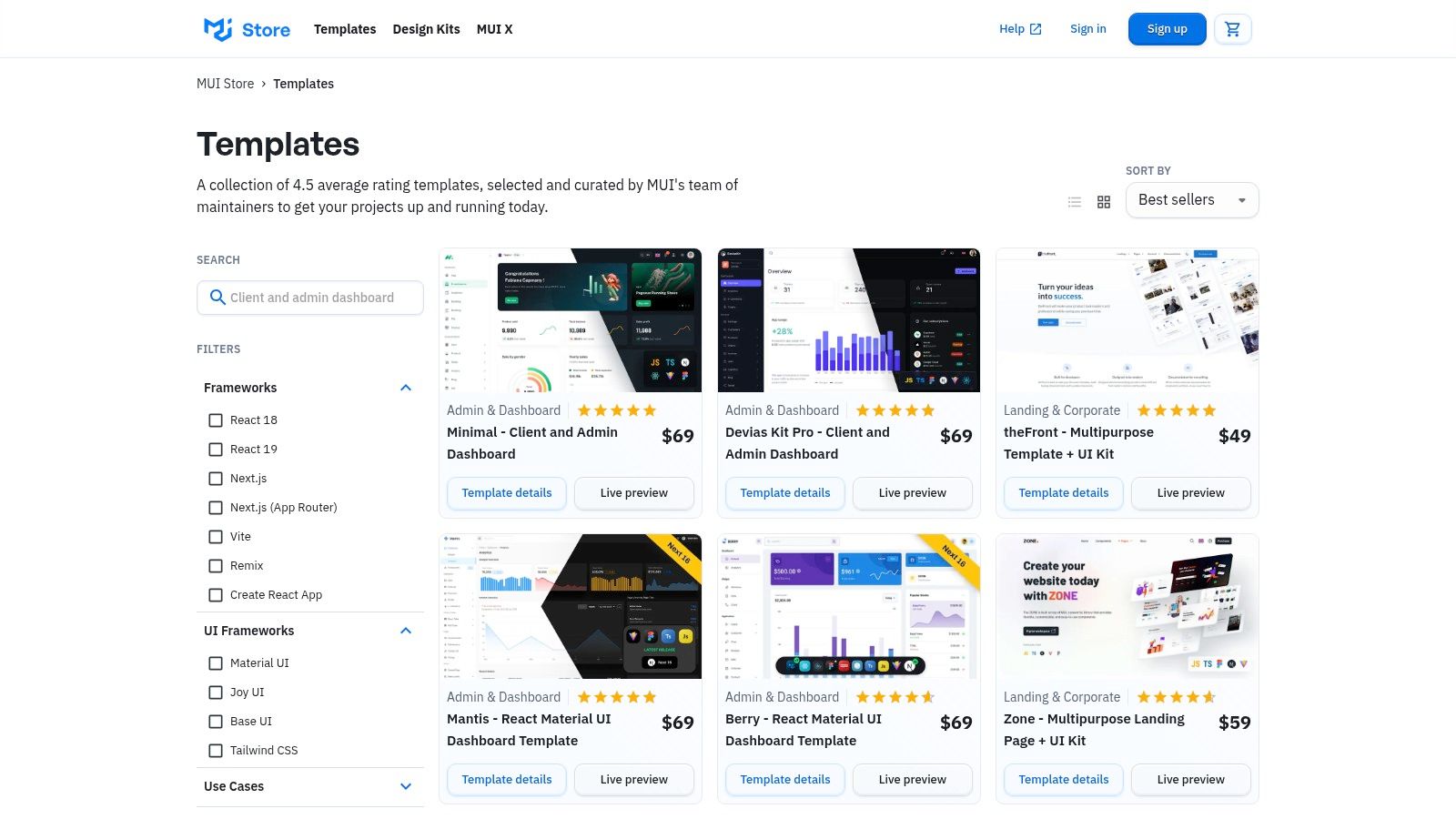
Unlike generic theme sites, every template in the MUI Store is vetted by the core MUI team, ensuring adherence to best practices and deep integration with the component ecosystem. The platform features granular filters that allow developers to find exactly what they need, from templates built with Next.js and the App Router to those using Vite for rapid development. This curation makes it one of the most reliable sources for react framework examples when speed and design consistency are top priorities.
Strategic Analysis & Actionable Insights
The core strategy when using the MUI Store is to leverage a mature design system to accelerate development without sacrificing quality. For teams migrating from Webflow or Bubble, where design consistency is often managed visually, MUI provides a code-based system that enforces uniformity and accessibility standards across the entire application. This drastically reduces the time spent on designing and building fundamental UI elements like buttons, forms, and data tables.
Key Takeaway: Instead of building a design system from scratch, leverage an MUI template as your application's skeleton. This allows your team to focus immediately on business logic and unique features rather than reinventing common UI components. This is especially critical for SaaS platforms, dashboards, and internal tools where functional clarity and development speed are more important than a highly bespoke visual identity.
For product leaders, these templates de-risk the frontend development process. They provide a predictable, battle-tested foundation that is well-documented and supported by a massive open-source community. This approach ensures that even small teams can build enterprise-grade interfaces that are both aesthetically pleasing and functionally robust, which is a key requirement when building an MVP for VC funding or scaling beyond the limits of no-code tools.
Pros and Cons
| Pros | Cons |
|---|---|
| Higher Baseline Quality: Templates are vetted by MUI maintainers for quality. | Visually Opinionated: Style leans heavily on Material Design, requiring customization. |
| Strong Component Ecosystem: Backed by MUI's extensive documentation and library. | Smaller Catalog: Less variety compared to mega-marketplaces like ThemeForest. |
| Best Practice Alignment: Encourages proper use of the MUI component system. | Can Lead to "Cookie-Cutter" Look: Apps may look similar without significant theming. |
Website: https://mui.com/store/templates/
5. Creative Tim (premium and free React dashboards/templates)
For teams needing to build internal tools, admin panels, or SaaS dashboards quickly, Creative Tim offers a marketplace of pre-built React templates. It serves as a powerful accelerator, providing fully coded UI kits and dashboards that handle the boilerplate of creating complex, data-driven interfaces. This is an ideal starting point for projects migrating from the restrictive dashboards of Airtable or the custom-but-slow admin panels often built in Bubble.
The platform provides a large catalog of templates built with popular libraries like Material-UI (MUI), Reactstrap, and Tailwind CSS. Each product page includes live demos, version history, and clear documentation, allowing teams to evaluate the code structure and design language before committing. This makes Creative Tim one of the most practical react framework examples for backend-heavy applications, as it lets you focus on logic instead of foundational UI.
Strategic Analysis & Actionable Insights
The core strategy here is to leverage a commercial template to drastically reduce front-end development time for internal-facing applications. Instead of building every table, chart, and form from scratch, teams can purchase a well-structured foundation and customize it to fit their specific data models and branding. This is especially effective when the goal is speed to market.
Key Takeaway: For a product migrating its backend from a tool like Airtable to a robust database, a Creative Tim dashboard can serve as the new front-end interface. The development team can focus their energy on the data layer and API endpoints, plugging them into the pre-built UI components. This de-risks the front-end build and delivers value faster.
Product leaders can use the free versions of these templates to prototype functionality and get stakeholder buy-in before purchasing a full license. This approach validates the UI/UX direction with minimal investment. It's a pragmatic way to visualize how data, once locked in a no-code tool, will be managed in a custom application. For teams undertaking such a move, understanding the technical lift is crucial, and these resources on database migration can provide valuable context.
Pros and Cons
| Pros | Cons |
|---|---|
| Good Value for Admin UIs: Accelerates development of dashboards and internal tools. | Version Lag: Some templates may target older MUI or Bootstrap versions. |
| Consistent Project Structure: Easy-to-understand and extendable codebases. | Generic Design: Requires refactoring to match a unique brand identity. |
| Multiple Tech Stacks: Offers variants (MUI, Tailwind) for the same layout. | Not for Public-Facing Sites: Primarily focused on admin and dashboard UIs. |
Website: https://www.creative-tim.com/templates/react
6. Tailwind Plus (formerly Tailwind UI) — React components, templates, and Catalyst kit
Tailwind Plus provides production-ready React components and multi-page templates directly from the creators of Tailwind CSS. This suite includes the Catalyst UI kit, offering opinionated components that serve as an excellent starting point for an internal design system. For teams migrating from the visual, integrated styling of platforms like Webflow, Tailwind Plus offers a structured, professional-grade alternative that enforces consistency and accelerates development.
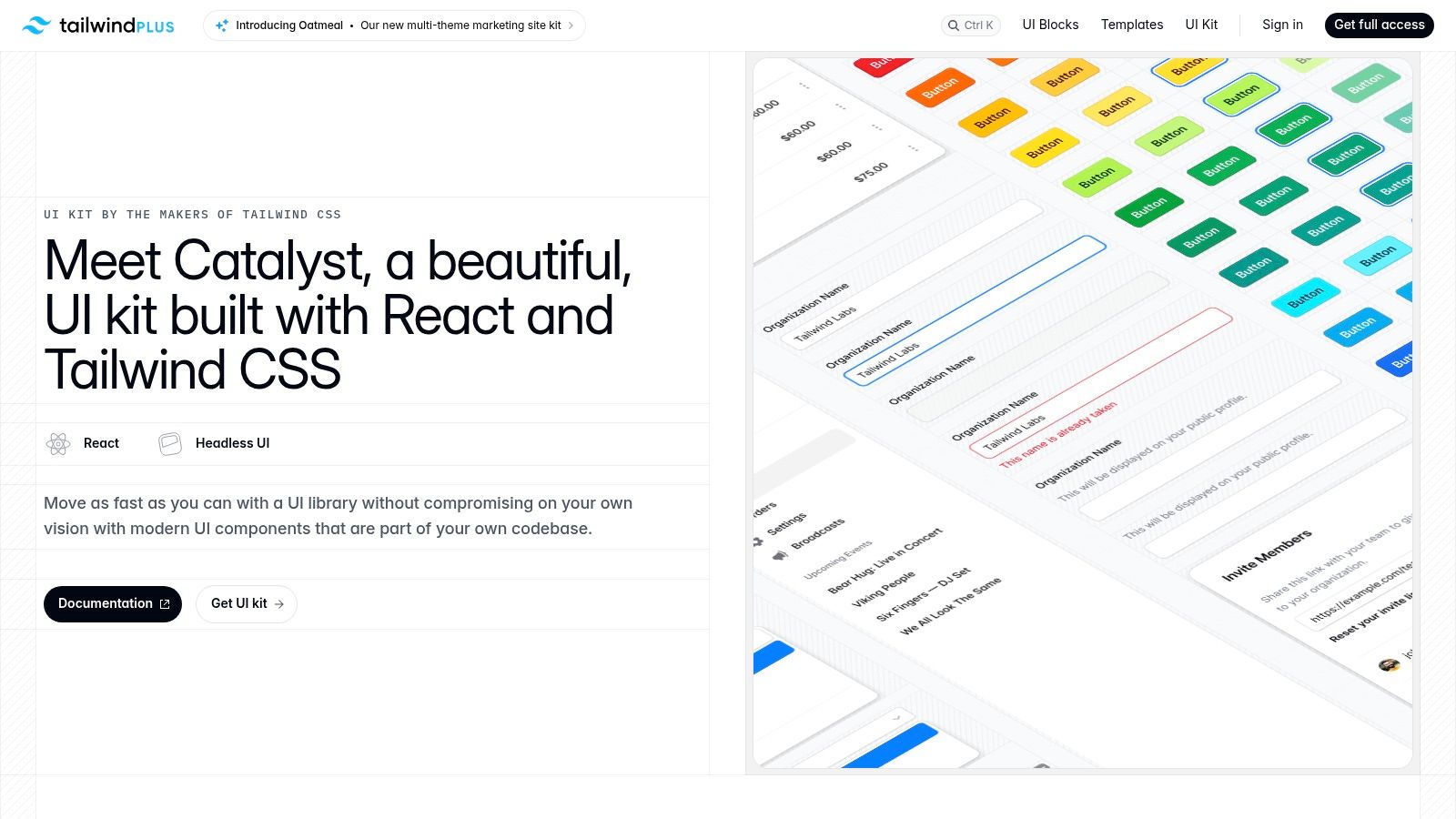
With over 500 components, full Next.js/React templates, and a focus on accessibility, it's designed for high-quality, real-world applications. The components are not from a third-party marketplace; they are crafted by the core Tailwind team, ensuring they adhere to best practices. This makes Tailwind Plus a powerful resource when looking for react framework examples that prioritize code quality and maintainability from day one. For developers also integrating styling frameworks into mobile applications, a detailed Tailwind CSS React Native Guide can provide valuable setup instructions.
Strategic Analysis & Actionable Insights
The core strategy of adopting Tailwind Plus is to buy, not build, a foundational design system. Instead of spending months designing and coding basic UI elements like modals, dropdowns, and forms, teams can leverage a professionally built, fully accessible component library. This frees up developer resources to focus on unique business logic and features rather than reinventing common UI patterns.
Key Takeaway: For organizations moving from Webflow or Bubble, Catalyst provides the "scaffolding" needed to build a custom application with a consistent look and feel. The buy-once, lifetime-updates model makes it a predictable, one-time investment to seed your entire design language, de-risking the move to a fully-coded stack by providing immediate, high-quality UI assets.
Product leaders can use Tailwind Plus to enforce design consistency across multiple projects without the overhead of maintaining a complex component library from scratch. Its unstyled, copy-paste nature allows for deep customization while retaining the structural and accessibility benefits of the original components, offering a pragmatic balance between speed and control.
Pros and Cons
| Pros | Cons |
|---|---|
| High Bar for Accessibility & Quality: Excellent foundation for a design system. | Up-front Cost: Higher initial investment than individual marketplace templates. |
| Clear Licensing: Buy once for lifetime updates and use in unlimited projects. | Tailwind-First Styling: May not suit teams preferring MUI or Bootstrap ecosystems. |
| Strong, Opinionated Patterns: Speeds up development with consistent UI APIs. | Not a Full Framework: Provides UI components, not application-level logic. |
Website: https://tailwindcss.com/plus/ui-kit
7. CodeSandbox (React examples directory and forkable templates)
CodeSandbox provides an instant, browser-based development environment that is a goldmine for exploring react framework examples without any local machine setup. It’s a vast, searchable directory of runnable sandboxes and starter templates, allowing teams to test specific patterns, spike new integrations, or share interactive code snippets with stakeholders. This removes the friction of npm install and environment configuration, making it ideal for rapid prototyping and collaborative debugging.
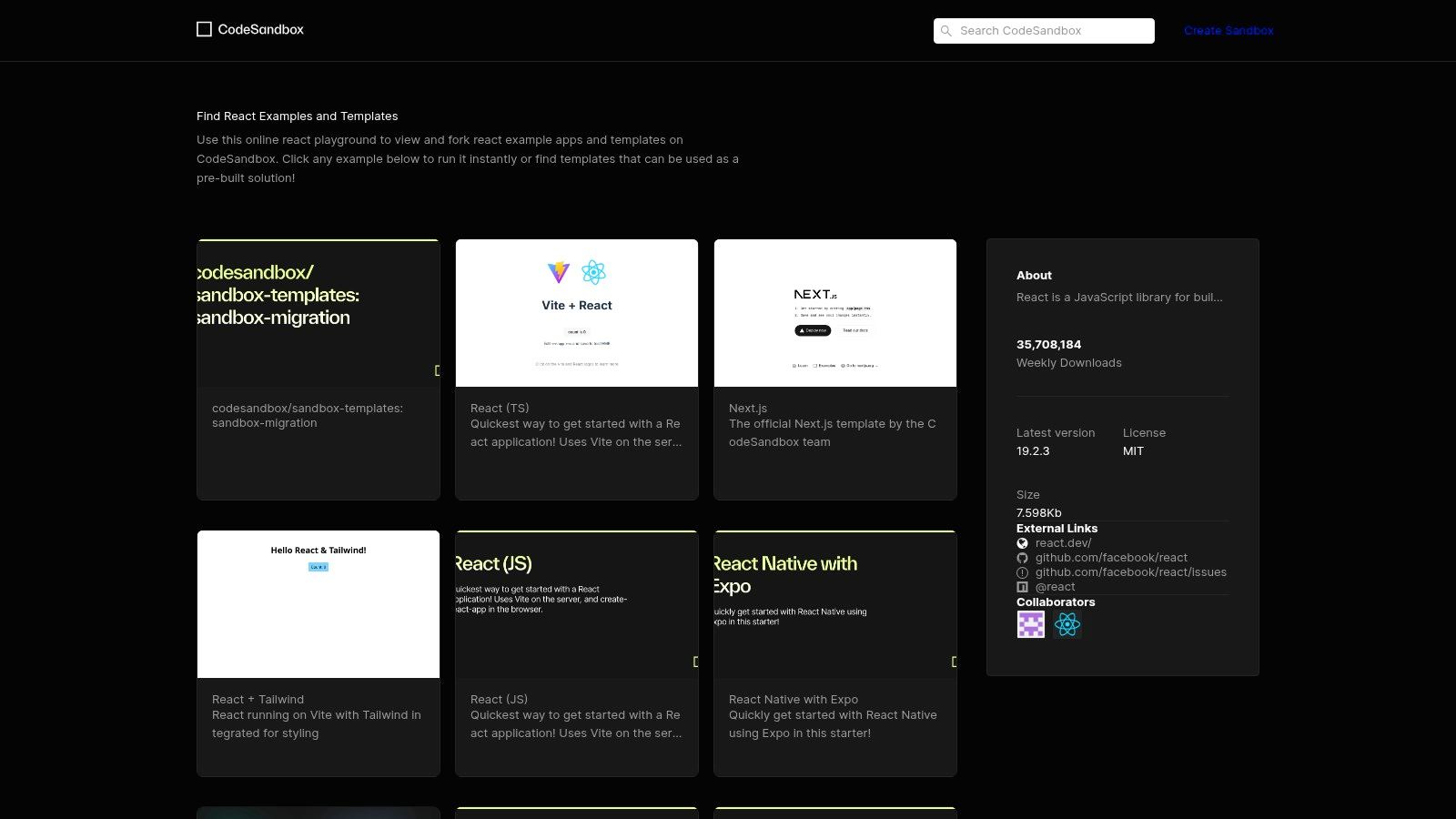
The platform shines with its one-click fork functionality, where developers can instantly duplicate an existing project to experiment with changes. This is invaluable for comparing different approaches to a problem, such as state management with Zustand versus Redux, or testing a new library's compatibility. For teams migrating from visual builders like Webflow, CodeSandbox provides a low-risk environment to understand how isolated React components are built and wired together before committing to a full-stack framework.
Strategic Analysis & Actionable Insights
The core strategy for using CodeSandbox is to accelerate learning and decision-making through isolated, live experiments. Instead of debating the merits of a particular library or implementation pattern in a meeting, a developer can create a forkable sandbox in minutes to provide a tangible, working example. This is particularly effective for demonstrating complex UI interactions to non-technical founders or product managers.
Key Takeaway: Use CodeSandbox to create a "pattern library" of runnable examples for your team's common challenges, such as authenticated API calls, complex form validation, or data visualization. This de-risks feature development by allowing you to solve the hard parts in isolation before integrating them into your main production application.
For product leaders, this tool facilitates faster and more effective technical communication. When a stakeholder from a Bubble or Airtable background asks, "How will this feature work?", sending a link to a live CodeSandbox example is infinitely more powerful than a static mockup. It bridges the gap between abstract requirements and concrete implementation, fostering better alignment and reducing rework cycles.
Pros and Cons
| Pros | Cons |
|---|---|
| Zero Local Setup: Run and share examples instantly in-browser. | Quality Varies: Many examples are reference code, not production-ready. |
| Easy Pattern Comparison: Fork and iterate on alternatives side-by-side. | Legacy Dependencies: Some older sandboxes may pin outdated packages. |
| Great for Collaboration: Perfect for pair-reviewing with non-dev stakeholders. | Not a Full IDE: Can be slow for large-scale, complex applications. |
Website: https://codesandbox.io/examples/package/react
7 React Example Sources Comparison
| Example | Implementation complexity | Resource requirements | Expected outcomes | Ideal use cases | Key advantages |
|---|---|---|---|---|---|
| React official documentation and examples | Low — small, focused snippets | Minimal — browser/editor, free | Understand core React 19 APIs, copy‑pasteable snippets | Learning, onboarding, migrating teams | Authoritative, always up to date, task‑oriented |
| Vercel Templates (React + Next.js starters) | Low–Medium — deploy‑ready starters | Vercel account, GitHub, hosting | Staging or production starter apps quickly | Fast prototyping, production starters, one‑click deploys | One‑click deploy, wide starter variety, Vercel integration |
| ThemeForest (React template marketplace) | Medium — full templates with varying quality | Purchase cost, time to audit code | Demo‑ready UIs and rapid POCs | Proof‑of‑concepts, marketing sites, quick demos | Huge selection, competitive pricing, live previews |
| MUI Store (curated by MUI team) | Medium — MUI‑centric templates | Possible purchase, MUI familiarity | Vetted Material Design templates and patterns | Apps requiring Material Design, dashboards, MUI adoption | Higher baseline quality, strong docs, MUI alignment |
| Creative Tim (dashboards/templates) | Medium — consistent project structure | Free or paid options, choose tech stack | Extendable admin UIs with consistent layout | Admin panels, UI kits, trialing structure before buy | Clear docs, multiple tech variants, consistent structure |
| Tailwind Plus — React components & Catalyst kit | Medium — opinionated, copy‑into‑repo patterns | Up‑front purchase, Tailwind expertise | High‑quality accessible components, design system seed | Teams adopting Tailwind, internal design systems | High accessibility/code quality, lifetime updates, consistent APIs |
| CodeSandbox (examples and forkable templates) | Low — runnable sandboxes in browser | Browser + internet, optional GitHub | Instant, shareable prototypes and experiments | Spikes, demos, collaborative reviews, shareable examples | Zero local setup, one‑click fork/share, browser IDE |
Final Thoughts
Navigating the landscape of React development can feel overwhelming, especially when transitioning from the structured, all-in-one environments of no-code platforms like Bubble, Webflow, or Airtable. The journey from a visual builder to a code-based solution is a significant step, but as we've explored, the ecosystem is rich with resources designed to accelerate this process. This extensive collection of react framework examples isn't just a list; it's a strategic map to guide your technical evolution.
The core takeaway is that you don't need to start from zero. Platforms like Vercel Templates, MUI Store, and Creative Tim offer production-ready foundations that handle the boilerplate, allowing you to focus on your unique business logic and user experience. They provide the architectural integrity required to build scalable, secure applications that can attract venture capital and support a growing user base.
Synthesizing Your Strategy: From No-Code to Scalable Code
Your primary challenge is moving beyond the constraints of no-code without losing momentum. The templates and examples we've analyzed from sources like Tailwind Plus and CodeSandbox demonstrate how to implement complex features like secure authentication, payment processing, and dynamic data handling with modern best practices.
Here’s how to distill the article's insights into an actionable plan:
- Define Your Core Need: Are you building a data-intensive dashboard? A sleek, marketing-focused landing page? An e-commerce platform? Your primary use case dictates the best starting point. An admin panel is a perfect fit for a Creative Tim template, while a content-heavy site may benefit more from a Next.js starter on Vercel.
- Evaluate Technical Debt vs. Speed: A pre-built theme from ThemeForest might get you to market fastest, but a more structured kit like MUI or Catalyst (from Tailwind Plus) will likely offer better long-term maintainability and scalability. Assess this trade-off based on your immediate and future goals.
- Plan Your Data Migration: Migrating from Airtable to a robust PostgreSQL database is a common and critical step. When selecting a template, look for examples that already include data-fetching patterns or ORM integrations (like Prisma or Drizzle) to simplify this transition. Your new stack needs to support your data, not fight against it.
Key Considerations for Implementation
As you move forward, keep these critical factors in mind. Choosing a react framework example is the first step; successful implementation is what truly matters.
- Component Composability: The beauty of React is its component-based architecture. Ensure your chosen template or kit uses small, reusable components. This makes customization easier and aligns with modern development principles, preventing the kind of "spaghetti code" that can cripple a project.
- Backend Integration: Your frontend is only half the story. Plan how your React application will communicate with your backend, whether it's a new Python/Postgres stack or an existing service. The patterns used in these templates provide a solid foundation for building clean, efficient API integrations. For instance, developers often explore unique hybrid approaches, like using Bubble.io as a mobile backend for cross-platform React Native apps, demonstrating the flexibility of modern development stacks.
- Performance and SEO: Server-side rendering (SSR) and static site generation (SSG) are non-negotiable for most modern web applications. Frameworks like Next.js, heavily featured in these examples, excel here. Prioritize templates built with these performance-oriented frameworks to ensure your application is fast, discoverable by search engines, and provides an excellent user experience.
Ultimately, the goal is to leverage these resources to build a proprietary, scalable, and valuable asset. You're not just rebuilding your MVP; you're creating the technical foundation for the next stage of your company's growth. Embrace the power of the React ecosystem to build with confidence, speed, and strategic foresight.
Feeling overwhelmed by the transition from a no-code MVP to a scalable, production-ready application? First Radicle specializes in transforming promising concepts into robust, enterprise-grade software using modern React and Next.js stacks. We bridge the gap between your vision and the technical execution required to scale, secure funding, and win in the market. Learn more about how we build at First Radicle.