
Version: (version control for database) for Scalable No-Code Apps
If you’ve ever used Git to manage source code, you're already halfway to understanding database version control. It’s the exact same idea, just applied to your database's structure (its schema). Instead of tracking changes to code files, you're tracking changes to your database tables, columns, and relationships in a structured, automated way.
This creates a reliable history of every single modification, which makes working with a team safer and deploying new features far more predictable.
Why Your Scaling App Needs Database Version Control

Let's paint a picture. Your app, lovingly built on a platform like Bubble or Airtable, suddenly takes off. Sign-ups are through the roof, and users are loving it. But then, the dreaded slowdown begins. The app grinds to a halt and eventually crashes under the sheer volume of activity. The culprit? The database couldn't keep up.
This isn't just a hypothetical; it's a rite of passage for many successful founders. No-code tools are brilliant for getting a Minimum Viable Product (MVP) off the ground, but their databases simply aren't built for the demands of a high-growth, production-level application. When you hit that wall, moving to a powerful database like PostgreSQL is no longer a choice—it's a necessity.
The Dangers Of Unmanaged Database Changes
Trying to make this migration without a solid system in place is like renovating a high-rise with nothing but a hand-drawn sketch. Manually changing a live database is incredibly risky. One wrong move—a typo in a SQL command, a dropped table—can cause catastrophic data loss, create glaring security holes, or knock your entire service offline for hours.
This is where version control for your database acts as an essential safety net.
Think of it like the "Version History" feature in a Google Doc. Every single change is logged—every added sentence, every deletion, every comment. If you realize you've made a terrible mistake, you can instantly rewind to an earlier, stable version. Database version control does precisely this for your database's architecture, or schema.
By treating your database schema as code, you establish a single, undeniable source of truth. Every change is documented, peer-reviewed, and deployed automatically, which puts an end to the chaos of manual "hotfixes" that quietly break things in the background.
Building A Foundation For Growth
Embracing this methodical approach marks a critical transition from the visual, point-and-click world of no-code to a professional software development workflow. It guarantees that every modification to your database is:
- Traceable: You have a clear audit trail showing who changed what, when they did it, and the reason behind it.
- Repeatable: You can perfectly replicate the database structure across any environment, whether it's on a developer's laptop, a staging server, or in production.
- Reversible: If a deployment goes wrong, you can quickly and safely roll back the database changes, minimizing the impact on your users.
This discipline is what turns a brittle MVP into a robust, scalable application. It's the key step that empowers you to move beyond the limits of no-code and build on a production-grade foundation that can actually support your company's future. Without it, you’re just building on quicksand.
Understanding Core Database Version Control Concepts
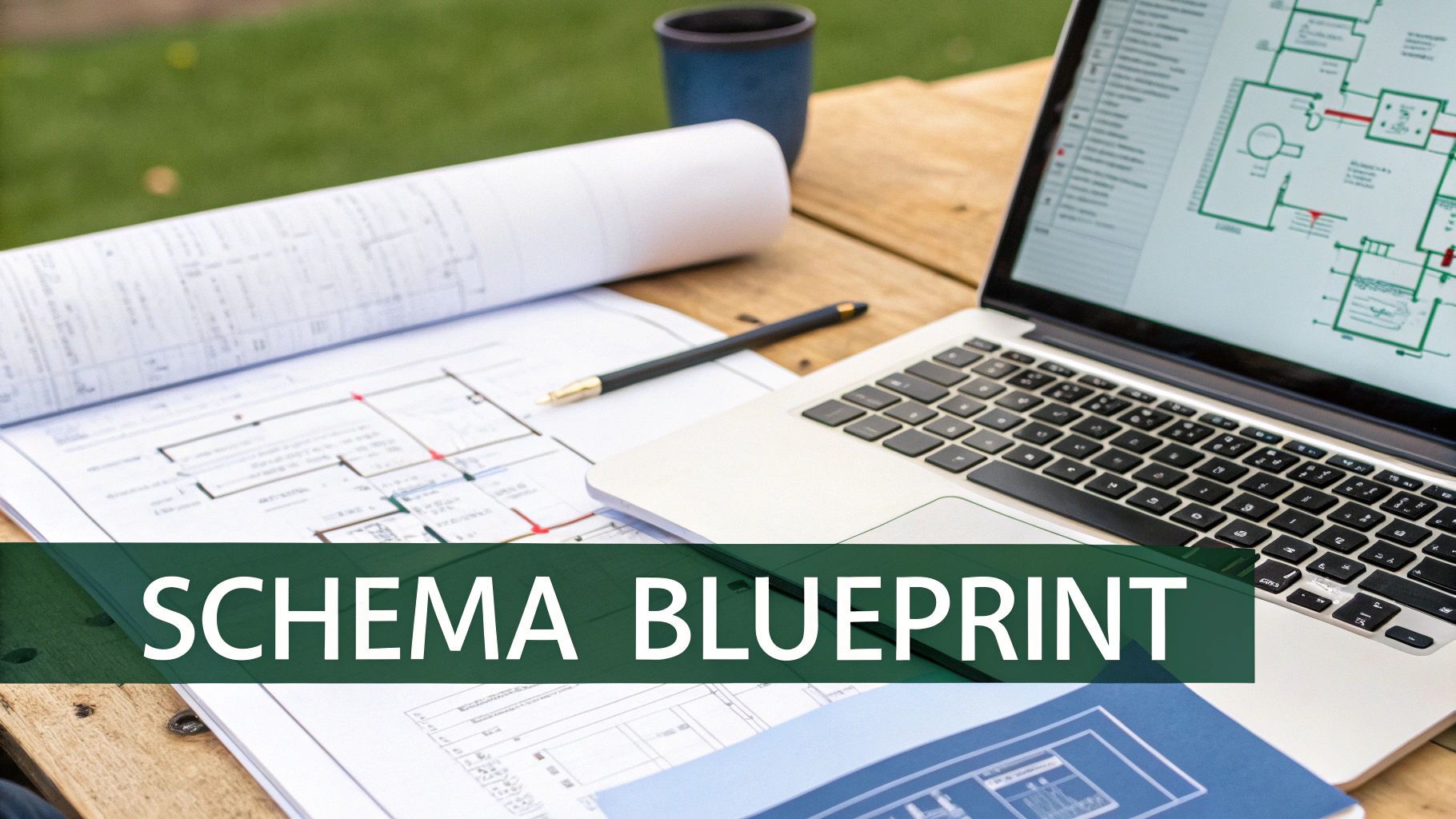
Before we dive into the weeds, let's get a handle on the core ideas behind database version control. Think of them as the fundamental language for making safe, repeatable changes to your database. I find the best way to explain this is with a simple analogy: your database is a building, and its structure is guided by a detailed architectural blueprint.
Your Schema Is The Blueprint
The schema is, quite simply, the architectural blueprint for your database. It lays out every structural detail: the tables (the rooms), the columns inside those tables (the windows and doors), and the relationships connecting them (the hallways).
When you're working in a no-code tool, you're essentially changing this blueprint by dragging and dropping elements or clicking through menus. It’s like an architect erasing a wall on the plans without ever telling the construction crew. With proper version control for your database, that schema blueprint is treated like code—a set of text files. Every single change, whether it's adding a last_login_date column to your users table or renaming a field, gets recorded as a revision to these files. This gives you a crystal-clear history of every architectural decision ever made.
Migrations Are The Construction Orders
If the schema is the blueprint, then a migration is the official, step-by-step construction order you hand to the crew. It tells them exactly how to alter the building. A migration script contains precise instructions, usually written in SQL, for making one specific change.
So, adding that last_login_date column isn't just a thought bubble; it's a migration script containing the command ALTER TABLE users ADD COLUMN last_login_date TIMESTAMP;. These scripts are numbered and run in sequence, creating a perfect timeline of construction. This process is what guarantees that every developer's local database—and the final production database—are built from the exact same set of instructions. No more guesswork.
A critical piece of this puzzle is the rollback. Think of it as the reverse set of instructions. If adding a new floor (a major feature) causes the foundation to crack (bugs!), the rollback script gives you the explicit commands to safely tear it down and return the building to its last known stable state.
This disciplined approach is fast becoming the industry standard. As teams recognize that data is as crucial as code, tools are emerging to bring Git-like visibility and risk management to the database itself. By tracking every change to datasets, a system can provide a single, unified history for data, code, and models, a concept you can explore further in this piece on the data-centric approach from the team at lakeFS.
State-Based vs. Migration-Based Approaches
When it’s time to actually apply these changes, teams usually fall into one of two camps. Understanding the difference is key to picking the right tools and workflow for your project.
State-Based: This approach cares about the end result. You define what the final blueprint should look like, and a tool compares that ideal state to the current database. It then automatically figures out and generates the SQL needed to close the gap. It's like handing the final floor plan to a contractor and saying, "Make it look like this."
Migration-Based: This approach focuses on the journey. You write explicit, step-by-step scripts for each and every change. The system then executes these scripts in a strict order to evolve the database from one version to the next. This gives you absolute control, which is essential for tricky changes, like splitting a single
namecolumn intofirst_nameandlast_namewhile making sure no data gets lost.
While many modern tools blend these two ideas, the fundamental trade-off is between convenience and control. For a move from a flexible no-code tool to a rigid production database like PostgreSQL, the migration-based path often provides the surgical precision you need to get it right.
Comparing Popular Database Version Control Approaches
Okay, so you're sold on the idea of version control for your database. That's the easy part. Now comes the real question: which approach do you actually use?
You’ll find a few common paths, and each one strikes a different balance between raw control, simplicity, and risk. For a team coming from the click-and-drag world of no-code, picking the right strategy from the start can save you from a world of hurt down the line.
Let's break down the three main ways people tackle this, looking at them through the lens of a founder who just needs a stable, production-ready system that works.
1. Manual SQL Scripts
This is the old-school, bare-bones method. A developer writes a SQL file for every single change—think 001_add_user_email.sql or 002_create_profiles_table.sql. These files get saved in a folder, hopefully one that's tracked by Git.
When it's time to update a database, someone on the team has to manually run these scripts in the exact right order. Simple, right?
Well, it's simple until it isn't. This approach is incredibly fragile because it relies entirely on human discipline. There's no built-in "undo" button and no system to check which scripts have already been run. It's shockingly easy for someone to run a script twice or, even worse, forget one entirely. This is how you end up with your development, staging, and production databases slowly drifting apart, creating maddening bugs that are a nightmare to track down.
2. Migration-Based Tools
This is where most modern development teams live, and for good reason. Tools like Flyway and Liquibase take the core idea of manual scripts but wrap it in a layer of automation and safety. They’re like a project manager for your database changes.
Here’s the basic idea:
- Versioned Scripts: You still write the SQL scripts, but you name them in a specific way (e.g.,
V1__Add_user_email.sql). - Tracking Table: The tool adds a special table to your database that acts like a checklist, keeping a record of every migration script that has been successfully applied.
- Smart Execution: When you run the tool, it first looks at its tracking table, then at the folder of scripts. It automatically runs only the new scripts that haven't been applied yet, in the correct order.
This process guarantees that every database—from a developer's laptop to the production server—is in the exact same state. It gives you the fine-grained control of writing SQL by hand, which is crucial for tricky data migrations, like splitting a "full name" field into "first_name" and "last_name" without losing data.
This method really hits the sweet spot. It provides the precision you need for complex changes while adding the safety net of automation. For most teams moving from no-code to production, this is the best place to start.
3. The Declarative (State-Based) Approach
The third way is a bit different. Instead of writing the step-by-step instructions, you define the final state you want your database to be in. You basically create a blueprint of the perfect schema and let a tool figure out how to get there.
Tools that work this way, like sqitch, compare your "target state" file with the actual database. Then, they automatically generate the SQL needed to close the gap.
This can feel magical and much faster for simple changes—you just define the end result and the tool does the heavy lifting. The problem is, it can get tripped up by anything more complex than adding or dropping a column.
For example, if you just rename a column in your "target state" file, the tool might interpret that as you dropping the old column (and all its data!) and adding a new, empty one. Ouch. While you can often guide the tool, it adds a layer of complexity and risk that can be scary. This is why a migration-first approach usually feels safer and more predictable, especially when you can't afford to lose a single byte of user data.
To make it even clearer, let's stack these three approaches side-by-side.
Database Version Control Approaches Compared
Here’s a breakdown of the three primary methods for managing database schema changes, highlighting their strengths and weaknesses for teams migrating from no-code.
| Approach | How It Works | Best For | Biggest Risk |
|---|---|---|---|
| Manual Scripts | Developers write and manually execute ordered SQL scripts. Versioning is managed by file names in a shared folder. | Very small, highly disciplined teams on simple projects where tooling feels like overkill. | Human error. It's incredibly easy to run scripts out of order, skip one, or run one twice, leading to inconsistent database states. |
| Migration-Based | Developers write ordered SQL scripts. A tool (like Flyway) automatically tracks and applies only the necessary scripts. | Most teams. It balances control with automation, making it perfect for handling both simple schema changes and complex data transformations. | A slight learning curve to adopt the tool and its conventions. Requires discipline in writing clean, reversible migrations. |
| Declarative (State-Based) | Developers define the final, desired schema in a code file. A tool generates the SQL to make the database match that state. | Teams making frequent, simple schema changes (like adding tables/columns) who want to abstract away the SQL migration steps. | Unintended data loss. The tool might misinterpret a change (like a column rename) as a "drop and add," potentially deleting data if not configured correctly. |
Ultimately, for teams graduating from the forgiving environments of Airtable or Bubble, the migration-based approach usually offers the best combination of power, safety, and predictability.
Integrating Database Changes Into Your Git Workflow
This is where everything clicks. When you start treating your database schema like any other piece of code, you can finally fold it into the same Git workflow your development team has relied on for decades. Suddenly, database changes stop being this scary, separate process and become just another part of building and shipping features.
Think about it: your database schema changes follow the exact same lifecycle as your application code. They get committed to a branch, reviewed by the team in a pull request, and automatically deployed through your CI/CD pipeline. This isn't some niche trick; it's the bedrock of modern, professional development.
A Real-World Scenario: From Feature Request To Production
Let's walk through a super common example. The product team decides your app needs a "user bio" feature. It's a small change, but it requires a critical update to the database: adding a new bio column to the users table.
Without a solid workflow, this is where things get dicey. A developer might SSH into the production server, connect to the database, and manually run an ALTER TABLE command, just hoping they typed it correctly. There's no paper trail, no review, and zero safety net.
With a version-controlled process, the journey looks completely different.
- Create a New Branch: First, a developer creates a new Git branch, maybe something like
feature/add-user-bio. This is a sandbox—it isolates their work so they can experiment without any risk of breaking the main codebase. - Generate a Migration Script: Using a tool like Flyway, they generate a new migration file. This file, which could be named
V3__Add_bio_to_users.sql, contains the one SQL command needed:ALTER TABLE users ADD COLUMN bio TEXT;. - Commit the Change: The developer then commits this new SQL file to their feature branch, just like any other code change. They'll use a clear commit message, like "Adds bio column for new user profile feature," to explain why they're making the change.
This simple act of committing the script is a massive win. The change is now officially part of the project's history, where it can be tracked and audited forever. If you want a refresher on the basics, you can learn more about using Git for version control in our detailed guide.
The Power of the Pull Request
Now for the most important part: collaboration and review. The developer opens a pull request (PR) to merge their feature/add-user-bio branch into the main development branch.
This PR becomes the central hub for the entire feature. It doesn't just show the new application code; it includes the database migration script right alongside it. This lets other engineers review the proposed database change before it goes anywhere.
A pull request for a database change forces a critical conversation. Does the column have the right data type? Should it be nullable? Is there a character limit? Catching these issues during a code review—before they hit production—prevents a world of pain down the line.
This peer-review process acts as a powerful quality gate. It ensures no single person can unilaterally change the production database, which drastically cuts down on human error. In fact, studies show that even small, informal code reviews can catch up to 60% of defects.
Automating Deployments with CI/CD
Once the PR is approved and merged, the magic of automation takes over. This merge kicks off a CI/CD pipeline, an automated workflow that handles the entire deployment from start to finish.
- Build the Application: The system compiles the code and packages a new version of the app.
- Run All the Tests: It spins up a temporary database and runs automated tests against both the app code and the schema to make sure nothing broke.
- Deploy the Database Migration: Before deploying the new application code, the pipeline runs the new migration script (
V3__Add_bio_to_users.sql) against the target database (staging or production). - Deploy the Application: Only after the database migration succeeds does the pipeline deploy the new application code that relies on that change.
This sequence is absolutely critical. By updating the database schema first, you avoid a scenario where the new code is live but the database isn't ready for it, which would cause an instant crash. The whole process, from a developer's keyboard to a live production server, happens smoothly, safely, and without any risky manual steps.
Best Practices For Safe And Scalable Database Migrations
Knowing the theory is one thing, but pulling off a flawless database migration when the pressure is on? That’s something else entirely. A few battle-tested best practices can be the difference between a smooth deployment and a frantic, late-night incident report. Think of these not as mere suggestions, but as the essential guardrails protecting your app, your data, and your sanity.
The global market for Version Control Systems is set to hit $14.85 billion in 2025 and is expected to grow at 7.76% annually through 2033. This isn't just a random trend; it's a direct response to the scaling pains that founders know all too well—fragile schemas and risky migrations that lead to expensive downtime. You can dig deeper into what's driving this growth in this detailed market analysis.
The standard Git workflow, which underpins all of these best practices, is a great visual for how we should approach this. It's a clear path from local changes to a live deployment.
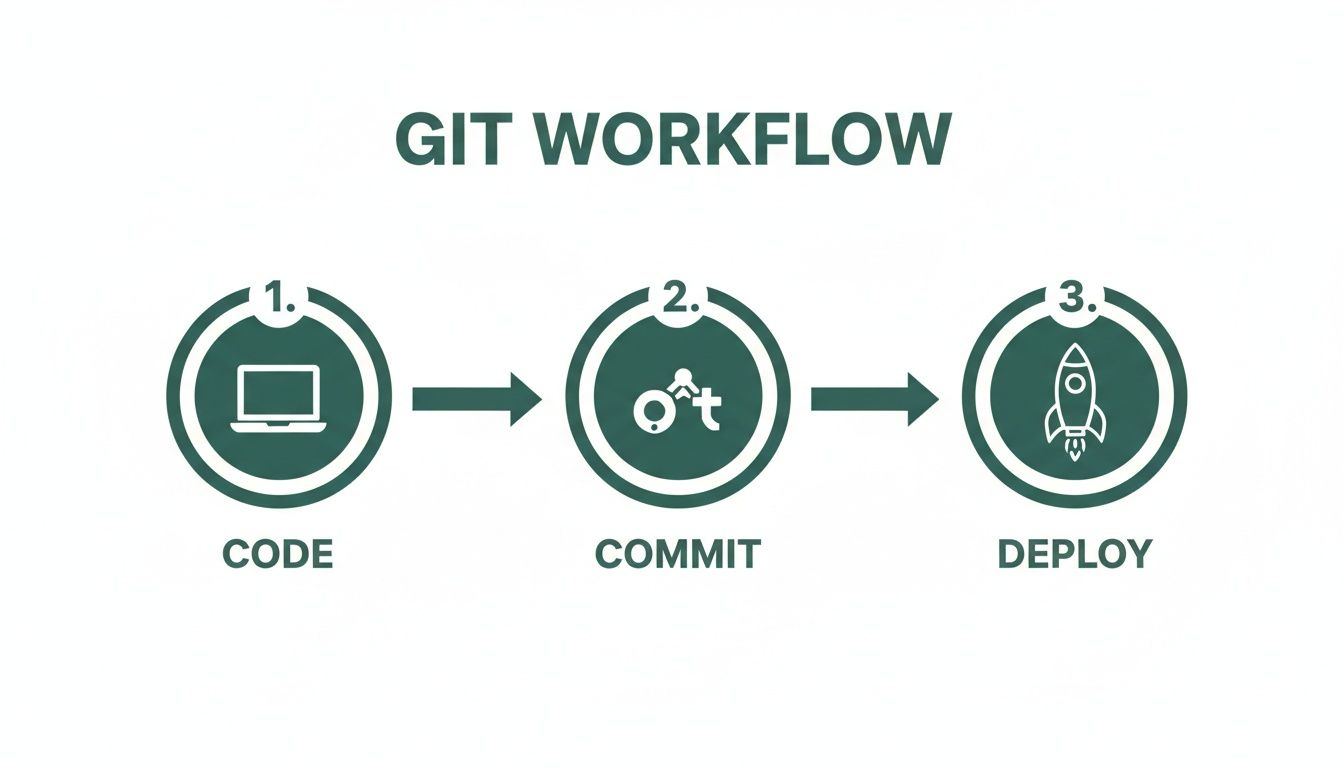
This workflow shows a deliberate, step-by-step process. That same discipline is exactly what we need for safe, predictable database changes.
Always Write A Reversible Migration
This one's non-negotiable. Every script you write to move your database forward (an "up" migration) needs a matching "down" migration to reverse it. This is your emergency escape hatch. If a deployment goes sideways and introduces a critical bug, the down script gives you the exact SQL commands to roll the database back to its previous state, cleanly and quickly.
For instance, if your "up" migration is ALTER TABLE users ADD COLUMN is_premium BOOLEAN;, then your "down" migration absolutely must be ALTER TABLE users DROP COLUMN is_premium;. Without it, your only option is a messy and stressful manual rollback.
Master The Art Of Data Migrations
Changing your database structure (the schema) is often the easy part. The real challenge comes when you need to change the data inside that structure. A data migration involves transforming existing records, and it demands careful planning to avoid any data loss.
Let's take a common scenario: you need to split a full_name column into separate first_name and last_name columns. This isn't a single action but a careful, multi-step process:
- Schema Change (Up): First, add the two new columns (
first_nameandlast_name) to your table. Make them nullable for now so existing records don't break. - Data Migration: Now, run a script that loops through every record, splits the
full_name, and populates the newfirst_nameandlast_namefields. - Code Deployment: Deploy the new application code that knows to read from and write to the new columns instead of the old one.
- Schema Cleanup (Up): After you’ve confirmed the data is correct and the new code is working perfectly, you can run one last migration to drop the now-obsolete
full_namecolumn.
This phased approach keeps your application up and running through the entire transition. You can learn more about these kinds of complex transformations in our guide to managing database changes effectively.
Test Migrations In A Staging Environment
Never, ever skip this step. Before a migration script gets anywhere near your production database, it must run successfully in a staging environment that’s a near-perfect clone of production. This is where you catch all the unexpected "gotchas" before they can cause real damage.
Your staging environment helps you answer critical questions:
- Does the migration even run without errors?
- How long does it take? A script that finishes in 30 seconds on your laptop could take 30 minutes on a massive production table, potentially locking it up and causing an outage.
- Will it lock tables in a way that blocks user traffic?
- Does the "down" migration actually work, reverting the change completely without losing data?
Testing here is the single most effective thing you can do to prevent a deployment from turning into a disaster.
Never edit a migration script after it has been deployed to any environment beyond your local machine. If you find a mistake, create a new migration script to fix it. Changing an existing script that's already run on staging breaks the chain of history and guarantees your environments will drift out of sync.
Align Database Branching With Feature Branching
Your database version control strategy should perfectly mirror your code branching strategy. When a developer starts work on a new feature in a Git branch like feature/new-profile-page, any database migrations they need should be created and committed right there in that same branch.
Doing this bundles all related work—backend logic, frontend code, and database changes—into a single, cohesive unit. When it’s time for a code review via a pull request, your team can see the full picture at once. It ensures database modifications aren't just an afterthought but an integral, properly reviewed part of the feature development cycle, making your whole process safer and easier to understand.
Your Migration Checklist From No-Code To PostgreSQL

Making the jump from the friendly confines of Airtable or Bubble to a robust PostgreSQL database can feel like a massive undertaking. But it doesn't have to be. By breaking the process down into a clear, step-by-step plan, you can turn a daunting challenge into a manageable project.
Think of this not as a granular technical manual, but as your strategic flight plan. Each step builds on the last, guiding you from a no-code MVP to a scalable, production-ready application.
1. Audit And Map Your Current Schema
Before you can build your new home, you need a detailed blueprint of the old one. The first, non-negotiable step is to meticulously document your existing data structure. Go through every single table in Airtable or data type in Bubble. Map out all the columns, their data types (text, number, date, etc.), and how they all connect.
This audit is where you'll save yourself countless future headaches. It almost always uncovers hidden complexities, redundant fields, and little inconsistencies you can clean up before you start migrating. You’re not just lifting and shifting; you’re improving. If you want a refresher on the basics, our guide explains how to create a database from the ground up.
2. Define Your New Schema As Code
With your audit in hand, it's time to design the target PostgreSQL schema. This is the moment where version control for your database officially starts. Instead of clicking around in a visual interface, you’ll define your new, optimized schema in code, typically using SQL Data Definition Language (DDL) scripts.
This "schema-as-code" approach creates your single source of truth. It's just a set of text files that you check into a Git repository, allowing your new database structure to be versioned, reviewed, and deployed just like the rest of your application code.
By codifying your schema, you create a repeatable, auditable, and collaborative foundation. This is the pivotal moment you graduate from a flexible-but-fragile no-code setup to a professional, engineered system built for the long haul.
3. Plan Your Data Seeding And Migration
Your schema is the empty house; now you need to move all the furniture in. This part of the plan involves two distinct but related tasks:
- Data Migration: Figuring out how to get the data out of your no-code platform and into PostgreSQL. This almost always requires writing custom scripts to handle transformations—things like cleaning up messy text fields or converting date formats to a consistent standard.
- Data Seeding: Creating initial or dummy data for your development and testing environments. This is crucial because it allows your team to start building and testing the new application without having to work with a massive, sensitive production dataset.
4. Integrate Version Control And CI/CD
Finally, you wire everything together. The schema definitions and migration scripts you've carefully crafted should be plugged into an automated CI/CD (Continuous Integration/Continuous Deployment) pipeline. This pipeline automates how database changes are applied across your different environments, from development and staging all the way to production.
This last step is what makes the whole system resilient and scalable. It ensures every future database change follows a safe, predictable, and automated path, giving your team the confidence to build and ship features quickly and safely.
A Few Common Questions
If you're thinking about moving from a no-code tool to a full-blown production environment, you probably have a lot of questions. Let's tackle a few of the most common ones that come up when we talk about version control for a database.
Can I Just Use Version Control On My Airtable Or Bubble Database?
The short answer is no, not in the way we mean. Platforms like Airtable and Bubble handle their database structures behind the scenes, which is part of their magic. But it's also why you need to migrate off them to gain real control.
True database version control involves treating your database's structure—its schema and any changes (migrations)—as actual code files that live in a Git repository. This is what lets your team collaborate, track every single change, and automate deployments. You simply can't do that inside a closed no-code ecosystem. The migration is your bridge to a professional, scalable setup.
What’s The Difference Between A Schema Migration And A Data Migration?
Getting this right is absolutely critical to avoid losing data. Think of a schema migration as changing the blueprint of your database. Maybe you're adding a new table for user profiles, changing a column to accept longer text, or adding an index to speed up searches. You're changing the structure, not the data itself.
A data migration, on the other hand, is all about moving or transforming the information inside that structure. A classic example is when you realize a single fullName field was a bad idea. You’d run a schema migration to add new firstName and lastName columns, followed by a separate data migration script to carefully split the existing names and put them in the right new columns.
How Does This Actually Increase My Company's Valuation?
Investors are looking for technology that's both scalable and defensible. When you shift to a version-controlled PostgreSQL database that you manage through Git, you're creating a core piece of intellectual property. You own it completely, which is a world away from renting space on a no-code platform.
It sends a clear signal that your business is built on a solid, professional foundation that’s ready to scale. For an investor or potential acquirer, this dramatically de-risks their decision. It proves you’ve graduated from a potentially fragile MVP to a production-grade asset.
This move shows technical maturity. It proves you're not just running a quick project; you're serious about building a valuable technology company for the long haul.
Ready to turn your no-code MVP into a scalable, production-grade foundation? First Radicle specializes in transforming fragile projects into defensible software assets in just six weeks, guaranteed. Take control of your technology and book a call today.