
A Founder's Guide to Version Control in Database Systems
You’ve done it. Your no-code MVP, pieced together with grit and ingenuity, actually works. But now you’re feeling the strain. Your Zapier bill is climbing, Airtable is starting to crawl, and you have that nagging fear that a sudden spike in users could bring the whole thing crashing down.
This isn't a sign of failure; it's the classic signal that you're ready to graduate from a prototype to a real, production-grade application. The very next step on this journey, and arguably the most important, is getting your database under version control.
Moving Beyond No-Code Limitations

Think of it this way: your no-code setup was like a pop-up shop. Great for testing the market, but not built to last. Database version control is the process of pouring a permanent foundation for a skyscraper. It’s what lets you build, expand, and renovate with confidence, knowing the whole structure won't collapse.
For founders coming from the world of Bubble or Airtable and moving to something robust like PostgreSQL, this jump can feel intimidating. But those operational ceilings you're hitting aren't just growing pains—they're clear indicators that your starter tools have done their job. The real challenge now is building a backend that doesn't just work for today, but can handle going viral tomorrow without breaking a sweat.
From Brittle Automations to a Solid Foundation
Let’s be honest, no-code solutions often become a tangled web of integrations held together by hope. Every manual change to your database schema is a gamble, and if something breaks, good luck trying to figure out how to roll it back. It’s a stressful way to operate.
A version-controlled database completely flips that script.
Instead of making risky, live changes, your team manages every database update through code. Adding a new column? Restructuring a table? It’s all tracked, reviewed, and automated. This shift is why the market for version control systems is projected to jump from USD 1.48 billion in 2025 to a staggering USD 3.22 billion by 2030. As revealed in this detailed industry report, the trend is undeniable, with cloud-hosted repositories already powering 62% of active enterprise projects.
The biggest win here is predictability. When your database schema is under version control, you eliminate the "who changed what and when?" mystery. Every single change is intentional, reviewed, and deployable with a single command. That gives founders peace of mind and investors a whole lot more confidence.
Adopting this practice is a powerful statement. It shows you're no longer just running a product; you are building a stable, scalable, and valuable piece of technology. It's one of the most fundamental steps you can take to de-risk your startup for future growth and funding.
No-Code Limits vs Production-Grade Solutions
The jump from a no-code MVP to a version-controlled backend isn't just about new tools; it's about a new mindset. Here’s a quick look at the problems you’re likely facing and how a proper setup solves them.
| Challenge with No-Code or Low-Code | Solution with a Version-Controlled Database |
|---|---|
| "Mystery" Changes: Unsure who altered a table or why a field disappeared. | Full Audit Trail: Every change is tied to a commit and a developer, providing complete transparency. |
| Painful Rollbacks: A bad update means manually undoing changes, often under pressure. | One-Click Reversals: Easily revert to any previous version of the database schema if something goes wrong. |
| Scalability Bottlenecks: Performance degrades as user load and data complexity increase. | Optimized for Growth: Built on a robust foundation like PostgreSQL that can handle massive scale. |
| No True Testing Environment: "Testing" often happens in the live production environment. Risky! | Isolated Dev/Staging: Safely test schema changes in separate environments before they ever touch production. |
| Collaboration Chaos: Multiple people making changes leads to conflicts and overwritten work. | Structured Workflows: Git-based branching allows teams to work on features in parallel without stepping on toes. |
Ultimately, this transition is about moving from a system that requires constant manual intervention to one that is automated, reliable, and built to scale alongside your business. It's how you turn a promising project into a durable company.
Understanding Database Version Control Concepts
When developers talk about "version control," they’re almost always talking about tracking changes to application code with a tool like Git. Every function, every feature, every line of code is carefully logged. But what about the structure that holds all of your critical user data—the database? That’s where database version control comes in, and it's just as important.
Think of your database as the architectural blueprint for a skyscraper. At the start, the plans are simple. But as your business grows, you need to add new floors (tables), reinforce support columns (change data types), or add new rooms (columns). If you don't have a system for tracking these blueprint changes, you're inviting chaos. One architect might add a window where another planned a solid wall, and suddenly, the whole structure is at risk.
Database version control is simply the formal process for managing those "blueprint" changes in a way that’s systematic, safe, and easy for a team to collaborate on. It turns a risky, manual task into a predictable, often automated workflow, making sure every modification is intentional and, crucially, reversible.
Schema Versioning: The Blueprint Itself
The first piece of the puzzle is schema versioning. The "schema" is the actual structure of your database—its tables, columns, indexes, and all the relationships connecting them. Schema versioning is just the practice of tracking every single tweak made to that structure.
It’s like keeping a detailed revision history for the architect's blueprint.
- Version 1.0: The initial plan. It has a
userstable with justidandemailcolumns. - Version 1.1: A change is made. A
first_namecolumn is added to theuserstable. - Version 1.2: Another revision introduces a brand new
productstable.
Each of these changes is captured as its own distinct version. This simple practice prevents that all-too-common disaster where one developer's database update accidentally breaks another's work. By versioning the schema, your whole team shares a single source of truth for what the database should look like, keeping it perfectly in sync with the application code that depends on it.
Data Versioning: The Building's Logbook
While the schema is the structure, data versioning is all about tracking changes to the contents inside that structure. This is less about the blueprint and more about keeping a detailed logbook of every piece of furniture moved in or out of the building.
For a lot of applications, this isn't just a "nice-to-have." For anyone in regulated industries like finance or healthcare, it's an absolute must.
Data versioning gives you an immutable audit trail. It lets you answer mission-critical questions like, "What did this customer's record look like on July 1st at 2:15 PM?" or "Who changed this product's price, and when?" This is non-negotiable for compliance, debugging, and historical analysis.
Here are a few scenarios where data versioning becomes a lifesaver:
- Auditing and Compliance: Proving to regulators that data hasn't been tampered with or maintaining historical records for legal standards like GDPR.
- Debugging: When a bug pops up, you can reproduce the exact state of the data at that moment, which makes finding and fixing the root cause dramatically easier.
- Business Intelligence: You can analyze how your data has changed over time to spot trends, understand user behavior, and uncover new business opportunities.
In short, schema versioning protects the integrity of your database’s architecture. Data versioning protects the integrity of the information it holds. You really need both to build a reliable and trustworthy product. Without them, you're building on shaky ground.
2. Choosing the Right Database Change Strategy
So, you understand what database version control is. The next logical step is figuring out how to actually do it. There are a few battle-tested strategies out there, and picking the right one is a bit like choosing the best way to manage a building's construction. Do you need a detailed blueprint, a live security feed, or a time-lapse video of the whole process? The right choice really hinges on your team's workflow, your application's complexity, and where you're headed long-term.
The Foundation: Migration-Based Versioning
The most common and, frankly, essential approach is migration-based version control. Think of each migration as a single, numbered instruction in a construction manual. Step one might be, "Add a last_name column to the users table." Step two could be, "Create a products table with these specific columns." Simple. Clear. Sequential.
These instructions are just small scripts that you check into Git right alongside your application code. They're designed to be applied in a strict, unchangeable order, creating a perfect, step-by-step history of every structural change your database has ever gone through. And the best part? If a change blows something up, you have an equally specific "undo" script to roll it back, which keeps the chaos and downtime to a minimum.
This flowchart breaks down the core pieces that any good database version control strategy needs to wrangle.
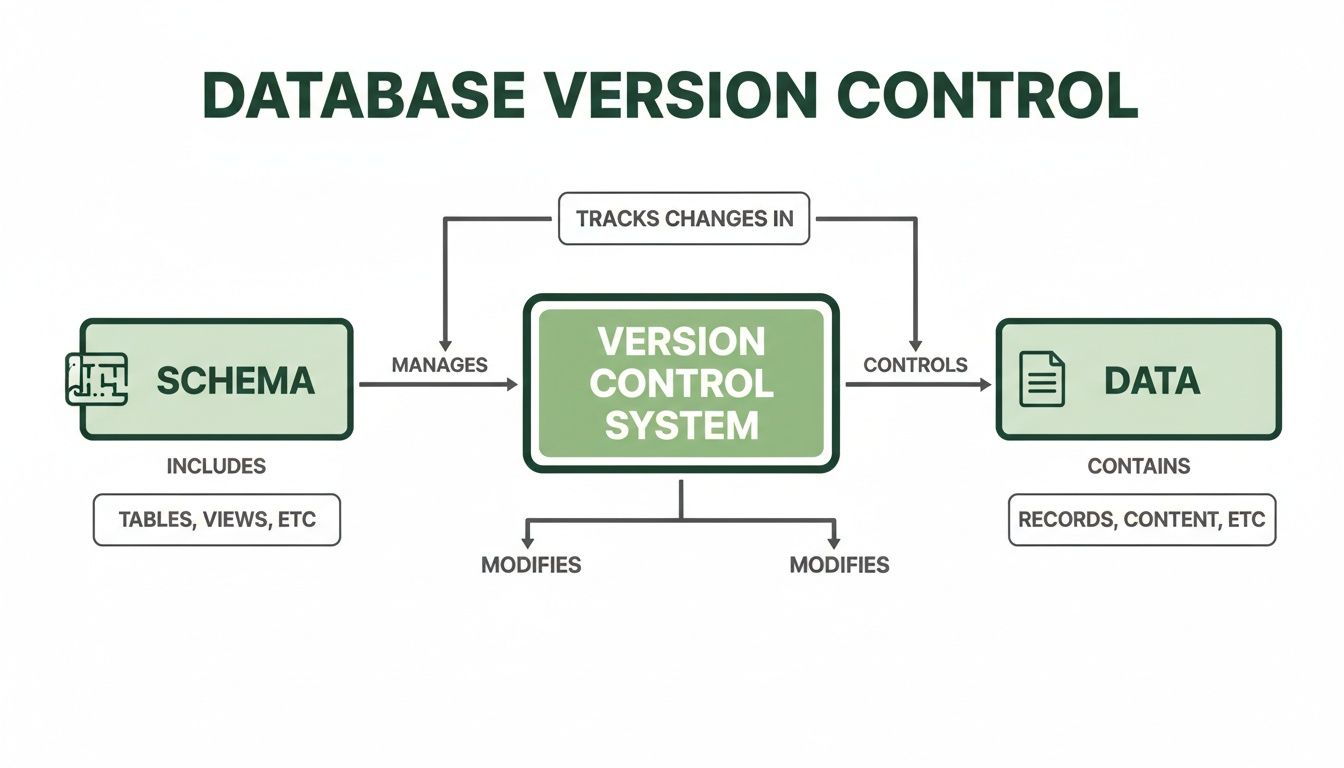
As you can see, a solid strategy has to handle both the schema (the blueprint) and the data (the stuff inside), making sure they both evolve together, hand-in-hand.
Aligning Database Changes With Your Code
To keep development from turning into a free-for-all, your database changes absolutely have to mirror your code branching strategy. When a developer creates a new Git branch to work on a feature—like adding a user profile page—they should also get an isolated "branch" of the database to play with.
This lets them experiment with their schema changes, like adding an avatar_url column, without tripping over the main development database everyone else is using. Once the feature is built and tested, the code and the database migration script get merged back into the main branch as a single, atomic unit. This tight coupling is the secret sauce for reliable software delivery.
For anyone new to this workflow, getting a handle on this process is a fantastic first step. You can dive deeper into managing database changes in our detailed guide.
Advanced Version Control Patterns
While migrations are the workhorse, a few other advanced patterns offer some serious advantages for specific situations.
Event Sourcing: Instead of just storing the current state of your data, event sourcing records every single change as a permanent "event." Imagine a bank ledger that doesn't just show your balance but lists every deposit and withdrawal ever made. This creates a perfect, unchangeable audit trail, which is gold for debugging, running analytics, and satisfying tough compliance requirements. The current state is just what you get when you "replay" all the events up to a certain point.
Temporal Tables: Some modern databases, including PostgreSQL, have built-in support for temporal tables. This feature automatically keeps a full history of every change made to a row. When a record is updated, the database doesn't just overwrite it; it archives the old version with a timestamp. It’s like having a time machine for your data, letting you ask, "What did this user's profile look like on this exact date?" without writing a single line of custom code.
By combining these strategies, teams can build remarkably resilient systems. A migration-based approach provides structural integrity, while event sourcing or temporal tables offer a granular history of the data itself, creating a comprehensive safety net.
Ultimately, the goal is to make database changes as safe, predictable, and automated as your code changes. For founders moving past no-code platforms, adopting a solid, migration-based strategy is the non-negotiable starting point. It builds the discipline and tooling you need to create a stable, scalable, and investor-ready tech stack.
Automating Database Changes with a CI/CD Pipeline
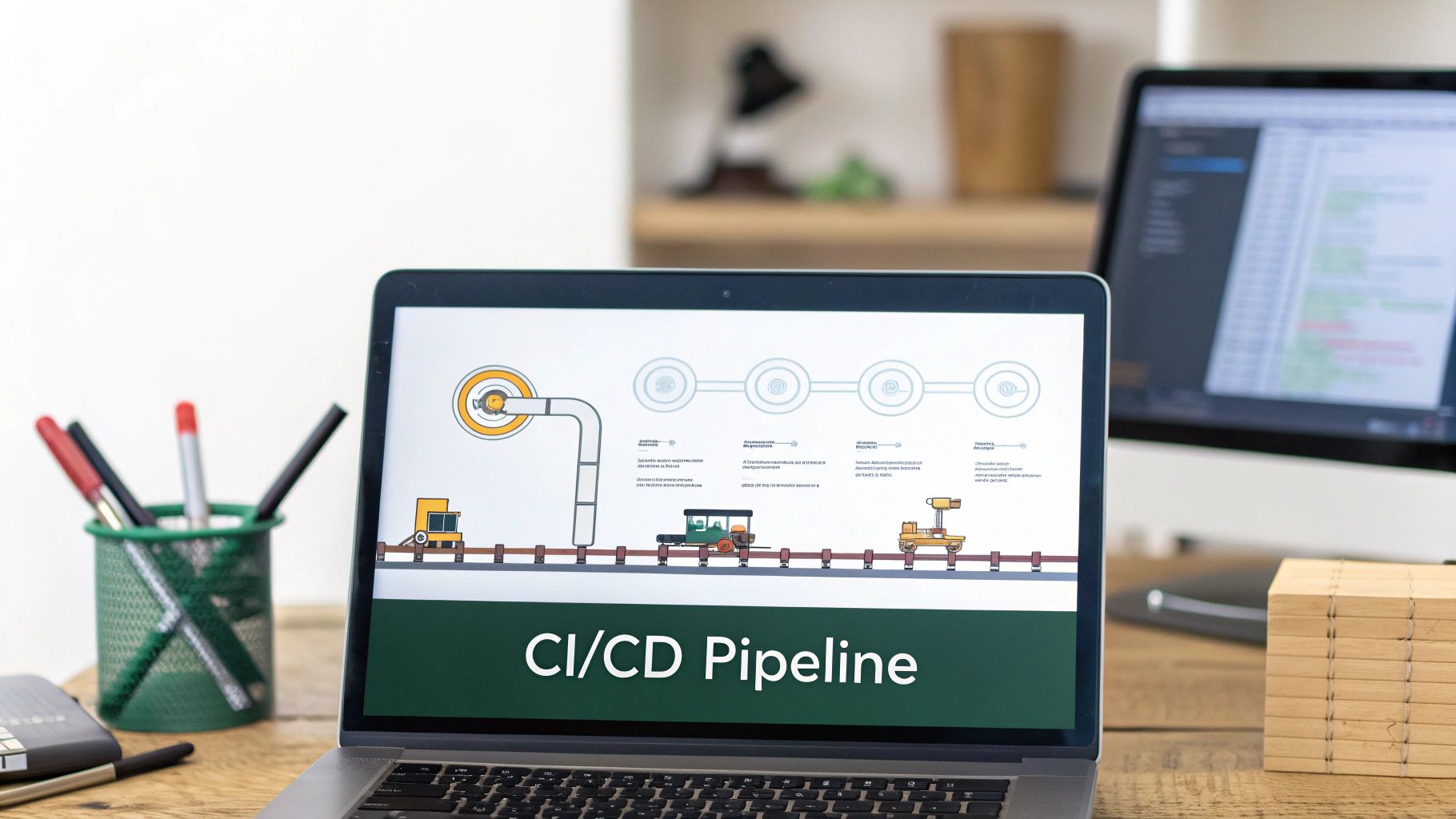
Manually applying database changes is like performing surgery in the dark. It's a process loaded with risk, late-night stress, and the constant fear that one wrong keystroke could crash your entire application. This is where a Continuous Integration/Continuous Deployment (CI/CD) pipeline isn't just a nice-to-have; it's essential.
By integrating version control in database management directly into your CI/CD workflow, you turn that high-stakes, manual process into a predictable, automated one. No more developers nervously SSHing into a production server to run scripts. The system handles it all, leading to faster development, fewer bugs, and a rock-solid platform that earns user trust and impresses investors.
This automated approach isn't just a best practice; it's where the industry is heading. It’s a core principle of DataOps, which applies the discipline of software engineering to data management. In fact, some analysts predict that soon 60% of data management tasks will be automated. You can read more about the future of data management on n-ix.com. This shift frees up your engineers from firefighting to focus on what really matters: building your product.
How a Database CI/CD Pipeline Works
Let’s walk through a real-world scenario. A developer needs to add a last_login_date column to your users table. Instead of holding their breath while running a command against the live database, they follow a safe, repeatable process.
This workflow takes a manual, anxiety-inducing task and makes it a streamlined, low-stress operation.
Commit the Change: The developer writes a new migration script for the schema change and commits it to a feature branch in your Git repository. If your team is new to this, our guide on how to update a GitHub repository effectively can be a big help.
Trigger Automation: The moment that code is committed, it kicks off your CI/CD pipeline. Tools like GitHub Actions, GitLab CI, or Jenkins automatically detect the change and start running a series of pre-configured jobs.
Run Automated Tests: This is your safety net. The pipeline immediately runs a whole suite of automated tests to confirm the new migration doesn't break any part of the application. If even one test fails, the process stops dead in its tracks. A faulty change never gets close to your users.
Deploy to Staging: Once all tests are green, the pipeline deploys both the database migration and the application code to a staging environment. This is a mirror of your production setup, giving you a safe place for final QA and review.
Approve and Deploy to Production: After the change is confirmed to work perfectly in staging, a team lead can approve the final deployment. With a single click, the pipeline applies the exact same tested migration to the production database, finishing the release without any downtime.
The Founder's Advantage: Speed and Stability
For a founder, this system is a game-changer. It delivers the two things you need most: agility and reliability.
By automating database deployments, you remove the human element from the most delicate part of your release process. This dramatically reduces the risk of costly outages and data corruption, ensuring your platform remains stable and trustworthy for your users.
This level of automation also creates a powerful feedback loop. Developers can ship features more quickly because they trust the process. Bugs are caught by automated tests long before they become customer-facing problems. This means your team spends less time fixing preventable mistakes and more time building value—giving you a serious competitive edge.
Ultimately, it’s about building a professional, scalable engineering practice that can truly support your company's growth.
Protecting Your Data with Rollbacks and Testing
What happens when a deployment goes wrong? Without a solid version control system, it’s an all-hands-on-deck emergency. You're left scrambling, staring down the barrel of data corruption and a whole lot of stress. But with a good strategy for version control in database systems, you have a powerful safety net. This resilience is built on two core practices: seamless rollbacks and rigorous testing.
Think of it like driving a car and realizing you’ve taken a wrong turn. A rollback is your reverse gear. Instead of ditching the car and starting over, you just back up to the last good intersection and get on the right path. That's exactly what a well-managed database version control system gives you.
The Power of the Undo Button
Modern migration-based tools are designed with failure in mind. Every change you make—each migration—isn't just a one-way street. It comes with a corresponding "down" script that knows exactly how to undo it. So, if a new deployment introduces a critical bug, you don't have to panic and try to manually reverse-engineer your changes under pressure.
Instead, you just run a single rollback command.
This command triggers the "down" script from the failed migration, cleanly reversing the schema change and snapping your database back to its last known stable state. This isn't just about convenience; it's a critical feature for business continuity. It minimizes downtime, protects data integrity, and gives your team the confidence to ship changes more often. This process is also a core part of any robust disaster recovery plan. For those on specific platforms, learning how to restore a database in SQL Server is a great way to understand these foundational concepts.
Catching Problems Before They Happen
While rollbacks are your reactive safety net, testing is your proactive shield. A smart testing strategy makes sure most problems get caught and fixed long before they ever see the light of day in your production environment. You wouldn't launch a rocket without running simulations, and you shouldn't deploy a database change without putting it through its paces first.
Effective database testing has a few layers:
- Unit Tests: These are small, focused tests that check individual migration scripts. Does the script to add a new column actually add it? Does it break if the column already exists?
- Integration Tests: These tests are bigger picture. They verify that the database changes play nicely with your application code. For instance, after adding a
last_namecolumn, an integration test would confirm that the user registration API can actually save data to it.
By plugging these tests right into your CI/CD pipeline, you automate your quality control. A failed test immediately halts the deployment, preventing a bad change from ever reaching your users. For any team building a trustworthy system, this is non-negotiable.
When you combine automated testing with a reliable rollback strategy, you transform database management. It stops being a source of anxiety and becomes a predictable, safe part of your engineering discipline. This is how you build a product that’s not just innovative, but incredibly resilient.
Meeting Security and Compliance Requirements
When you're first building, security and compliance can feel like a far-off problem. But as your startup matures and you move past the MVP stage, these aren't just buzzwords—they become make-or-break requirements. This is especially true if you’re in a regulated field like fintech or healthtech, where things like GDPR, SOC 2, or HIPAA compliance are non-negotiable.
This is where a version-controlled database becomes your foundation for solid governance. It gives you a complete, tamper-proof audit trail of every single change made. Gone are the days of wondering who tweaked a column or why a table was altered. Now, every schema change is linked directly to a developer, a commit, and a timestamp.
Building a Defensible Audit Trail
One of the most powerful things about version control in a database is its ability to act like a time machine for your data. You can instantly see what your data looked like at any point in the past. This isn't just a cool feature; it’s absolutely essential during a compliance audit or a fraud investigation when you need to prove exactly what a user's record contained six months ago.
This approach essentially brings the power of Git, which we all rely on for code, directly to your datasets. It’s a huge leap forward for visibility and risk management. As explained in this overview of data version control from lakefs.io, you get meticulous audit trails that make GDPR adherence and fraud detection much more straightforward.
For founders, a version-controlled database is a critical asset during due diligence. It demonstrates to investors that your technology is not only scalable but also secure and built with professional engineering discipline from the ground up.
Key Benefits for Security and Governance
Baking security into your database workflow from day one will save you countless headaches down the road. You’re building compliance into the DNA of your platform instead of trying to bolt it on later when things get messy.
- Immutable History: Every change creates an unchangeable record. This digital footprint ensures total accountability, as no one can make a modification without it being logged.
- Granular Access Control: When you manage schema changes through a Git-based workflow, you can require code reviews and approvals. No change hits production without the right people signing off on it.
- Simplified Audits: Imagine an auditor asking for your change management records. Instead of a frantic scramble, you just show them your Git history—a clear, comprehensive log that makes the whole process ridiculously simple.
By adopting these practices early, you're not just building a product that's ready to grow. You're building one that's ready for the scrutiny that success brings, protecting your business, your users, and your investors.
Common Questions from Founders
As you move from a fast-and-loose no-code setup to a serious, production-ready tech stack, you'll naturally start thinking about more formal processes. Database version control is one of the big ones. It’s a major step up, but it's also the kind of thing that sets you up for real, sustainable growth.
Let's tackle some of the questions I hear most often from founders making this transition.
Do we really need database version control this early?
Yes, you absolutely do. When you're on Airtable or Bubble, you can get away with making changes on the fly. But the second you move to a real database like PostgreSQL, that mindset becomes a liability.
Think of it this way: putting version control in place from day one is like building a solid foundation for a house instead of just pitching a tent. It's a small investment of time upfront that saves you from a world of technical debt and potential disasters later on. It keeps your data safe, makes your development process reliable, and shows investors you're building a serious, scalable business.
This isn’t just a tech decision; it's about de-risking your product and preventing a future crisis.
How is this different from just using Git for our code?
While the basic idea of tracking changes is the same, how it works for a database is totally different. With your application code, Git is a master at managing changes in text files. You can branch, merge, and see line-by-line diffs. You simply can't "merge" a database schema that way.
Database version control isn't about tracking text files; it's about managing the state of the database. It does this with migration scripts—small, ordered files that describe one specific change, like 'add a
last_namecolumn to theuserstable.'
You commit these scripts to Git right alongside your application code. This ensures that a specific version of your code always corresponds to a specific version of your database schema. They evolve together, perfectly in sync, giving you a reliable, step-by-step history of how your database has changed.
What are the best tools for PostgreSQL version control?
The good news is you don't have to reinvent the wheel. There are fantastic open-source tools that plug right into a Git-based workflow and make this whole process incredibly smooth. The best one for you usually depends on your tech stack and what your team is comfortable with.
Here are a few of the most popular choices:
- Framework-Agnostic Tools: If you want something that works with any backend, Flyway and Liquibase are the heavy hitters. They're powerful, reliable, and have been battle-tested for years.
- Integrated Framework Tools: If you’re already using a framework like Django or Ruby on Rails, you're in luck. They come with their own amazing migration tools built right in. Django Migrations and Active Record Migrations are seamless, powerful, and the natural choice for anyone on those platforms.
Picking the right tool from the start makes your database changes as predictable and manageable as your code, giving you a rock-solid foundation to build on.
Hitting the ceiling with your no-code MVP? First Radicle specializes in migrating founders from platforms like Bubble and Airtable to a production-grade stack built on PostgreSQL and modern frameworks. We deliver a scalable, secure, and investor-ready application in just six weeks, guaranteed. Learn more about our fixed-price migration service.