
A Founder's Guide to Web Design to Code Migration
Your no-code MVP was a brilliant move. It got you to market, validated your idea, and proved people wanted what you were building—all without a massive engineering bill. But now you’re starting to feel the walls closing in.
This is a classic founder dilemma. That journey from a slick web design to code is the natural next step when ambition outgrows the platform. It's how you build a real, defensible tech asset.
When No-Code Platforms Hit Their Limits

That initial drag-and-drop build on a platform like Bubble or Webflow did its job perfectly. You found product-market fit. The problem is, the tools that gave you that early speed are now likely the very things holding you back.
As your user base grows, you’ve probably noticed the app getting sluggish. Operations that used to be snappy now feel slow, especially during peak hours. Your backend is a tangled web of integrations, often held together by a costly and brittle "Zapier tax." This isn't just a technical headache; it’s a strategic bottleneck that’s costing you users and revenue.
The Strategic Shift from No-Code to Full Code
Migrating from a visual editor to a real codebase is so much more than a technical upgrade—it’s a fundamental business decision. You’re taking back control and building a foundation that can actually support your future growth.
The triggers for this transition are usually pretty painful and obvious:
- Performance Bottlenecks: The app slows to a crawl when you get a spike in traffic, killing the user experience.
- Scalability Walls: You can't implement the complex features you need, or the database can’t handle the volume your business now demands.
- Lack of IP Ownership: Your core business logic is trapped inside a third-party platform. This is a massive red flag for any serious investor who wants to see defensible tech.
- Operational Fragility: The whole system is a house of cards. When one tool in your stack has an outage, your entire operation grinds to a halt.
This journey isn't about ditching your initial vision. It's about finally giving it the robust, production-grade infrastructure it deserves. You’re moving from a rented apartment to owning the entire building.
Making the switch means you can finally build a system purpose-built for your specific needs, not shoehorned into the constraints of a no-code tool. You can create a truly unique user experience that your competitors can't just copy.
For teams who feel the pain of a maxed-out Airtable base or need logic that’s far too complex for their current setup, exploring custom backend development is the only logical path forward.
This guide is your playbook. We’re going to demystify the entire web design to code process and walk you through every step of turning that prototype into a secure, scalable application that you actually own.
Mapping Your Design and Defining the Schema
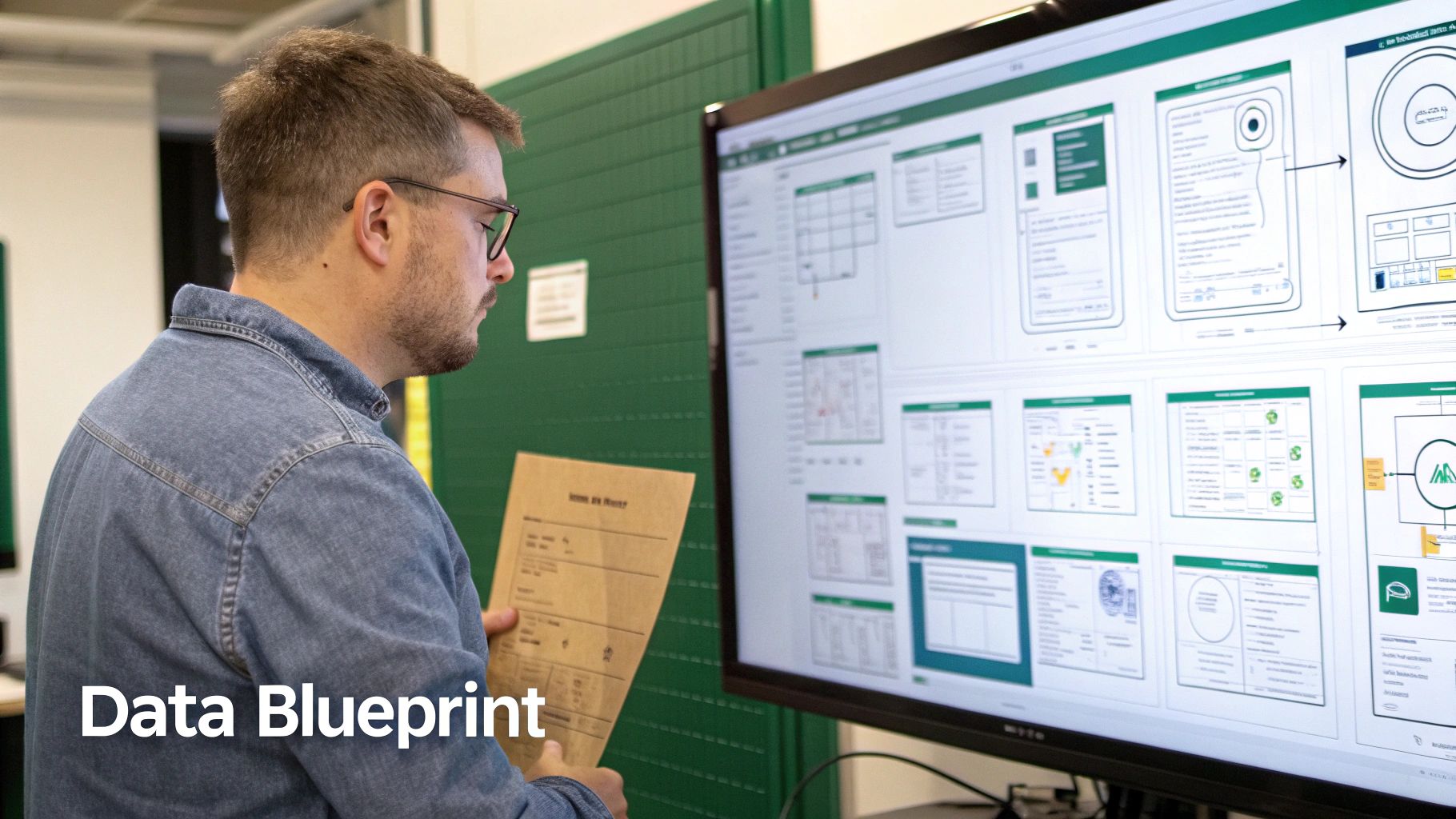
Before a single line of code gets written, you need a blueprint. This is, without a doubt, the most crucial non-technical step in the entire web design to code journey. This is where you translate your hard-won business logic and slick user experience into a structured plan that an engineering team can actually build from.
The process kicks off with a forensic audit of your existing design or no-code app. You need to dig deeper than the surface-level UI. We're talking about mapping out every single user flow, every data relationship, and every third-party integration. Think of it as creating a detailed schematic of your business's nervous system.
From Visual Flows to Data Structures
Your Figma files or Bubble setup show what the user sees, but the schema defines how the system actually works. You have to start by cataloging every single piece of data your application touches. For a membership site, this would mean identifying user profiles, subscription tiers, content modules, and payment histories. Every last field.
The goal here is to get from a scattered collection of data—maybe spread across a few Airtable bases and Webflow CMS collections—to a single, logical structure. This structure, your backend schema, becomes the foundation for your new database, like PostgreSQL. It defines the tables, the data types for each field (e.g., text, number, date), and, most importantly, how they all connect.
For example, a users table will have a clear, one-to-many relationship with a subscriptions table, which in turn links to a payments table. Getting these connections right from the start is what prevents massive architectural headaches six months down the road.
This schema isn't just a technical document; it's the constitution for your application. Getting this right ensures your new platform is built on a rock-solid data foundation, ready to handle complexity and scale.
Identifying Key Business Logic and Workflows
A detailed audit is also where you uncover the gnarly, complex logic that your no-code tools were probably struggling to handle. This is your chance to formally document the specific rules and processes that make your business unique.
Use this as a starting point for your discovery phase:
- User Roles and Permissions: Who gets to see what? Define roles like
Admin,Editor, andMember, then specify their exact permissions for viewing, creating, or editing different pieces of data. - Complex Workflows: Map out every multi-step process. What exactly happens after a user's payment fails? What’s the precise sequence of events for a new user's onboarding journey?
- Third-Party Integrations: List every external service your app depends on. We need everything from payment gateways like Stripe to email marketing tools. Detail what data is sent and received through each API.
- Data Validation Rules: What rules must the data follow? A password has to be at least eight characters long, or a username must be unique. These are your application's non-negotiables.
Documenting these elements provides absolute clarity for the development team. It ensures that the custom code doesn't just replicate what you already have, but elegantly handles the complex logic your no-code setup couldn't.
Managing this schema as it evolves is critical, which is why understanding the principles of database version control is such a valuable asset for any founder overseeing this kind of technical migration. It brings discipline to what can otherwise be a chaotic process.
Choosing a Scalable, Production-Grade Tech Stack
When you move from a visual builder to a real codebase, you're making foundational decisions that will carry your business for years. This isn’t about chasing the latest shiny framework on Twitter. It’s about picking a production-grade tech stack specifically to solve the performance and scalability bottlenecks that are holding you back right now.
For the frontend, that usually means a framework like React or its production-focused big brother, Next.js. These tools are the industry standard for turning beautiful Figma files into fast, reusable, and maintainable components. No more wrestling with clunky visual editors to get that pixel-perfect alignment.
On the backend, a language like Python—especially with a framework like Django or FastAPI—gives you the power to handle complex business logic, user authentication, and any third-party API you can throw at it. Pair that with a rock-solid PostgreSQL database, and you’ve got a foundation that can handle millions of records and complex queries without breaking a sweat.
No-Code Platform vs. Production-Grade Code: A Comparison
The difference between your no-code setup and a custom-coded stack is night and day. It’s a fundamental shift in what your business is capable of, especially when it comes to performance, ownership, and what you can build next.
Here’s a quick breakdown of what that shift actually looks like in practice:
| Attribute | No-Code Stack (e.g., Bubble, Webflow, Airtable) | Production-Grade Code (e.g., React, Python, PostgreSQL) |
|---|---|---|
| Performance | Slows down under heavy load; API rate limits are a common bottleneck. | Highly optimized for speed and can handle thousands of concurrent users. |
| Scalability | "Vertical" scaling only (pay for a higher plan); you're limited by the platform. | "Horizontal" scaling (add more servers); virtually unlimited potential. |
| Data Ownership | Data is locked into the platform's proprietary format. Exporting is often difficult. | You own your database schema and data completely. Full control and portability. |
| Customization | Limited to the platform's features and pre-built plugins. Complex logic is hard. | Infinite flexibility. If you can dream it, you can build it. |
| Intellectual Property | You own your data, but not the underlying code or infrastructure. | You own 100% of the code. This is a valuable, defensible business asset. |
| Cost | Starts cheap but becomes very expensive at scale (e.g., Bubble's capacity pricing). | Higher upfront cost for development, but infrastructure costs are far lower at scale. |
Ultimately, migrating isn't just about fixing today's problems. It's about setting yourself up to win for the next five years, giving you the freedom to build without being constrained by a platform you don't control.
This journey from design to code is often triggered by some hard numbers. With over 1.09 billion websites online, 38% of users will bounce if the design is ugly or unresponsive. Even worse, slow load times kill conversions. Data consistently shows that pages loading in just one second can hit conversion rates near 40%, proving the massive ROI of a performance-first, custom-coded solution.
Owning your code means you own your intellectual property. It’s a tangible, defensible asset that investors value and competitors can't easily replicate. This is a critical step in building long-term business value.
Making the Right Architectural Decisions
Just picking the right tools isn't enough. How you piece them together—the software architecture—is what really determines if your app will be resilient and easy to update or a tangled mess. A well-designed architecture makes sure that different parts of your application, like payments and user management, are independent modules that talk to each other through clean APIs.
This modular approach pays huge dividends down the line:
- Easier Maintenance: Your developers can fix a bug in the billing service without accidentally breaking the user profile page.
- Targeted Scalability: If your image processing service gets slammed with traffic, you can give just that one service more resources without over-provisioning the whole system.
- Faster Development: Different teams can work on separate features in parallel without stepping on each other's toes.
Building on a modern stack with a solid architectural plan is the heart of a successful web design to code migration. For a much deeper dive into these principles, check out our guide on software architecture best practices. This thoughtful approach ensures your new platform doesn't just meet today's needs but is ready for whatever you dream up tomorrow.
Executing the Development Sprints
Once the schema is locked and the tech stack is chosen, it's time to build. This is where the rubber meets the road, moving from blueprints to a real, functional product through methodical, one-week development sprints.
Forget long, silent development cycles where you don't see anything for months. We break the entire project into transparent chunks of work. This keeps the momentum high and ensures everyone is on the same page.
It also means we can work in parallel. While the frontend team gets busy turning your static Figma or Webflow designs into living, breathing React components, the backend team is building the engine. They'll be spinning up the API, implementing the database schema in PostgreSQL, and wiring up all the core business logic.
This concurrent workflow is what makes a web design to code migration successful. We turn abstract plans into tangible software, piece by piece, week by week.
From Pixel-Perfect Designs to Live Components
For founders and product owners, this is easily the most exciting phase. You get to see your vision come to life as developers meticulously craft each piece of the UI.
What was once a static login screen in a design file becomes a fully functional authentication flow. A product grid mockup in Figma is transformed into a live, filterable interface pulling real data from the new backend.
Simultaneously, the complex—and invisible—backend work is happening:
- User Authentication: Secure sign-up, login, and password reset flows are built from the ground up.
- Payment Integration: The Stripe API is integrated to handle subscriptions, one-off payments, and customer management.
- Core API Endpoints: The specific data routes needed to power the frontend are created, tested, and documented so everything talks to each other correctly.
The journey looks a lot like this—a streamlined process for moving from a no-code prototype to a truly scalable, coded solution.
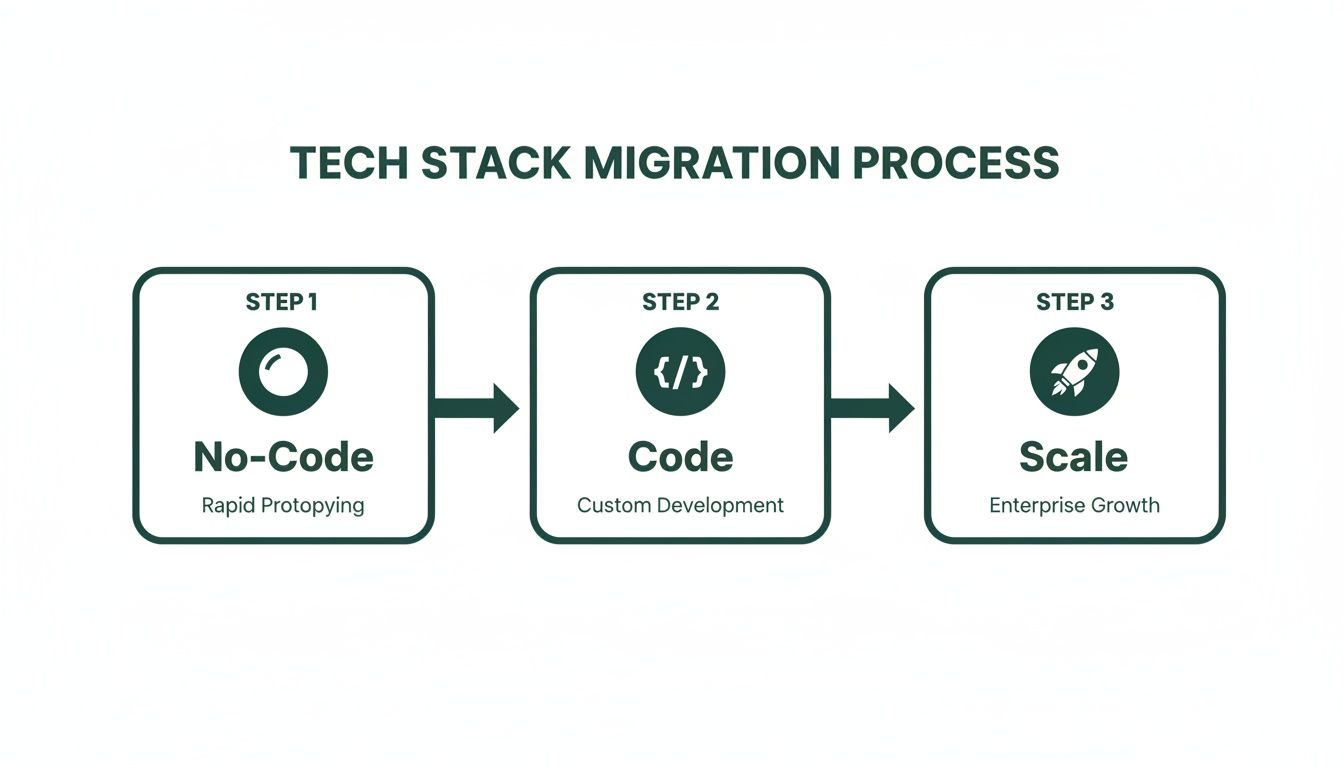
This process isn't just about rebuilding what you had. It's a critical step toward unlocking real performance and the ability to scale your operations.
The Power of Weekly Staging Demos
The most important part of this entire phase is the weekly staging demo. Seriously. At the end of each one-week sprint, you get a link to a private "staging" version of your application.
This isn't a video call or a slide deck. It's a live, clickable product where you can test the exact features that were just built.
This feedback loop is priceless. You see the progress with your own eyes, catch any misunderstandings early, and give real-time feedback. Does that button interaction feel right? Is the user flow as intuitive as you imagined? This weekly rhythm eliminates the risk of a big, costly surprise at the finish line.
Weekly demos transform development from a black box into a collaborative workshop. They build trust and ensure the product being built is the product you actually need.
This transition isn't just about better tech—it's a crucial business move backed by hard data. While 94% of first impressions are design-related, a staggering 38% of users will bounce if a site has poor UX or is slow to load.
Custom code directly attacks this problem. A fantastic user experience built on a modern framework like Next.js can boost conversion rates by up to 400%. That's a massive jump from the typical e-commerce average of 2.5-3%. You can dig into more of these compelling web design statistics on Hostinger.com that really drive home the value of this investment.
Crossing the Finish Line: Testing, Migration, and Handover
Getting your web design converted to code is one thing; making it truly production-ready is another. This final phase is all about hardening your new application, ensuring a flawless transition for your users, and putting the keys to the kingdom squarely in your hands.
This isn't just about simple checks. We implement a full suite of automated tests that act like a digital safety net. These scripts run through user actions, hammer your API endpoints, and ensure data integrity. They're designed to catch bugs before they ever see the light of day, creating a stable foundation for years of future development.
Fortifying the Gates and Moving Your Data
Before anything goes live, a security audit is non-negotiable. We run a series of checks against the OWASP Top 10, the gold standard for web application security. This process is designed to find and patch common weak points like SQL injection or cross-site scripting, ensuring your customer data is locked down from day one. In this business, trust is everything.
With the application secure, we turn to your most critical asset: your user data. Moving thousands of records from a tool like Airtable or Bubble into a structured PostgreSQL database is a delicate surgery. We map every single field, perform dry runs in a staging environment, and validate every last row to ensure zero data loss. Your users won't feel a thing.
The final handover isn't just about sending over a zip file of code. It’s about transferring complete ownership of a scalable, valuable business asset. You’re not just getting the app—you’re getting the keys to the factory.
The Final Demo and Owning Your IP
The last major checkpoint is a comprehensive demo on a staging server. This is your chance to click through every workflow, test every feature, and confirm that the business logic works exactly as you envisioned. Once you give us the final green light, we're ready for the transfer.
We initiate a formal, documented handover process that leaves no ambiguity about ownership. This includes:
- Private GitHub Repository: You get full administrative access to the entire codebase. It's 100% your IP.
- Infrastructure Access: We transfer ownership of all cloud service accounts, like AWS or Vercel, used to run the app.
- Comprehensive Documentation: You receive clear, human-readable documentation on the architecture and setup, empowering any future developer to get up to speed quickly.
Many of today's most successful startups began with no-code tools like Webflow to get an MVP out the door. But as they scale, they hit a wall. This shift from web design to production-grade code is becoming more common as the global web development market is projected to grow from USD 74.69 billion in 2025 to USD 104.31 billion by 2030, a clear sign of the demand for robust, scalable solutions. You can see more data on web design market trends on BloggingWizard.com.
This handover marks the end of your migration and the beginning of your ability to scale without limits.
Questions Founders Ask Before Going From No-Code to Code
Making the jump from a no-code tool to a real, custom codebase is a big decision. It's totally normal to have a ton of questions about timelines, costs, and just how much of your own time a technical project is going to eat up. Let's tackle the big ones head-on.
How Long Does This Whole Web Design to Code Thing Actually Take?
It doesn't have to be a six-month ordeal. Far from it. While every project is different, a focused web design to code migration for an MVP can be wrapped up surprisingly fast.
At First Radicle, for example, we've built our entire process around a guaranteed six-week development cycle. The only reason this is possible is because we front-load the most critical work: a deep-dive discovery and schema mapping phase. Once that blueprint is locked in, we're off to the races with intensive weekly sprints and regular demos. This keeps the momentum sky-high and means you're never in the dark. We designed this timeline specifically for founders who need to upgrade their tech without derailing their business.
What's the Real Cost of Migrating vs. Just Sticking with No-Code?
No-code platforms are brilliant for day one, but their costs have a sneaky way of spiraling as you grow. You're not just paying a monthly subscription; you're paying for higher tiers, per-user fees, and often a whole mess of third-party tools like Zapier just to glue everything together.
Moving to code is a one-time investment in a digital asset you actually own. A full MVP build gives you a custom platform that completely wipes out those recurring third-party fees and ends the operational anxiety of a system held together by digital duct tape. In the long run, owning your code almost always leads to a dramatically lower total cost of ownership, especially as your user base scales.
Think of it this way: no-code is like renting an apartment, and the landlord can jack up the rent whenever they feel like it. Owning your code is like owning the building—you control the asset and its future costs.
As a Non-Technical Founder, How Much Do I Need to Be Involved?
Your job isn't to write code. Your job is to be the expert on your business, and that expertise is the single most critical ingredient for a successful project. A good development partner handles the technical heavy lifting while ensuring you're at the center of every key product decision.
Our process is built for exactly this kind of collaboration. You’ll be right there with us during the initial schema mapping, making sure your business logic is translated perfectly into a technical plan. And through weekly staging demos, you’ll see tangible progress with your own eyes and provide the crucial feedback that steers the build. You bring the vision; we translate it into a high-quality, scalable product.
Ready to turn your no-code limitations into a scalable, defensible tech asset? At First Radicle, we specialize in migrating founders from platforms like Bubble and Webflow to production-grade code in just six weeks. Learn more about our guaranteed migration process.