
Build to Scale with the Well Architected Framework
That first wave of sign-ups after launching your no-code MVP is an incredible feeling. But as the numbers climb, that initial excitement can quickly turn to dread. The very platform that let you build so fast is now groaning under the pressure, and you realize you've built on a foundation that's starting to crack. This is where a well-architected framework becomes less of a "nice-to-have" and more of a "need-to-survive."
Why Your No-Code App Will Eventually Break
The viral moment you've been dreaming of can, ironically, be the very thing that kills your app. Many founders get a brutal wake-up call when their no-code solution, which worked perfectly for a handful of beta testers, can't handle the strain of a few thousand real users.
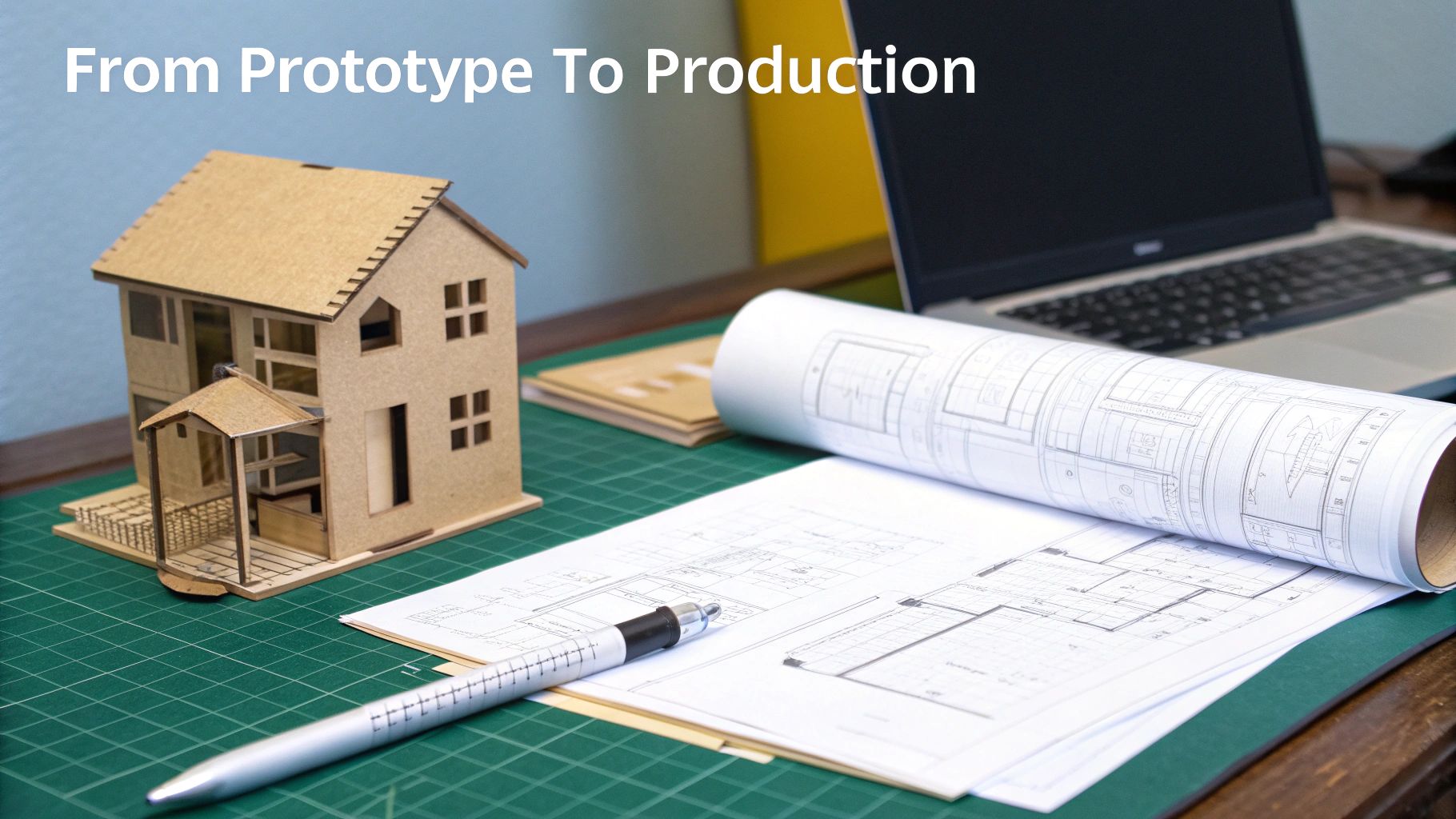
Think of your no-code app like an incredibly detailed cardboard model of a house. It's fantastic for showing people your vision, getting feedback, and even convincing someone to invest. But you would never actually live in it. The first real storm—or a surge of user traffic—is going to tear it apart.
The Inevitable Breaking Points
When growth hits, the cracks start to show in a few predictable ways:
- Performance Degradation: Your app slows to a crawl. Pages take forever to load because you're sharing resources with thousands of other apps on the same platform. Frustrated users don't stick around.
- Spiraling Automation Costs: That simple Zapier or Make.com workflow that was so affordable at first? It’s now a money pit, with costs exploding as every new user action triggers more and more tasks.
- Platform Limitations: You eventually hit a wall. It could be a database size limit, an API rate limit, or just the inability to build a crucial custom feature. These roadblocks force you into awkward, time-consuming workarounds. You can find out more about these limits in our guide on the best no-code web app builders.
It’s a startup’s worst nightmare. You launch on a platform like Bubble or Webflow, the sign-ups pour in, and then... your app collapses under its own success. This is exactly the problem the AWS Well-Architected Framework, first introduced back in 2012, was designed to solve. It provides a proven blueprint for building applications that can handle the real world—something off-the-shelf no-code tools simply aren't built for.
The Well-Architected Framework isn’t some dense, academic document. It's a practical guide for turning a fragile prototype into a robust, valuable asset that’s ready for serious growth.
At its core, the framework offers a consistent way to review your architecture against best practices. It helps you build systems that are secure, fast, reliable, and cost-effective, creating the bridge you need to get from a promising MVP to a scalable, long-term business.
Understanding the Six Pillars of Architecture

The Well-Architected Framework isn't just another buzzword or a pile of abstract rules. Think of it as a practical blueprint for building technology that actually works in the real world, especially under pressure. Amazon Web Services (AWS) pioneered this concept by organizing decades of architectural knowledge into six core "pillars."
Each pillar represents a critical area you absolutely have to get right.
Imagine you're building a house. These pillars are your foundation. If even one is weak, cracked, or completely missing, the entire structure is at risk. It might stand for a while, but as soon as you add more weight—or in our case, more users and features—things start to fall apart.
For a founder, getting a handle on these pillars is essential. This is the language that bridges the gap between your business goals (like amazing user experience and a healthy burn rate) and the technical decisions your team is making every single day.
To make this crystal clear, here's a quick-reference table summarizing the six pillars and their core mission.
The Six Pillars of a Well Architected Framework
| Pillar | Core Mission | Analogy |
|---|---|---|
| Operational Excellence | Run, monitor, and continuously improve your application and its processes. | The Expert Pit Crew |
| Security | Protect data, systems, and assets with layered defenses and risk mitigation. | The Digital Fortress |
| Reliability | Ensure your application performs its function correctly and recovers from failure. | The Uninterruptible Power Supply |
| Performance Efficiency | Use computing resources efficiently to meet demand and stay fast. | The Finely-Tuned Engine |
| Cost Optimization | Avoid unneeded costs and deliver business value at the lowest price point. | The Smart Budget Manager |
| Sustainability | Minimize the environmental impact of your cloud workloads. | The Eco-Friendly Design |
Let's break down what each of these really means in practice.
Operational Excellence: The Expert Pit Crew
Operational Excellence is all about how you run and monitor your systems to deliver business value and, just as importantly, how you continuously improve. It’s the expert pit crew for your application. A Formula 1 pit crew doesn't just wait for a tire to blow; they perform lightning-fast checks, optimize performance on the fly, and learn from every single lap to get faster.
This pillar is what ensures your team can build, run, and refine your app without chaos. It’s a shift from manual deployments and frantic bug-fixing to a world of automation, preparation, and learning. It means spotting issues before your customers ever do.
Security: The Digital Fortress
The Security pillar is laser-focused on protecting information, systems, and assets. You can think of it as building an impenetrable digital fortress around your user data and business logic. This isn't just about a strong front gate; it's about layered defenses, vigilant guards, and a clear plan for who gets access to what—and why.
This pillar is completely non-negotiable, especially when you’re handling sensitive user information. For many startups, this is a huge driver for migrating away from no-code platforms where security controls can be a black box. For a deeper dive, check out our guide on software architecture best practices.
Security isn't a feature you tack on at the end. It's a foundational requirement that must be designed into your architecture from the very first line of code.
This means implementing strong identity management, encrypting data both in transit and at rest, and having automated systems ready to detect and respond to threats.
Reliability: The Uninterruptible Power Supply
Reliability is simple in concept but challenging in execution: your app has to do what it's supposed to do, correctly and consistently. It's the uninterruptible power supply for your business. When the main power goes out, a backup kicks in so seamlessly that nobody even notices the flicker. Your application needs that same resilience.
A reliable system is designed to withstand and recover from failures, whether that's a server crashing, a software bug, or a sudden traffic spike. For a startup, even a small outage can crush user trust. This pillar is about eliminating single points of failure, enabling systems to heal themselves, and having a disaster recovery plan you've actually tested.
Performance Efficiency: The Finely-Tuned Engine
Performance Efficiency is about using your computing resources smartly. It’s your application’s finely-tuned engine. It needs to deliver maximum power without wasting fuel, whether you’re just cruising or accelerating to handle a flood of new users.
Nothing kills a user's enthusiasm faster than a slow, laggy app. This pillar is about selecting the right tools for the job, constantly monitoring performance, and making decisions that keep your application snappy as it grows. The goal is to be smart, not just to throw more expensive hardware at every problem.
Cost Optimization: The Smart Budget Manager
Cost Optimization is about avoiding unnecessary costs and making every dollar count. This is your smart budget manager. It's not about being cheap; it's about being financially intelligent and ruthlessly eliminating waste.
Many founders get a nasty surprise when the predictable subscription fee of a no-code tool gets replaced by the variable, pay-as-you-go world of the cloud. Without a focus on optimization, that cloud bill can spiral out of control fast. This pillar forces you to measure your spending, use services that lower ownership costs, and match your infrastructure supply directly with user demand.
Sustainability: The Eco-Friendly Design
The newest pillar, Sustainability, focuses on the long-term environmental impact of your technology. Think of it as the eco-friendly blueprint for your digital product. Just as a modern architect considers a building's energy use and material sources, a software architect must now consider the environmental footprint of their code.
This encourages practices like choosing efficient programming languages, minimizing the data you store, and selecting cloud regions powered by renewable energy. It’s about building lean, efficient systems that achieve your business goals while minimizing their impact on the planet—a factor that matters more and more to customers, investors, and top talent.
Your Pre-Migration Well-Architected Checklist
Alright, let's move from theory to action. It’s time to put the Well-Architected Framework to work and take a hard look at your current no-code application. Think of this as a pre-flight check before you commit to migrating your prototype into a full-fledged, production-grade system.
This checklist is written for founders, not for seasoned engineers. The questions are direct, simple, and laser-focused on the real-world risks and limitations you're probably already bumping up against. For each point, I’ll also explain how a professionally coded stack neatly solves the underlying weakness.
Reliability Checklist
Reliability is all about making sure your app actually works when users need it and can bounce back from hiccups. In the no-code world, you're often at the mercy of third-party services you can't control, which creates a lot of hidden tripwires.
Audit Question: What happens if a key service like Zapier or Airtable goes down?
- The No-Code Risk: Most no-code apps are a house of cards built from interconnected services. If one of those cards gets pulled—say, Zapier stops firing or your Airtable base hits a record limit—your entire user experience can crumble without any warning. You have absolutely zero control over when it comes back online.
- How Production Code Solves This: A custom backend built on a dedicated server or container doesn't rely on external automation tools for its core logic. With a real production stack, you build in redundancy from the start, set up automated failover systems, and have monitoring that pings you the second something goes wrong. You're back in control of your uptime.
Audit Question: How do you test changes before they go live to all your users?
- The No-Code Risk: Many platforms simply don't have proper staging or development environments. Pushing a change often means pushing it straight to production, where one tiny mistake can instantly impact 100% of your active users.
- How Production Code Solves This: Professional development workflows always use separate environments for development, testing (staging), and production. This discipline allows for serious quality assurance, making sure bugs are caught and squashed long before they ever see the light of day—or a customer's screen.
Security Checklist
Security is completely non-negotiable, yet no-code tools can lull you into a false sense of safety. It's critical to know exactly where your data lives and how it's being protected.
- Audit Question: How are your user passwords and other sensitive data being stored?
- The No-Code Risk: You are fundamentally entrusting your users' most sensitive information to the security protocols of your no-code platform. You often have very little visibility or control over their encryption methods, access logs, or data storage policies, which can become a massive liability.
- How Production Code Solves This: With a custom backend and a dedicated database like PostgreSQL, you implement industry-standard security from day one. This means using proven hashing algorithms (like bcrypt) for passwords and encrypting all sensitive data both when it's stored and when it's being transmitted. You own your security posture, end to end.
A critical part of maturing your startup is moving from entrusting your core assets to a third party to owning them directly. This applies to your code, your infrastructure, and most importantly, your security.
Cost Optimization Checklist
Cost is so much more than your monthly subscription fee. As you start to scale, the hidden costs of inefficiency and manual work can absolutely drain your resources.
Audit Question: Are your automation costs (like Zapier tasks) scaling directly with your user activity?
- The No-Code Risk: Task-based pricing models are a classic trap. What costs a few dollars for 100 users can easily balloon into thousands for 10,000 users. Your own growth becomes a financial liability, effectively punishing you for success.
- How Production Code Solves This: A custom backend handles these workflows internally. Instead of paying per task, you pay for the underlying computing resources, which is a far more cost-effective model at scale. A single, efficient server can handle millions of internal "tasks" for a predictable, flat operational cost.
Audit Question: How much time is your team spending on manual data entry or workarounds because of the system’s limitations?
- The No-Code Risk: When you inevitably hit the ceiling of a tool, the "fix" is almost always a manual workaround. This hidden operational cost—measured in your team's precious hours—is rarely tracked but can be a huge drain on productivity and morale.
- How Production Code Solves This: A purpose-built application simply eliminates these limitations. You can build custom admin panels, data import tools, and automated processes that turn hours of mind-numbing manual work into a single click, freeing up your team to focus on growing the business.
Architectural Blueprints for Scalable Startups
Theory is great, but let's be honest—it doesn't really click until you see it in action. So, let's move away from the checklists and look at a real-world blueprint. We'll see how the Well-Architected Framework translates into a modern tech stack that a startup can actually build on to grow quickly and without constant fires.
Let's use a popular, powerful setup as our example: a modern frontend built with React or Next.js, a backend running on Python, and a solid PostgreSQL database handling the data. This is a go-to combination for a reason. But what really separates a fragile MVP from a scalable product is how you put these pieces together.
This is where a pre-migration audit becomes so valuable. It helps connect the dots between the daily frustrations of a no-code setup—like wrestling with Zapier automations or insecure password handling—and the core principles we've been talking about.
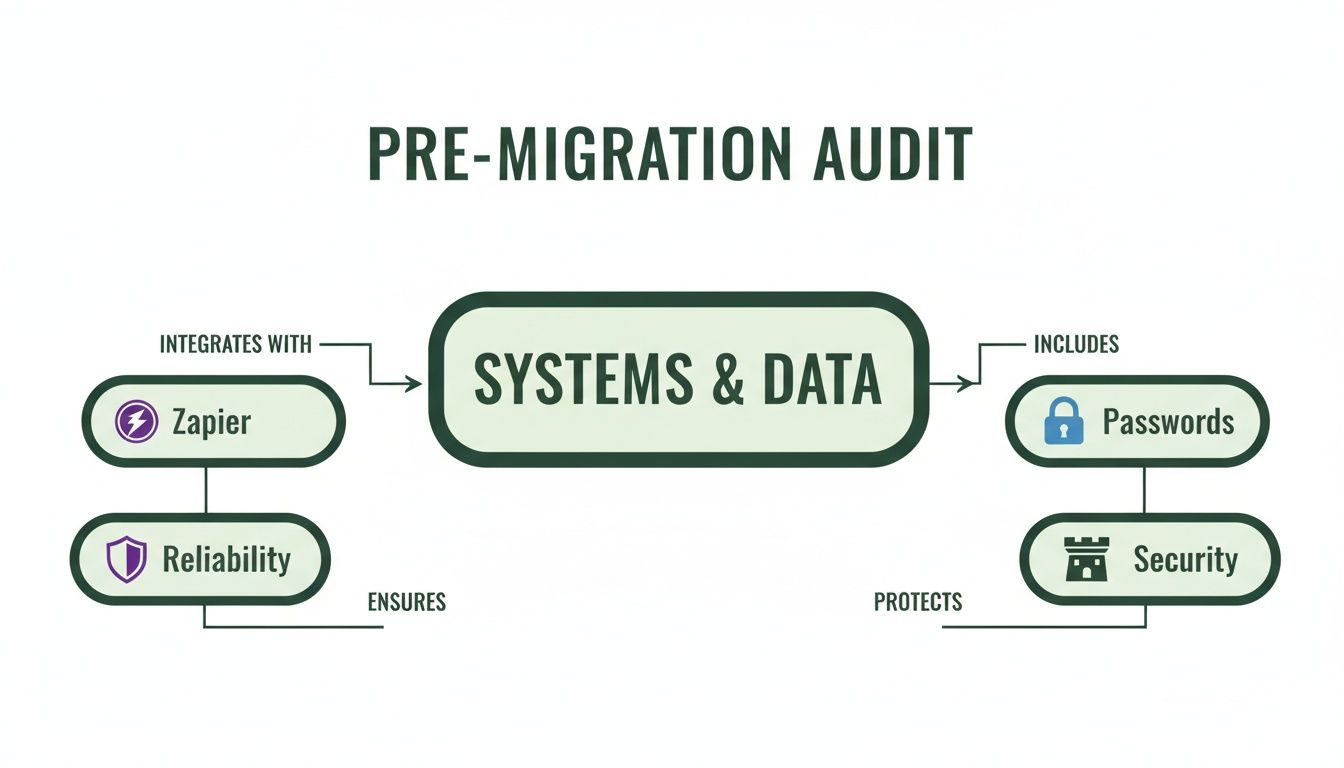
As you can see, the limitations of no-code tools aren't just minor tech headaches. They often represent direct conflicts with foundational principles like Reliability and Security.
From No-Code Tools to a Production-Ready Stack
To really grasp the shift, it helps to map the tools you're used to in the no-code world to their more robust, production-grade counterparts. It's not a one-to-one replacement; it's an upgrade in control, performance, and scalability.
Here’s a quick comparison of how common no-code functions evolve when you build for production:
No-Code Tool vs. Production Stack Component
| Function | No-Code Tool (Example) | Production Stack Component (Example) | Key Advantage |
|---|---|---|---|
| Data Storage | Airtable, Google Sheets | PostgreSQL, MySQL (Managed Service) | Scalability, data integrity, complex queries |
| User Interface | Bubble, Webflow | React.js, Next.js (Hosted on Vercel/Netlify) | Custom UX, performance, component reusability |
| Business Logic | Zapier, Make | Python/Node.js API (on AWS Lambda/EC2) | Custom logic, better error handling, speed |
| Authentication | Built-in platform login | Auth0, AWS Cognito, NextAuth.js | Enhanced security, social logins, MFA |
This table shows the evolution from renting a limited tool to owning a flexible and powerful system. Each component in a production stack is chosen to do one thing exceptionally well, giving you far more control and room to grow.
How Smart Architecture Upholds the Pillars
Okay, let's map this to our architecture. The specific choices we make for our infrastructure aren't just about picking cool tech; they're about weaving resilience, security, and efficiency into the very fabric of the system.
A solid setup for an application expecting growth often looks like this:
- User Traffic: Users hit your app from their browser or phone.
- Load Balancer: Instead of going to one server, all traffic is first intercepted by a load balancer. Think of it as a smart traffic cop.
- Application Servers: The load balancer distributes requests across several identical application servers (often called instances or containers).
- Database: All of these servers talk to a single, centralized, and managed database.
This basic structure solves massive problems right out of the gate. If one of your app servers suddenly fails, what happens? Nothing, from the user's perspective. The load balancer instantly detects the failure, stops sending traffic to the broken server, and directs it to the healthy ones. Just like that, you've achieved the Reliability pillar.
Let the Cloud Handle the Heavy Lifting
Now, think about that database. You could install PostgreSQL on a server yourself, then spend your nights worrying about backups, security patches, and maintenance. Or, you could use a managed service like Amazon RDS or Google Cloud SQL.
By offloading the undifferentiated heavy lifting—like database management—to a cloud provider, you are directly applying the principle of Operational Excellence. Your team’s time is freed up to build features that customers actually care about, not perform routine server maintenance.
This one decision has a ripple effect, improving your architecture across several pillars:
- Reliability: These services come with automated backups and failover mechanisms built right in.
- Security: The cloud provider takes care of critical security patching and provides advanced access controls.
- Performance Efficiency: Need more database power for a big launch? You can scale it up with a few clicks and scale it back down afterward.
Designing for Performance and Cost
This blueprint also nails Performance Efficiency and Cost Optimization. The multi-server setup behind a load balancer is designed to scale. As more users sign up, you can automatically spin up more servers to handle the demand. This is called horizontal scaling.
And here's the best part: when traffic dies down overnight, you can automatically shut down those extra servers. You're not paying for computing power you aren't using. This elastic approach is the core of Cost Optimization in the cloud, a world away from the fixed—and often wasteful—pricing tiers of many no-code platforms.
Ultimately, this blueprint represents a fundamental change in mindset. You stop renting a small corner of a shared, opaque platform and start owning a transparent, scalable, and resilient infrastructure built on the proven principles of the Well-Architected Framework.
Building a Well-Architected MVP in Practice
Frameworks and architectural diagrams are great, but the real test is turning those ideas into a product that actually works—and works well. Applying the Well-Architected Framework isn't a one-off checklist you run through before launch. It's a mindset, a discipline you weave into every step of development.
Getting this right means moving these principles from a whiteboard sketch to your live application. It's how you build a real tech asset from day one. We break this down into three simple phases designed for both speed and quality: Handover, Sprints, and Harvest. Each step is built to embed the framework's pillars directly into the workflow, turning best practices into real-world results. This is the key to building an MVP that’s not just functional, but genuinely ready for production.
The Handover Phase
Everything kicks off with a detailed Handover. This first phase is all about laying a rock-solid foundation, with a laser focus on Reliability. We start with a deep dive into your existing no-code project, mapping out every data schema, user journey, and third-party connection.
Think of it as creating the master blueprint before a single line of code gets written. By defining the database structure with absolute clarity upfront, we ensure data integrity and sidestep the chaotic data issues that sink so many early-stage products. You can read more about why this matters so much in our guide to managing database changes. This disciplined planning sets the stage for a smooth and predictable build.
Sprints and Staging
Once the blueprint is locked in, we move into a series of focused, time-boxed Sprints. This is where Operational Excellence truly comes alive. Instead of disappearing for months and emerging with a finished product, we show you our progress every single week on a dedicated staging server.
These regular demos are a game-changer. They give you a chance to provide immediate feedback, making sure the project stays perfectly aligned with your vision. But more importantly, building with a modern stack—like React, Python, and PostgreSQL—means Performance Efficiency and Security are baked in from the ground up. We’re not just tacking on features; we're building a secure, fast, and scalable system one piece at a time.
For non-technical founders prepping for funding, this means building on a PostgreSQL backend that can handle viral spikes, unlike the inherent limits of a tool like Bubble. The goal is automated scaling that matches production needs without costly overprovisioning. First Radicle weaves this in: handover, six-week sprints with staging demos, and harvest to your cloud, owning 100% of the IP with tests baked in. The result? Operational costs plummet, reliability soars, and you're VC-ready with architecture that screams scalability. Discover more insights about building for the cloud on bmc.com.
The Harvest Phase
The final step is the Harvest. This is where you take full, unambiguous ownership of your new technology. We're not just sending you a zip file with some code in it. We’re talking about a clean, modular codebase delivered to your private GitHub repository and complete control over the cloud infrastructure running your app.
This moment is a massive milestone for any startup, especially if you're looking for venture capital. Owning 100% of your intellectual property is non-negotiable for serious investors. It proves you've graduated from renting a platform to building a valuable, defensible asset. This complete handover is the ultimate proof that you have a well-architected foundation ready to scale.
A Few Common Questions
Moving from a no-code MVP to a full production build is a big step. For most founders, this is their first major technology investment, so it's completely normal to have questions about cost, timelines, and what it really means to own a scalable tech asset. Let's tackle the most common ones we hear.
How Much Does a Migration Like This Cost?
This is always the first question, and the honest answer is: it depends. The final price tag is tied directly to the complexity of your app—how many different user roles are there? How intricate is the business logic? How much data needs to be moved over?
But a better question might be, what's the return on the investment? This isn't just an expense; it’s an investment in getting rid of the things holding you back. Think about what you're already paying: out-of-control Zapier bills, hours of manual workarounds, and the revenue you lose when users give up on a slow or buggy app.
A production-ready application built on the Well‑Architected Framework makes those hidden costs disappear and gives you room to grow. While a migration can range from a few thousand to tens of thousands of dollars, the value it creates by enabling growth and cutting down operational drag often pays for itself surprisingly fast.
How Long Will It Take to Rebuild My App?
People are often shocked at how quickly this can happen when it’s done right. The big fear is getting bogged down in a six-month-plus project that kills all momentum. The reality is, with a disciplined process and a modern tech stack, a full migration can be wrapped up in a matter of weeks.
For example, a focused six-week sprint is often all it takes to rebuild the core functionality of a fairly complex no-code app. We can move this fast because we aren't starting from scratch. We have your existing no-code MVP, which is a perfect, validated blueprint for what to build.
The key to a fast migration is clarity. Your no-code app has already forced you to make all the tough product decisions. This turns the project into a straightforward execution challenge, not an open-ended discovery process.
Why Can’t I Just Keep Building on My No-Code Platform?
You can, for a while. No-code platforms are incredible for getting an idea off the ground and proving it has legs. But every platform has a ceiling. Sooner or later, you'll hit a wall—it might be a performance bottleneck, a feature you just can't build, or a security requirement you can't meet.
Sticking with a no-code tool past its breaking point means you're always compromising. You end up fighting the tool instead of building your business. The longer you wait, the more technical debt you rack up, and the more painful the eventual migration will be. A well-architected system gives you the freedom to build anything you can dream up, without being boxed in by someone else's roadmap.
What Does It Mean to Truly Own My Tech Stack?
Owning your tech stack means having total control over every line of code and every piece of infrastructure that runs your app. It’s the difference between renting an apartment and owning a house.
When you're on a no-code platform, you're a tenant. The landlord can change the rules, raise the rent, or even sell the building, leaving you scrambling. When you own your stack, you get:
- Full IP Ownership: The code is 100% yours, delivered to your private GitHub repository. This is a deal-breaker for most VCs.
- Infrastructure Control: Your app runs in your own cloud account (like AWS or Google Cloud). You’re in charge of security, scaling, and costs.
- Unlimited Flexibility: You're no longer stuck with a platform's pre-canned features. You have the power to build any feature and integrate with any service your business needs.
This level of ownership turns your application from a temporary workaround into a defensible, valuable asset that can serve as the true foundation of your business.
Ready to turn your no-code prototype into a scalable, production-grade asset? At First Radicle, we specialize in migrating fragile MVPs to a well-architected stack in just six weeks, guaranteed. Learn more about our process and book a call today.